
Xporter Data Export & Reports Shopify App
by Modd Apps Inc.Detailed, tailor-made reports, and data exports. Get all your data, in any format, without any hassle! Easily editable, automatic reports and data file downloads
5.0
(325)
Sandbox Antech Canada, Canada
We switched to Xporter Data Export & Reports after experiencing ongoing issues and poor support with a competitor's app. Since making the change, those challenges have disappeared. The app is reliable, stable, and performs exactly as expected, which is critical when your data needs to sync seamlessly with other systems. On top of that, the support team is responsive, knowledgeable, and always quick to help when needed. We’ve had a great experience and would highly recommend it.
Install in your Shopify Store

Xporter Data Export & Reports Charts
Track Xporter Data Export & Reports's ranking, reviews, and performance over time with interactive charts. See how it compares to similar apps in the same category.
Pros and Cons
Pros and Cons of Xporter Data Export & Reports
Pros
Exceptional Customer Support: Consistently praised for responsiveness, expertise, and willingness to resolve complex issues quickly.
Customizable Reporting: Enables tailored data exports to meet specific business needs, including automated scheduling and unique formats.
Ease of Use: Intuitive interface and straightforward setup for generating reports, even for non-technical users.
Reliable Performance: App functions smoothly with minimal downtime, handling large data volumes efficiently.
Cons
Limited Free Features: Some users noted essential functionalities require a paid plan.
Learning Curve for Complex Customization: Advanced reporting (e.g., Liquid code) may require initial support.
Screenshots
About the App
Easily editable, automatic reports and data file downloads
- Intuitive report editor: The user-friendly report editor allows you to easily find data and create your own layouts.
- Customizable Starter Reports: Dozens of basic reports available that you can use or modify to fit your needs.
- Multiple File Formats & Scheduling: Support for Excel, CSV, Text, and XML with scheduling options through email and SFTP.
- Comprehensive Data Integration: Works with all your data, including metafields, item properties, and more.
- Liquid support for calculations and filters: Enhanced Liquid support for easy or intricate custom computations and filters
Keywords
Key Features
- Export all Shopify data, including hidden fields and custom calculations, in any format.
- Schedule automated reports via email or SFTP for seamless data delivery.
- Customize reports with an intuitive editor for precise layout and formatting.
Pricing
Xporter Data Export & Reports Pricing Plans
Basic
$7/month
1 custom report
Export to any supported format
Unlimited report runs
Essentials
$15/month
5 custom reports, unlimited runs
Extended report formatting options
Schedule reports and receive by email
Professional
$45/month
Unlimited reports, unlimited runs
Use custom liquid fields and filters
Scheduled FTP/email reports every 15 min
Multi store support
Not sure which plan to pick? Discuss Basic or Essentials plans with us, learn about custom pricing, or get a demo.
Here's an overview of Xporter Data Export & Reports costs for each of the plan(s):
The app offers 3 paid plan(s). The paid plan(s) offered by Xporter Data Export & Reports: (Basic, Essentials, Professional).
The details of the plan(s) are outlined below:
Basic: The Basic plan costs $7 and comes with a 7-day free trial period. The plan offers a host of features, including 1 custom report, Export to any supported format, Unlimited report runs.
Essentials: The Essentials plan costs $15 and comes with a 7-day free trial period. The plan offers a host of features, including 5 custom reports, unlimited runs, Extended report formatting options, Schedule reports and receive by email.
Professional: The Professional plan costs $45 and comes with a 7-day free trial period. The plan offers a host of features, including Unlimited reports, unlimited runs, Use custom liquid fields and filters, Scheduled FTP/email reports every 15 min, Multi store support.
Xporter Data Export & Reports Price Summary
| Pricing summary | From $7/month. Free trial available. |
| Total Pricing Plan(s) | 3 |
| Number of free plan(s) | 0 |
| Number of paid plan(s) | 3 |
| Cost of Paid Plan(s) | $7, $15, $45 |
| Free trial available | Yes, for 7 day(s) |
Xporter Data Export & Reports Shopify App Discounts
If you are looking for discounts on Xporter Data Export & Reports app pricing plans, feel free to contact our team - we'd be happy to help! Additionally, if you are an agency or a shop merchant with multiple Shopify stores, we can work directly with Modd Apps Inc. to secure better deals on the Xporter Data Export & Reports app exclusively for you.
*Disclaimer: Please note that ShopDigest doesn't guarantee discounts on apps as any changes to the pricing plans are ultimately up to the discretion of the developer.
Testimonials
What our users say about Xporter Data Export & Reports
“We switched to Xporter Data Export & Reports after experiencing ongoing issues and poor support with a competitor's app. Since making the change, those challenges have disappeared. The app is reliable, stable, and performs exactly as expected, which is critical when your data needs to sync seamlessly with other systems. On top of that, the support team is responsive, knowledgeable, and always quick to help when needed. We’ve had a great experience and would highly recommend it.”
“This app has been absolutely fantastic for our business. We’ve now been using Xporter for well over two years, and it has become an essential part of our Shopify workflow.What really sets this app apart is the outstanding support team. We recently had a very specific export requirement involving Shopify Order Edits and another third-party app. Jason took the time to fully understand the issue, tested different approaches, created multiple report copies for us, and ultimately implemented a custom filter that solved the problem perfectly.Fast, knowledgeable, patient, and willing to go the extra mile – this is exactly how Shopify app support should be.Highly recommended!”
“We have been using Xporter for over 9 years, and it has consistently exceeded our expectations. Throughout that time, we have never been disappointed with its functionality, reliability, technical capabilities, or ease of use.The Xporter support team provides outstanding customer service. I was especially impressed with their live chat support experience. They were able to make the necessary changes to our settings during the chat session, and everything worked perfectly afterward.The application offers a wide range of features that significantly simplify file transfers, report generation, and automation processes. It has become an essential tool for our business operations.What truly sets Xporter apart is its exceptional support team. They are responsive, knowledgeable, and genuinely committed to helping their customers succeed.I highly recommend Xporter to any company looking for a powerful and reliable reporting and file transfer solution. Five stars!”
Trusted By
Trusted by the best Shopify stores
Sandbox Antech Canada
Canada
Shishi Cherie
Germany
Spring Step Shoes
United States
Millie's Pierogi
United States
SportsMarkets
United States
Touchline Stores
United Kingdom
Vibe Kayaks
United States
Daya Jewelry
United Kingdom
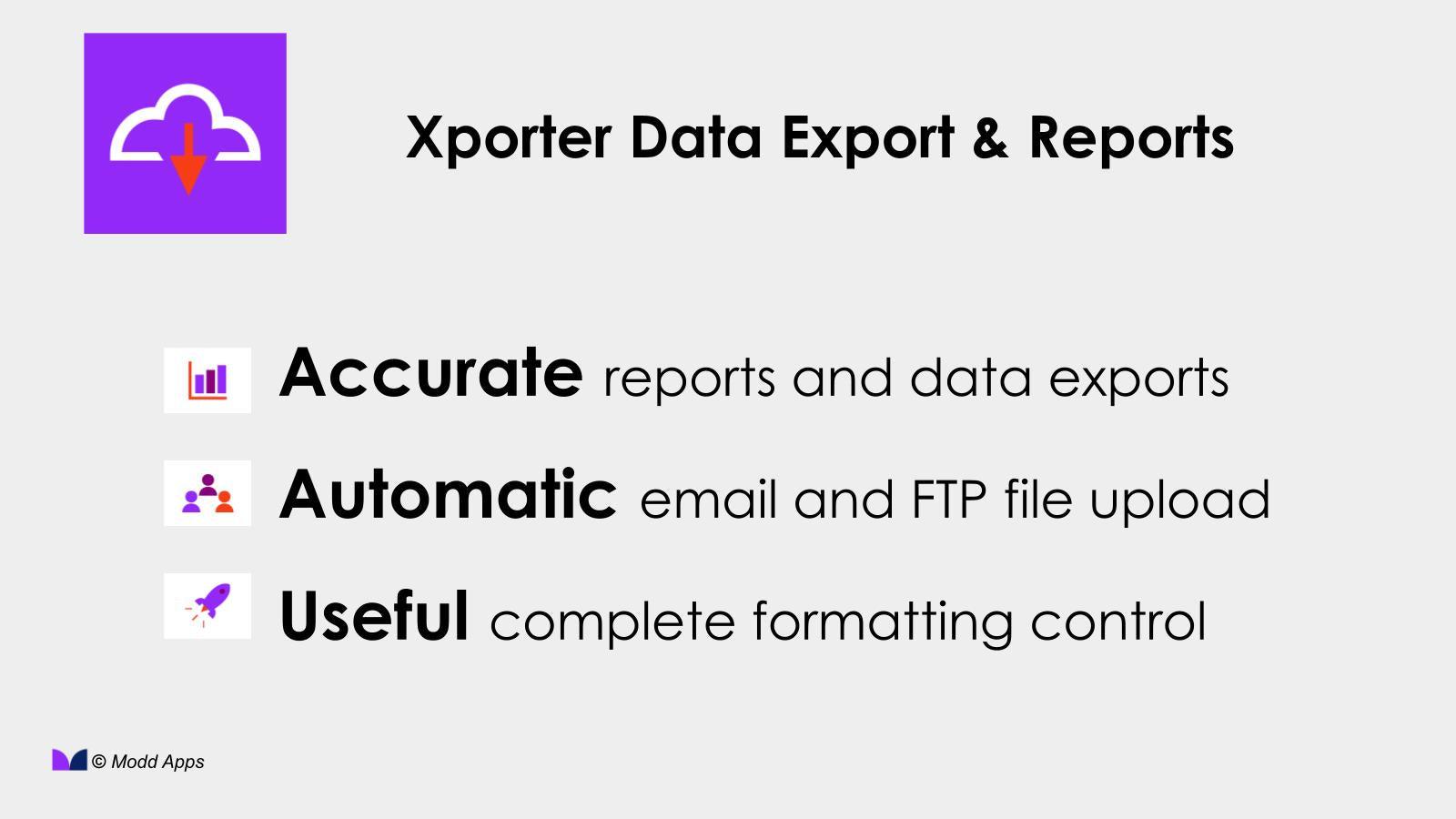
Detailed, tailor-made reports, and data exports. Get all your data, in any format, without any hassle!
Transfer all your information
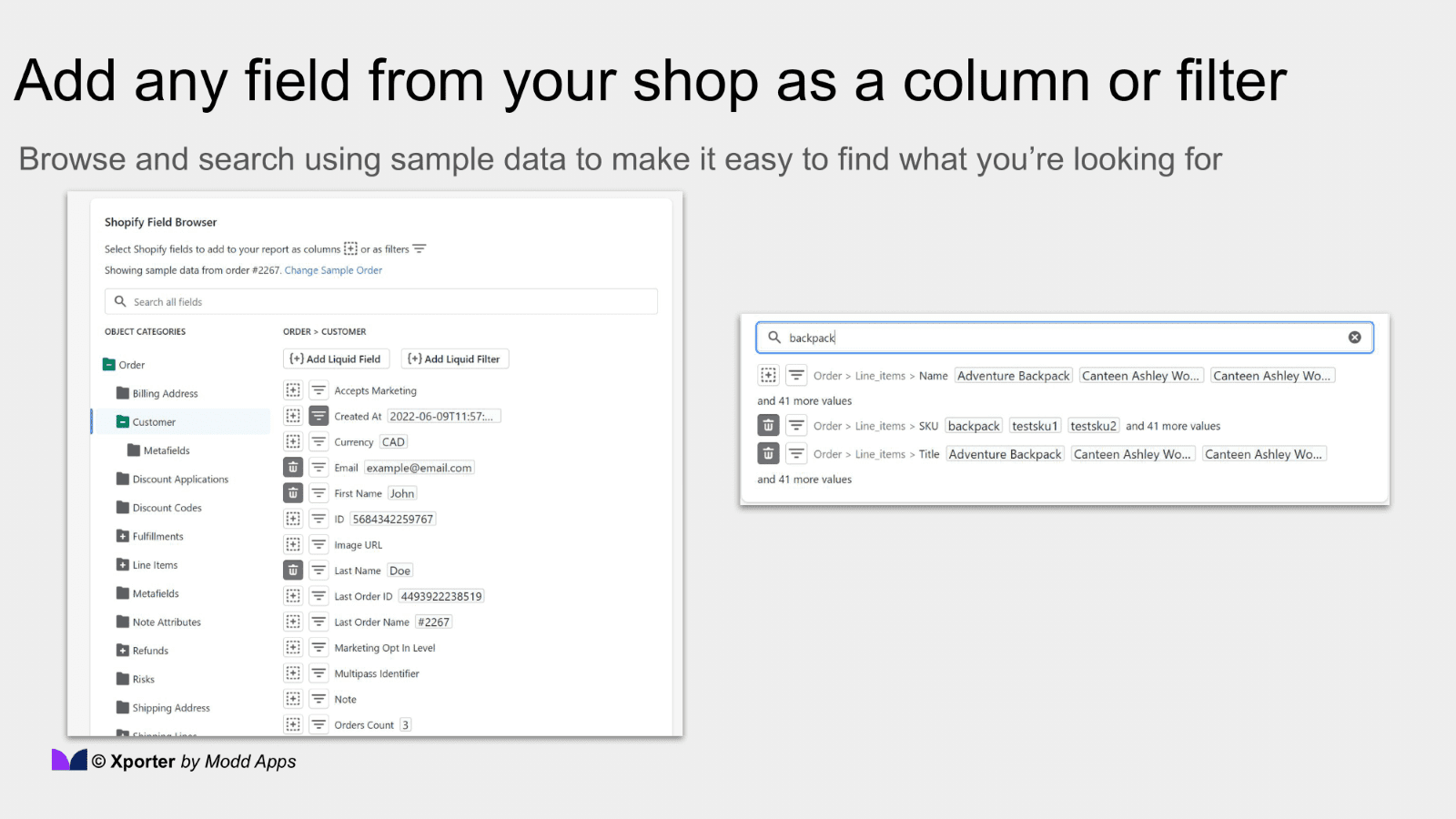
Get all your shop data, including hidden fields and calculations. You can use any field as a column or filter.
Complete control over formatting
Design your reports to your preference using our easy-to-use report editor. Create strong custom calculations using Liquid.
Dependable planning
Don't lose any file with our reliable automated system that safely stores files and can also send them via email or FTP.
Comparison
Top Xporter Data Export & Reports Alternatives Detailed Comparison
The table below highlights the crucial differences between Xporter Data Export & Reports and similar other Shopify apps based on parameters like ratings, reviews, features, pricing, etc.
Add App | |||
|---|---|---|---|
| General Information | |||
| Ratings | 5.0(273 reviews) | 4.1(90 reviews) | |
| Developed by | Modd Apps Inc. | Triple Whale | |
| Launch Date | 2/12/2013 | 12/4/2020 | |
| Pricing | $7/month, $15/month, $45/month | Free, $219/month, $749/month | |
| Objective | Easily editable, automatic reports and data file downloads | Find the exact data points to grow your brand | |
| Categories | Analytics | Analytics | |
| Key Features & Highlights | |||
| Purpose | Detailed, tailor-made reports, and data exports. Get all your data, in any format, without any hassle! | Triple Whale provides important metrics and attribution in a user-friendly dashboard. | |
| Features List |
|
| |
| Highlights | - | - | |
| User Reviews and Ratings | |||
| Recommended % | 98.5% | 79.3% | |
| Pros |
|
| |
| Cons |
|
| |
| Pricing and Plans | |||
| Total Pricing Plans | 3 | 3 | |
| Free Plan | Not available | Available | |
| Free Trial | Yes, for 7 day(s) | No | |
| Technical Information | |||
| Rating | 5.0 | 4.1 | |
| Total Reviews | 325 | 94 | |
| Launch Date | 2/12/2013 | 12/4/2020 | |
| SD Points | 1 | 6 | |
More Details About Xporter Data Export & Reports
Product Description
The Shopify platform allows users to access and control hidden data through custom reports and data file exports. Users can send this data to other systems, vendors and warehouses through email or SFTP, with 5-star support available for any assistance needed.
AI Summary
The app is a robust Shopify reporting and data export tool designed to address limitations in Shopify’s native export functionality. It enables users to generate highly customizable reports, automate scheduled exports, and extract granular data—including metafields, line items, and custom variants—in formats like CSV and Excel. Key strengths include its flexibility in handling complex data requirements, such as tailored exports for fulfillment, accounting, or inventory management, and its ability to integrate with external systems via SFTP or email. The app’s standout feature is its exceptional customer support, which is frequently cited as responsive, knowledgeable, and capable of resolving intricate customization requests swiftly, often through live chat. However, some users note a learning curve for advanced features, and a few mention pricing concerns for specific use cases. Overall, the app is a powerful solution for businesses needing precise, automated data exports beyond Shopify’s default capabilities, backed by reliable support.
Support
For any questions, concerns, or assistance with Xporter Data Export & Reports, the dedicated support team is readily available to help.To reach out to the support team, users can send an email to [email protected]. Additionally, Xporter Data Export & Reports offers a comprehensive FAQ section to address common inquiries and provide self-help resources in their app FAQ section.
Xporter Data Export & Reports Support Information In A Nutshell:
| Support Email: | [email protected] |
| Contact Number(s): | Not available |
| FAQ Page: | FAQ details |
| Privacy Policy: | Privacy details |
| Language Support: | English |
Integration
The list of top Shopify apps or features or software tools that Xporter Data Export & Reports seamlessly integrates are given below:
Developer
Name: Modd Apps Inc.
Website: /partners/modd-apps-inc
Address: 1435 rue Saint-Alexandre, Suite 220, Montreal, QC, H3A 2G4
Looking to install Xporter Data Export & Reports app on your store?
ShopDigest helps businesses upgrade their Shopify stores by offering easy app installation services.
Why Choose ShopDigest?
- Highly experienced and vetted team for successful app installation
- Assured support and guidance throughout the installation and beyond
- Customized services to meet unique business needs
- 30-day no questions asked refund policy
- Lowest pricing guaranteed (starts at just $10/hour)
Customer Reviews
Xporter Data Export & Reports has an overall rating of 4.9 stars from a total of 325 reviews on the Shopify app store. Of these, 320 (98.5%) are positive, 1 (0.3%) are neutral, and 4 (1.2%) are negative*.
*Ratings above four stars fall under positive review, three stars reviews fall under neutral, and anything less than two stars falls under negative.
We switched to Xporter Data Export & Reports after experiencing ongoing issues and poor support with a competitor's app. Since making the change, those challenges have disappeared. The app is reliable, stable, and performs exactly as expected, which is critical when your data needs to sync seamlessly with other systems. On top of that, the support team is responsive, knowledgeable, and always quick to help when needed. We’ve had a great experience and would highly recommend it.
This app has been absolutely fantastic for our business. We’ve now been using Xporter for well over two years, and it has become an essential part of our Shopify workflow.What really sets this app apart is the outstanding support team. We recently had a very specific export requirement involving Shopify Order Edits and another third-party app. Jason took the time to fully understand the issue, tested different approaches, created multiple report copies for us, and ultimately implemented a custom filter that solved the problem perfectly.Fast, knowledgeable, patient, and willing to go the extra mile – this is exactly how Shopify app support should be.Highly recommended!
We have been using Xporter for over 9 years, and it has consistently exceeded our expectations. Throughout that time, we have never been disappointed with its functionality, reliability, technical capabilities, or ease of use.The Xporter support team provides outstanding customer service. I was especially impressed with their live chat support experience. They were able to make the necessary changes to our settings during the chat session, and everything worked perfectly afterward.The application offers a wide range of features that significantly simplify file transfers, report generation, and automation processes. It has become an essential tool for our business operations.What truly sets Xporter apart is its exceptional support team. They are responsive, knowledgeable, and genuinely committed to helping their customers succeed.I highly recommend Xporter to any company looking for a powerful and reliable reporting and file transfer solution. Five stars!
We've been using Xporter for a decade now and it is the best app. Easy to use, super powerful, and the best support of any app I've used.
Amazing app and customer support that is responsive and very helpful. It allows us to do the business we do quickly and easily. We recommend it!
Video Demo and Screenshots
Product Screenshots
Installation Steps
How to install Xporter Data Export & Reports on your Shopify store
Find your app
Use filters like pricing, availability, and features to find the perfect match for your store's needs.
Get a personalized setup plan
Our team will create an installation plan based on your current store setup, goals, and requirements.
Install at your own pace
Perfect your store's functionality without the pressure to move on until you're ready.
Install in your Shopify Store
Xporter Data Export & Reports FAQ's
How do I install the Xporter Data Export & Reports Shopify app?
To install Xporter Data Export & Reports app on your Shopify store, click on the Xporter Data Export & Reports installation link. Login to the Shopify store on which you want to install the app and follow the onboarding process.
If you need our expert guidance to help you install Xporter Data Export & Reports on your Shopify store, then contact us now.
What are the key features of Xporter Data Export & Reports?
The key features offered by Xporter Data Export & Reports to Shopify store owners are:
- ✅Intuitive report editor makes it easy to find data and build custom layouts
- ✅Dozens of starter reports to run or customize to your needs
- ✅Excel, CSV, Text and even XML support, with scheduling by email and SFTP
- ✅Works with ALL your data, including metafields, line item properties and more
- ✅Extended Liquid support for simple or complex custom calculations and filters
Does Xporter Data Export & Reports integrate with other Shopify apps or tools?
Yes, Xporter Data Export & Reports seamlessly integrates with other Shopify apps or tools, such as The user-friendly report editor allows you to easily find data and create your own layouts., Dozens of basic reports available that you can use or modify to fit your needs., Support for Excel, CSV, Text, and XML with scheduling options through email and SFTP..
Is there a free trial available for Xporter Data Export & Reports?
Yes, Xporter Data Export & Reports offers 7 days free trial on all its paid plans.
What are the pricing plans for Xporter Data Export & Reports?
The app offers 3 paid plans, which cost $7/month, $15/month, $45/month. The paid plans also come with a 7-day free trial period.
How does billing work for Xporter Data Export & Reports?
Xporter Data Export & Reports uses USD for billing, with recurring and usage-based charges invoiced usually every 30 days.
Can I cancel or upgrade my subscription plan at any time?
Yes, Xporter Data Export & Reports allows its subscribers to cancel or upgrade their subscription plan at any time.
Does Xporter Data Export & Reports offer customer support? How can I get assistance?
Yes, Xporter Data Export & Reports offers a dedicated support team for any kind of app-related assistance. To reach out to the support team, users can send an email to [email protected].
Additionally, Xporter Data Export & Reports offers a comprehensive FAQ section to address common inquiries and provide self-help resources.
Is Xporter Data Export & Reports compatible with my Shopify theme?
Please reach out to their support team at [email protected] to confirm its compatibility with your specific Shopify theme.
Alternatives
See all Alternatives to Xporter Data Export & Reports Shopify App.






Most Popular
Most popular Shopify apps on the market




