
File Upload by Uploadery Shopify App
by ShopPad Inc.Make customer orders easier by letting them attach files to their order. Allow your customers to attach files to their orders.
4.6
(181)
Science Collective, Canada
Great customer service ! I'm not very good with coding but their team was able to customize the appearance of the upload button for me and it only took 5 minutes through the chat!
Install in your Shopify Store

File Upload by Uploadery Charts
Track File Upload by Uploadery's ranking, reviews, and performance over time with interactive charts. See how it compares to similar apps in the same category.
Pros and Cons
Pros and Cons of File Upload by Uploadery
Pros
Excellent Customer Support: Rapid response times and proactive assistance, often resolving issues within hours or minutes.
Seamless Integration: Easy installation and compatibility with various Shopify themes, including custom setups.
Customization Options: Flexible features allowing tailored upload fields and design matching for user themes.
Reliable Performance: Consistent functionality for file uploads, including image cropping and previews.
Cons
Limited Third-Party Compatibility: Incompatibility with some page builders (e.g., Gempages) causing functionality gaps.
Setup Complexity: Challenges for non-technical users during initial configuration without support.
Screenshots
About the App
Allow your customers to attach files to their orders.
- Customized Preview: Send customers an email with a preview picture of their custom-made item.
- Large File Uploads: Allow your customers to upload large files and high-quality images (up to 2GB).
- Image size constraints: Set minimum and maximum heights, widths, and ratios for images you upload.
Keywords
Key Features
- Let customers upload files up to 2GB with their orders.
- Restrict uploads to specific file types like JPG, PDF, or PNG.
- Set minimum and maximum dimensions for uploaded images.
Pricing
File Upload by Uploadery Pricing Plans
Affiliate
$0/month
All file types
100% customizable
Up to 50MB per file
FREE for partner development stores
Professional
$9.99/month
Unlimited file uploads
No order limits
All file types
Fully customizable
Up to 50MB per file
100MB
$19.99/month
Unlimited file uploads
No order limits
All file types
Fully customizable
Up to 100MB per file
2GB
$59.99/month
Unlimited file uploads
No order limits
All file types
Fully customizable
Up to 2GB per file
Not sure which plan to pick? Discuss Affiliate or Professional plans with us, learn about custom pricing, or get a demo.
Here's an overview of File Upload by Uploadery costs for each of the plan(s):
The app has 4 pricing plans: 1 free and 3 paid. The free plan(s) offered by File Upload by Uploadery: (Affiliate). The paid plan(s) offered by File Upload by Uploadery: (Professional, 100MB, 2GB).
The details of the plan(s) are outlined below:
Affiliate: This plan is free forever, incurring no subscription costs. It offers a wide range of features like All file types, 100% customizable, Up to 50MB per file, FREE for partner development stores.
Professional: The Professional plan costs $9.99 and comes with a 14-day free trial period. The plan offers a host of features, including Unlimited file uploads, No order limits, All file types, Fully customizable, Up to 50MB per file, 100GB archive space.
100MB: The 100MB plan costs $19.99 and comes with a 14-day free trial period. The plan offers a host of features, including Unlimited file uploads, No order limits, All file types, Fully customizable, Up to 100MB per file, 100GB archive space.
2GB: The 2GB plan costs $59.99 and comes with a 14-day free trial period. The plan offers a host of features, including Unlimited file uploads, No order limits, All file types, Fully customizable, Up to 2GB per file, 100GB archive space.
File Upload by Uploadery Price Summary
| Pricing summary | Free plan available. Free trial available. |
| Total Pricing Plan(s) | 4 |
| Number of free plan(s) | 1 |
| Number of paid plan(s) | 3 |
| Cost of Paid Plan(s) | $9.99, $19.99, $59.99 |
| Free trial available | Yes, for 14 day(s) |
For further information regarding File Upload by Uploadery app pricing plans, see the official website.
File Upload by Uploadery Shopify App Discounts
If you are looking for discounts on File Upload by Uploadery app pricing plans, feel free to contact our team - we'd be happy to help! Additionally, if you are an agency or a shop merchant with multiple Shopify stores, we can work directly with ShopPad Inc. to secure better deals on the File Upload by Uploadery app exclusively for you.
*Disclaimer: Please note that ShopDigest doesn't guarantee discounts on apps as any changes to the pricing plans are ultimately up to the discretion of the developer.
Testimonials
What our users say about File Upload by Uploadery
“Great customer service ! I'm not very good with coding but their team was able to customize the appearance of the upload button for me and it only took 5 minutes through the chat! ”
“I haven't used the app just yet, Abby is great and I really appreciate her support. She is friendly, fast and got the job done.”
“needed an app where i can have different sets of uploads for different products, what i have been using has been good but doesnt have this function, easy to set up, little glitch on my browser which made it appear to not be working but support was almost immediate and glitch was my end not the app so all good, highly recommended ”
Trusted By
Trusted by the best Shopify stores
Science Collective
Canada
Cherished Creations By Lily
United States
House of Wraps
United Kingdom
Horzbath
United States
Freedom Headliners, LLC.
United States
Elite Laser Creations
Australia
The PGK Clubhouse Megastore
United States
Black Sheep Personalized Gifts
United States
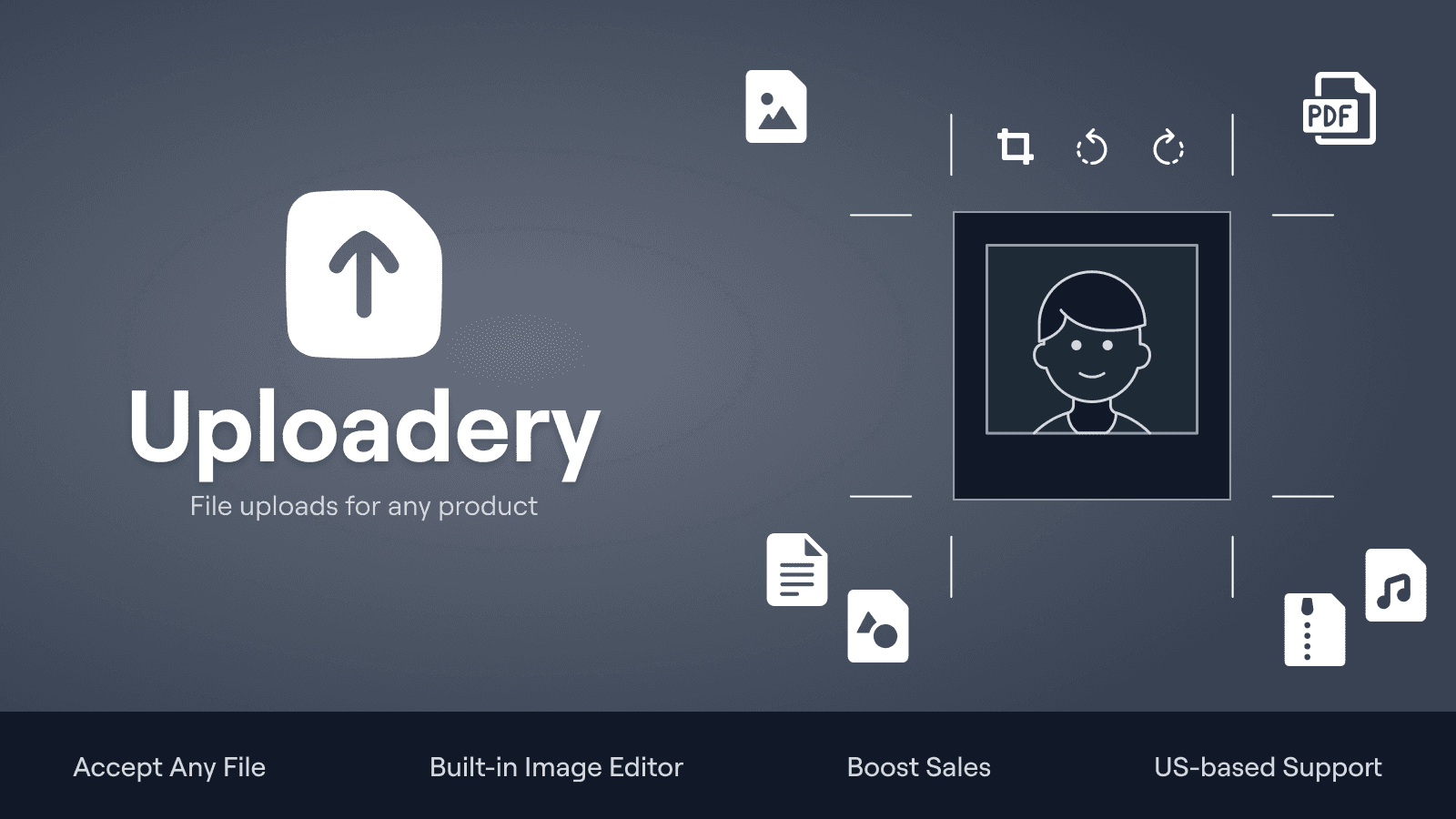
Make customer orders easier by letting them attach files to their order.
Get big files
Allow your customers to upload large files and high-resolution images up to 2GB.
Integrated photo editing tool
Customers can view, turn and trim pictures directly in their browser before uploading.
Simplify personalized orders
Files uploaded by customers are linked to their orders and can be seen on the Shopify admin panel.
Comparison
Top File Upload by Uploadery Alternatives Detailed Comparison
The table below highlights the crucial differences between File Upload by Uploadery and similar other Shopify apps based on parameters like ratings, reviews, features, pricing, etc.
Add App | |||
|---|---|---|---|
| General Information | |||
| Ratings | 4.6(179 reviews) | 4.9(2,356 reviews) | |
| Developed by | ShopPad Inc. | OPTIS | |
| Launch Date | 5/20/2015 | 12/2/2021 | |
| Pricing | Free, $9.99/month, $19.99/month, $59.99/month | Free, $9.99/month, $19.99/month, $49.99/month | |
| Objective | Allow your customers to attach files to their orders. | Endless product choices, custom features, samples, and more! | |
| Categories | Product variants, Custom file upload | Product variants, Custom file upload | |
| Key Features & Highlights | |||
| Purpose | Make customer orders easier by letting them attach files to their order. | Customize your products to enhance the customer's shopping experience and increase your average order value! | |
| Features List |
|
| |
| Highlights |
| - | |
| User Reviews and Ratings | |||
| Recommended % | 91.2% | 99.1% | |
| Pros |
|
| |
| Cons |
|
| |
| Pricing and Plans | |||
| Total Pricing Plans | 4 | 4 | |
| Free Plan | Available | Available | |
| Free Trial | Yes, for 14 day(s) | Yes, for 14 day(s) | |
| Technical Information | |||
| Rating | 4.6 | 4.9 | |
| Total Reviews | 181 | 2,367 | |
| Launch Date | 5/20/2015 | 12/2/2021 | |
| SD Points | 172 | 1506 | |
More Details About File Upload by Uploadery
Product Description
Uploadery is a versatile file-upload app that allows for an unlimited number of fields, each up to 2GB in size, and supports different file types like gifs and JPGs. It features an intuitive interface and offers in-depth adjustments such as size configuration and element appearance.
AI Summary
The app enables Shopify store owners to facilitate customer file uploads, including images and documents, for custom product orders. Its core features include customizable upload fields, image preview functionality, and seamless integration with Shopify themes. A key strength is its responsive and proactive customer support, which assists with installation, troubleshooting, and theme-specific customizations, often resolving issues quickly. The app also supports multiple file formats and offers cropping tools for uploaded images. However, limitations include inconsistent compatibility with third-party page builders, occasional technical glitches during Shopify updates, and a lack of transparency in communicating platform-related disruptions. Some users report challenges with advanced customization, such as enforcing specific aspect ratios or editing uploads post-cart addition. While the app streamlines order processing for custom products, its effectiveness depends on theme compatibility and may require technical support for optimal setup. Pricing for additional features, like bulk uploads, has been noted as a drawback compared to competitors.
Support
For any questions, concerns, or assistance with File Upload by Uploadery, the dedicated support team is readily available to help.To reach out to the support team, users can send an email to [email protected]. Additionally, File Upload by Uploadery offers a comprehensive FAQ section to address common inquiries and provide self-help resources in their app FAQ section.
File Upload by Uploadery Support Information In A Nutshell:
| Support Email: | [email protected] |
| Contact Number(s): | Not available |
| FAQ Page: | FAQ details |
| Privacy Policy: | Privacy details |
| Language Support: | English |
Integration
The list of top Shopify apps or features or software tools that File Upload by Uploadery seamlessly integrates are given below:
Developer
Looking to install File Upload by Uploadery app on your store?
ShopDigest helps businesses upgrade their Shopify stores by offering easy app installation services.
Why Choose ShopDigest?
- Highly experienced and vetted team for successful app installation
- Assured support and guidance throughout the installation and beyond
- Customized services to meet unique business needs
- 30-day no questions asked refund policy
- Lowest pricing guaranteed (starts at just $10/hour)
Customer Reviews
File Upload by Uploadery has an overall rating of 4.6 stars from a total of 181 reviews on the Shopify app store. Of these, 165 (91.2%) are positive, 4 (2.2%) are neutral, and 12 (6.6%) are negative*.
*Ratings above four stars fall under positive review, three stars reviews fall under neutral, and anything less than two stars falls under negative.
Great customer service ! I'm not very good with coding but their team was able to customize the appearance of the upload button for me and it only took 5 minutes through the chat!
Great customer service ! I'm not very good with coding but their team was able to customize the appearance of the upload button for me and it only took 5 minutes through the chat!
I haven't used the app just yet, Abby is great and I really appreciate her support. She is friendly, fast and got the job done.
needed an app where i can have different sets of uploads for different products, what i have been using has been good but doesnt have this function, easy to set up, little glitch on my browser which made it appear to not be working but support was almost immediate and glitch was my end not the app so all good, highly recommended
needed an app where i can have different sets of uploads for different products, what i have been using has been good but doesnt have this function, easy to set up, little glitch on my browser which made it appear to not be working but support was almost immediate and glitch was my end not the app so all good, highly recommended
Simple and does what I need! Don't hesitate to contact support for help. They were excellent and very responsive.
Honestly my rating is 6 out of 5 stars! This app is extremely user friendly both for the seller and the customer. the sales of my custom products have gone up since i don't have to deal with the confusion of customers emailing images. Customer service is amazing. They have very quick response time. They helped me through the set up the uploadery app for my product. I've also reached out about how to change settings and they have been very quick and informative with the responses. Before finding Uploadery I was quoted $100 from a person on Fiverr to do the same thing. I can't say enough about Uploadery and the customer service.
Honestly my rating is 6 out of 5 stars! This app is extremely user friendly both for the seller and the customer. the sales of my custom products have gone up since i don't have to deal with the confusion of customers emailing images. Customer service is amazing. They have very quick response time. They helped me through the set up the uploadery app for my product. I've also reached out about how to change settings and they have been very quick and informative with the responses. Before finding Uploadery I was quoted $100 from a person on Fiverr to do the same thing. I can't say enough about Uploadery and the customer service.
Video Demo and Screenshots
Product Screenshots

Installation Steps
How to install File Upload by Uploadery on your Shopify store
Find your app
Use filters like pricing, availability, and features to find the perfect match for your store's needs.
Get a personalized setup plan
Our team will create an installation plan based on your current store setup, goals, and requirements.
Install at your own pace
Perfect your store's functionality without the pressure to move on until you're ready.
Install in your Shopify Store
File Upload by Uploadery FAQ's
How do I install the File Upload by Uploadery Shopify app?
To install File Upload by Uploadery app on your Shopify store, click on the File Upload by Uploadery installation link. Login to the Shopify store on which you want to install the app and follow the onboarding process.
If you need our expert guidance to help you install File Upload by Uploadery on your Shopify store, then contact us now.
What are the key features of File Upload by Uploadery?
The key features offered by File Upload by Uploadery to Shopify store owners are:
- ✅Support large files (up to 2GB) for high-resolution images, print, and video
- ✅Files are attached directly to the order in your Shopify admin
- ✅Let customers crop and adjust images before upload to reduce errors
- ✅Control file types, aspect ratios, min/max widths and heights
- ✅Merchants love the fast, reliable support from our US-based team
Does File Upload by Uploadery integrate with other Shopify apps or tools?
Yes, File Upload by Uploadery seamlessly integrates with other Shopify apps or tools, such as Send customers an email with a preview picture of their custom-made item., Allow your customers to upload large files and high-quality images (up to 2GB)., Set minimum and maximum heights, widths, and ratios for images you upload..
Is there a free trial available for File Upload by Uploadery?
Yes, File Upload by Uploadery offers 14 days free trial on all its paid plans.
What are the pricing plans for File Upload by Uploadery?
The app has 4 pricing plans: 1 free and 3 paid. The paid plans cost $9.99/month, $19.99/month, $59.99/month, and come with a 14-day free trial period.
How does billing work for File Upload by Uploadery?
File Upload by Uploadery uses USD for billing, with recurring and usage-based charges invoiced usually every 30 days.
Can I cancel or upgrade my subscription plan at any time?
Yes, File Upload by Uploadery allows its subscribers to cancel or upgrade their subscription plan at any time.
Does File Upload by Uploadery offer customer support? How can I get assistance?
Yes, File Upload by Uploadery offers a dedicated support team for any kind of app-related assistance. To reach out to the support team, users can send an email to [email protected].
Additionally, File Upload by Uploadery offers a comprehensive FAQ section to address common inquiries and provide self-help resources.
Is File Upload by Uploadery compatible with my Shopify theme?
Please reach out to their support team at [email protected] to confirm its compatibility with your specific Shopify theme.
Alternatives
See all Alternatives to File Upload by Uploadery Shopify App.






Most Popular
Most popular Shopify apps on the market




