
RUBIX Bulk Tag Editor Shopify App
by Rubix HouseAdd, delete or change product tags using different product filters. Edit Tags in Bulk - Add or Delete Product Tags with the Ability to Undo Changes
4.8
(68)
lovedollsenpai, United States
Does exactly what it says it will. Simple and effective. Love this app, well worth the money
Install in your Shopify Store

RUBIX Bulk Tag Editor Charts
Track RUBIX Bulk Tag Editor's ranking, reviews, and performance over time with interactive charts. See how it compares to similar apps in the same category.
Pros and Cons
Pros and Cons of RUBIX Bulk Tag Editor
Pros
Time-Saving Efficiency: The app significantly reduces manual effort for bulk tag editing, saving hours of work.
Reliable Performance: Consistently performs as expected without major issues for most users.
User-Friendly Interface: Simple, intuitive design makes it easy to navigate and use.
Free Accessibility: Many users appreciate the free availability and basic functionality.
Cons
Bugs and Reliability Issues: Some users report occasional crashes or tags reappearing unexpectedly.
Limited Feature Depth: Requests for advanced features like auto-tagging or product suggestions remain unaddressed.
Screenshots
About the App
Edit Tags in Bulk - Add or Delete Product Tags with the Ability to Undo Changes
- Product Filters: Choose products using different filters like collections, seller, title, and more.
- App Technology: This app uses current technology to rapidly update tags.
- User-Friendly App: This app is user-friendly and has straightforward navigation.
Keywords
Key Features
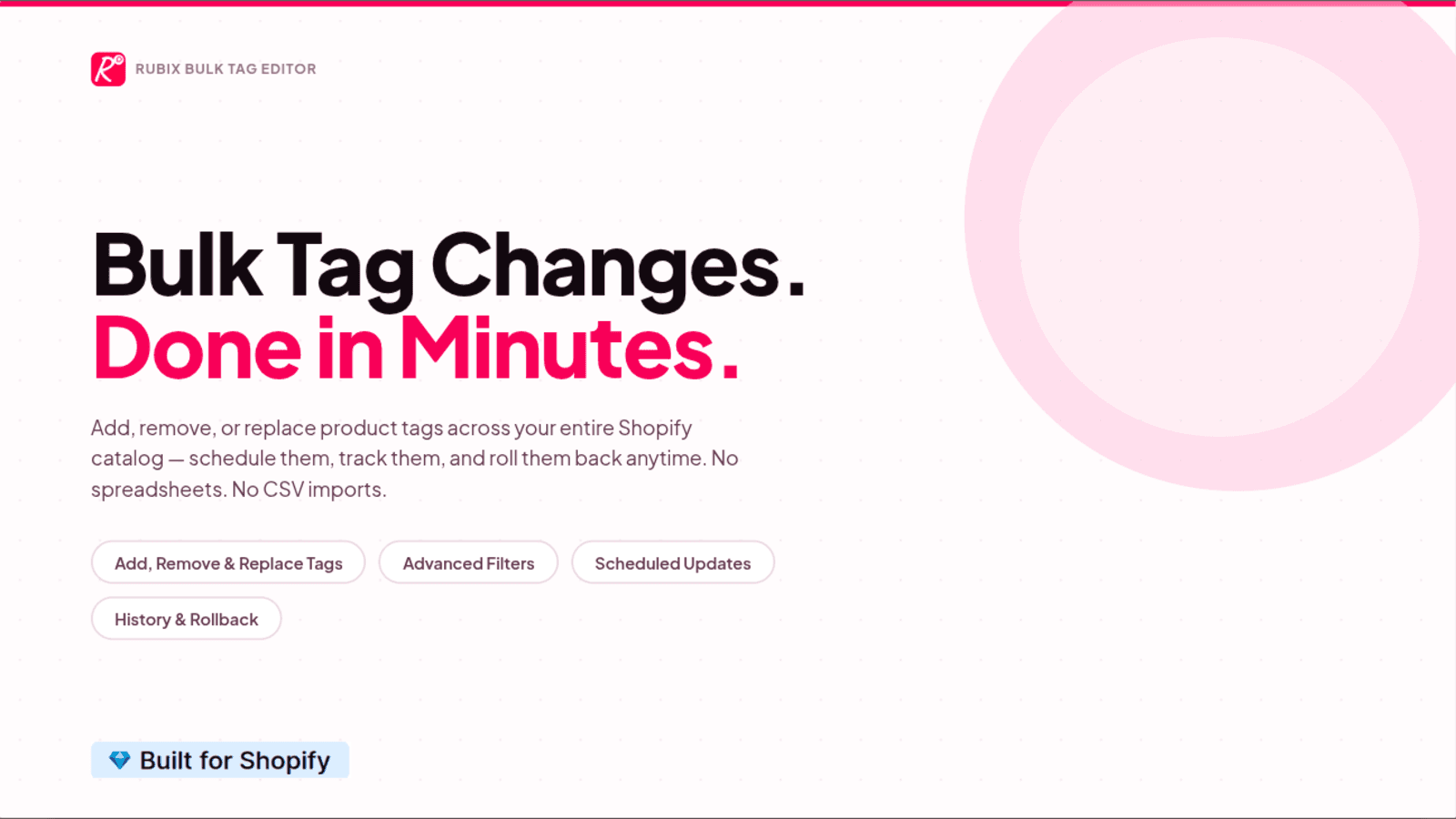
- Quickly add, remove, or replace product tags in bulk for efficiency.
- Filter products by collections, vendors, titles, or specific criteria.
- Revert changes anytime with the rollback feature for flexibility.
Pricing
RUBIX Bulk Tag Editor Pricing Plans
FOREVER FREE
$0/month
50 products update/month
COOL
$3.99/month
Unlimited products update
SUPER_COOL
$5.99/month
Unlimited products update
Task Scheduling
High Priority Support
Not sure which plan to pick? Discuss FOREVER FREE or COOL plans with us, learn about custom pricing, or get a demo.
Here's an overview of RUBIX Bulk Tag Editor costs for each of the plan(s):
The app has 3 pricing plans: 1 free and 2 paid. The free plan(s) offered by RUBIX Bulk Tag Editor: (FOREVER FREE). The paid plan(s) offered by RUBIX Bulk Tag Editor: (COOL, SUPER_COOL).
The details of the plan(s) are outlined below:
FOREVER FREE: This plan is free forever, incurring no subscription costs. It offers a wide range of features like 50 products update/month.
COOL: The COOL plan costs $3.99 and comes with a 1-day free trial period. The plan offers a host of features, including Unlimited products update.
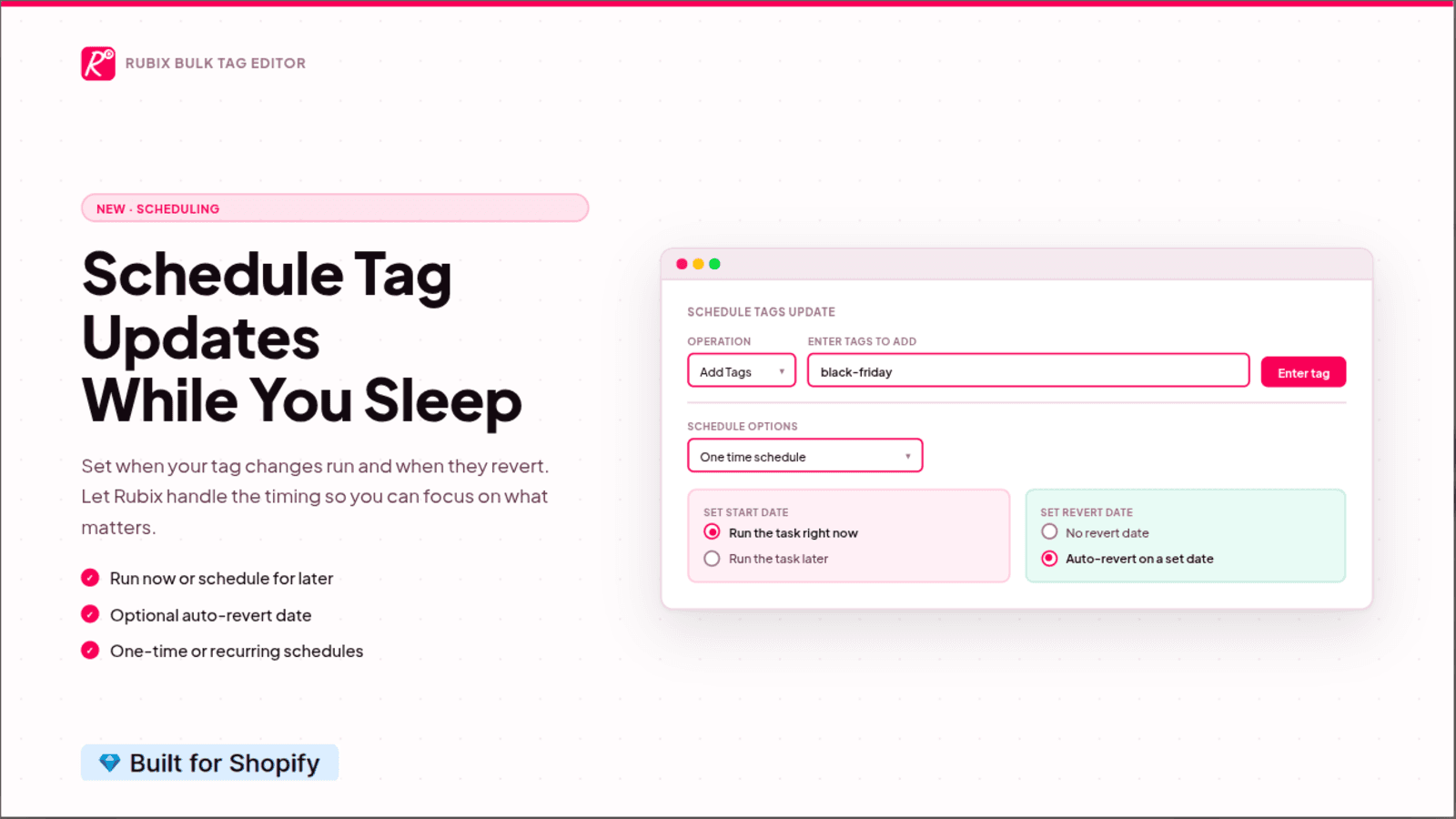
SUPER_COOL: The SUPER_COOL plan costs $5.99 and comes with a 1-day free trial period. The plan offers a host of features, including Unlimited products update, Task Scheduling, High Priority Support.
RUBIX Bulk Tag Editor Price Summary
| Pricing summary | Free plan available. Free trial available. |
| Total Pricing Plan(s) | 3 |
| Number of free plan(s) | 1 |
| Number of paid plan(s) | 2 |
| Cost of Paid Plan(s) | $3.99, $5.99 |
| Free trial available | Yes, for 1 day(s) |
RUBIX Bulk Tag Editor Shopify App Discounts
If you are looking for discounts on RUBIX Bulk Tag Editor app pricing plans, feel free to contact our team - we'd be happy to help! Additionally, if you are an agency or a shop merchant with multiple Shopify stores, we can work directly with Rubix House to secure better deals on the RUBIX Bulk Tag Editor app exclusively for you.
*Disclaimer: Please note that ShopDigest doesn't guarantee discounts on apps as any changes to the pricing plans are ultimately up to the discretion of the developer.
Testimonials
What our users say about RUBIX Bulk Tag Editor
“Does exactly what it says it will. Simple and effective. Love this app, well worth the money”
“Good product. Very fast support when we needed help. Thanks”
“I needed to add a lot of tags, and using a spreadsheet was always a hassle with frequent mistakes. This app made the process so easy! I’m genuinely impressed and wish I had discovered it sooner—it would have saved me so much time.”
Trusted By
Trusted by the best Shopify stores
lovedollsenpai
United States
PolyBelt.com
United States
GAPS Water Treatment
United Kingdom
El Cajon Guitars and Music
United States
Designed by Distraction
United States
ExcellentSupply.com
United States
WMD
United States
Anita Goodesign
United States
Add, delete or change product tags using different product filters.
Enhanced Filter
Select products using different filters like collections, vendors, titles, specific products, and so on.
Quick & Dependable
This app uses the latest technology to rapidly update tags.
Easy to use
User-friendly app with simple navigation.
Comparison
Top RUBIX Bulk Tag Editor Alternatives Detailed Comparison
The table below highlights the crucial differences between RUBIX Bulk Tag Editor and similar other Shopify apps based on parameters like ratings, reviews, features, pricing, etc.
Add App | |||
|---|---|---|---|
| General Information | |||
| Ratings | 4.8(48 reviews) | 4.9(1,446 reviews) | |
| Developed by | Rubix House | ITissible | |
| Launch Date | 10/6/2021 | 7/7/2017 | |
| Pricing | Free, $3.99/month, $5.99/month | Free, $20/month, $50/month, $200/month | |
| Objective | Edit Tags in Bulk - Add or Delete Product Tags with the Ability to Undo Changes | Easily transfer, update or move large data amounts. | |
| Categories | Bulk editor | Bulk editor, Store data importer | |
| Key Features & Highlights | |||
| Purpose | Add, delete or change product tags using different product filters. | The Matrixify app lets you handle large amounts of store data by allowing you to import, export, update, and transfer it. | |
| Features List |
|
| |
| Highlights | - |
| |
| User Reviews and Ratings | |||
| Recommended % | 94.4% | 97.3% | |
| Pros |
|
| |
| Cons |
|
| |
| Pricing and Plans | |||
| Total Pricing Plans | 3 | 4 | |
| Free Plan | Available | Available | |
| Free Trial | Yes, for 1 day(s) | No | |
| Technical Information | |||
| Rating | 4.8 | 4.9 | |
| Total Reviews | 68 | 598 | |
| Launch Date | 10/6/2021 | 7/7/2017 | |
| SD Points | 12 | 1421 | |
More Details About RUBIX Bulk Tag Editor
Product Description
"Rubix Bulk Tag Editor" is an app that allows you to manage product tags in bulk for your store, improving productivity. It offers extensive filters to choose products and provides an option to revert changes anytime.
AI Summary
This Shopify app specializes in bulk editing product tags, offering a streamlined solution for managing large inventories efficiently. Its core functionality includes adding, removing, and replacing tags across multiple products simultaneously, significantly reducing manual effort. The app is praised for its simplicity, user-friendly interface, and time-saving capabilities, particularly for stores with extensive catalogs. Key strengths include reliable performance, ease of use, and the ability to handle complex tagging tasks that Shopify’s native system cannot. Some users highlight the value of its free tier, while others express willingness to pay for its utility. However, limitations include occasional bugs, slow support response times due to the lack of live chat, and billing concerns, with some users finding the pricing model unclear or expensive for the features offered. Requests for additional features, such as automated tag management, detailed change logs, and improved product selection filters, suggest areas for enhancement. Despite these drawbacks, the app remains a popular choice for its effectiveness in bulk tag management.
Support
For any questions, concerns, or assistance with RUBIX Bulk Tag Editor, the dedicated support team is readily available to help.To reach out to the support team, users can send an email to [email protected].
RUBIX Bulk Tag Editor Support Information In A Nutshell:
| Support Email: | [email protected] |
| Contact Number(s): | Not available |
| FAQ Page: | Not available |
| Privacy Policy: | Privacy details |
| Language Support: | English |
Integration
The list of top Shopify apps or features or software tools that RUBIX Bulk Tag Editor seamlessly integrates are given below:
Developer
Name: Rubix House
Website: /partners/rubix-house
Address: Taman Kedoya Baru B10/20, Jakarta, JK, 11520
Looking to install RUBIX Bulk Tag Editor app on your store?
ShopDigest helps businesses upgrade their Shopify stores by offering easy app installation services.
Why Choose ShopDigest?
- Highly experienced and vetted team for successful app installation
- Assured support and guidance throughout the installation and beyond
- Customized services to meet unique business needs
- 30-day no questions asked refund policy
- Lowest pricing guaranteed (starts at just $10/hour)
RUBIX Bulk Tag Editor Q&A
How does this app help manage product tags?
It lets you add, remove, or replace tags in bulk across multiple products at once, saving time and ensuring consistency in your store’s organization.
Can I undo changes made to tags?
Yes, the app includes a rollback feature, allowing you to revert any modifications if you change your mind or make a mistake.
What filters can I use to select products?
You can filter by collections, vendors, titles, tags, SKUs, and more, making it easy to target specific products for updates.
Is there a free plan available?
Yes, the free plan allows 100 product updates per month with full feature access, ideal for small stores or occasional use.
Who should use this app?
Store owners or managers who need to efficiently organize or update product tags in bulk without manual, time-consuming edits.
How fast are tag updates processed?
The app uses modern technology to apply changes quickly, ensuring minimal delay even when editing large numbers of products.
Are there limits on paid plans?
Paid plans offer unlimited product updates and tasks, along with priority support, suitable for high-volume stores.
Can I edit tags for specific product groups?
Yes, advanced filters let you narrow down products by collections, vendors, or other attributes before applying tag changes.
Customer Reviews
RUBIX Bulk Tag Editor has an overall rating of 4.7 stars from a total of 68 reviews on the Shopify app store. Of these, 65 (95.6%) are positive, 1 (1.5%) are neutral, and 2 (2.9%) are negative*.
*Ratings above four stars fall under positive review, three stars reviews fall under neutral, and anything less than two stars falls under negative.
Does exactly what it says it will. Simple and effective. Love this app, well worth the money
Good product. Very fast support when we needed help. Thanks
I needed to add a lot of tags, and using a spreadsheet was always a hassle with frequent mistakes. This app made the process so easy! I’m genuinely impressed and wish I had discovered it sooner—it would have saved me so much time.
I needed to add a lot of tags, and using a spreadsheet was always a hassle with frequent mistakes. This app made the process so easy! I’m genuinely impressed and wish I had discovered it sooner—it would have saved me so much time.
This app is a perfect solution for quickly adding or removing tags in bulk. It is invaluable. I had a problem that I needed a fast and easy solution for. The problem was a common problem because of the inability to exclude items or enter inverse tagging on Shopify. Specifically, I wanted discount codes to work with many products, but exclude products that were already discounted or ineligible for discounts because of manufacturer's policies. Rubix Bulk Tag Editor allowed me to quickly tag products in bulk in order to create the conditions necessary to achieve the discounts and exclusions I needed. It did this efficiently and at a low cost. Do not underestimate the value of this app. Rubix Bulk Tag Editor is invaluable.
This app is a perfect solution for quickly adding or removing tags in bulk. It is invaluable. I had a problem that I needed a fast and easy solution for. The problem was a common problem because of the inability to exclude items or enter inverse tagging on Shopify. Specifically, I wanted discount codes to work with many products, but exclude products that were already discounted or ineligible for discounts because of manufacturer's policies. Rubix Bulk Tag Editor allowed me to quickly tag products in bulk in order to create the conditions necessary to achieve the discounts and exclusions I needed. It did this efficiently and at a low cost. Do not underestimate the value of this app. Rubix Bulk Tag Editor is invaluable.
Exactly what I need. Saves so much time doing individual updates!!
Exactly what I need. Saves so much time doing individual updates!!
Video Demo and Screenshots
Product Screenshots
Installation Steps
How to install RUBIX Bulk Tag Editor on your Shopify store
Find your app
Use filters like pricing, availability, and features to find the perfect match for your store's needs.
Get a personalized setup plan
Our team will create an installation plan based on your current store setup, goals, and requirements.
Install at your own pace
Perfect your store's functionality without the pressure to move on until you're ready.
Install in your Shopify Store
RUBIX Bulk Tag Editor FAQ's
How do I install the RUBIX Bulk Tag Editor Shopify app?
To install RUBIX Bulk Tag Editor app on your Shopify store, click on the RUBIX Bulk Tag Editor installation link. Login to the Shopify store on which you want to install the app and follow the onboarding process.
If you need our expert guidance to help you install RUBIX Bulk Tag Editor on your Shopify store, then contact us now.
What are the key features of RUBIX Bulk Tag Editor?
The key features offered by RUBIX Bulk Tag Editor to Shopify store owners are:
- ✅Select products by various filters such as collections, vendor, title, and more
- ✅This app is built on top of modern technology that quickly update the tags
- ✅Rollback feature: revert back all the changes
Does RUBIX Bulk Tag Editor integrate with other Shopify apps or tools?
Yes, RUBIX Bulk Tag Editor seamlessly integrates with other Shopify apps or tools, such as Choose products using different filters like collections, seller, title, and more., This app uses current technology to rapidly update tags., This app is user-friendly and has straightforward navigation..
Is there a free trial available for RUBIX Bulk Tag Editor?
Yes, RUBIX Bulk Tag Editor offers 1 days free trial on all its paid plans.
What are the pricing plans for RUBIX Bulk Tag Editor?
The app has 3 pricing plans: 1 free and 2 paid. The paid plans cost $3.99/month, $5.99/month, and come with a 1-day free trial period.
How does billing work for RUBIX Bulk Tag Editor?
RUBIX Bulk Tag Editor uses USD for billing, with recurring and usage-based charges invoiced usually every 30 days.
Can I cancel or upgrade my subscription plan at any time?
Yes, RUBIX Bulk Tag Editor allows its subscribers to cancel or upgrade their subscription plan at any time.
Does RUBIX Bulk Tag Editor offer customer support? How can I get assistance?
Yes, RUBIX Bulk Tag Editor offers a dedicated support team for any kind of app-related assistance. To reach out to the support team, users can send an email to [email protected].
Is RUBIX Bulk Tag Editor compatible with my Shopify theme?
Please reach out to their support team at [email protected] to confirm its compatibility with your specific Shopify theme.
Alternatives
See all Alternatives to RUBIX Bulk Tag Editor Shopify App.






Most Popular
Most popular Shopify apps on the market




