
QuickBooks Desktop by Parex Shopify App
by Parex Technologies Pvt LtdAutomatically sync individual orders to QuickBooks Desktop. Easily combine your data with your QuickBooks Desktop account.
4.7
(71)
Babesta, United States
Great App using between Shopify and QBE. Fast and very responsive Customer Service. Worth it. Other solutions kept having issue or created duplicate vendor entries. Their PO function also work very nicely.
Install in your Shopify Store

QuickBooks Desktop by Parex Charts
Track QuickBooks Desktop by Parex's ranking, reviews, and performance over time with interactive charts. See how it compares to similar apps in the same category.
Pros and Cons
Pros and Cons of QuickBooks Desktop by Parex
Pros
Exceptional Customer Support: Consistently praised for responsiveness, clarity, and problem-solving efficiency.
Seamless Integration: Effectively syncs Shopify orders and inventory with QuickBooks Desktop, reducing manual data entry.
Time-Saving Automation: Streamlines workflows by automating transactions, reconciliations, and inventory updates.
User-Friendly Setup: Many users highlighted the straightforward installation and configuration process.
Cons
Limited Communication Channels: Support is exclusively email-based, with no option for calls or live meetings.
Dependency on QuickBooks Web Connector: Issues may arise due to Intuit's certificate expirations or compatibility limitations.
Screenshots
About the App
Easily combine your data with your QuickBooks Desktop account.
- Order Synchronization: Order Sync - Contains Customer, Products, Taxes, and All Information.
- Sync Automation: Automated Synchronization Procedure
- Effortless Reconciliation: Extremely Simple Resolution
- Invoice Synchronization: Invoice Synchronization - Daily Summary or Settlement Summary Sync
Keywords
Key Features
- Syncs individual orders with customer, product, and tax details automatically.
- Automates daily data transfer to QuickBooks without manual effort.
- Simplifies reconciliation with clear, organized financial entries.
Pricing
QuickBooks Desktop by Parex Pricing Plans
Desktop Silver
$40/month
This plan includes 1000 orders / month
Suitable for Small Businesses
Desktop Gold
$80/month
This plan includes 2500 orders / month
Suitable for Medium businesses
Desktop Platinum
$160/month
This plan includes 10000 orders / month
Suitable for Large businesses
Not sure which plan to pick? Discuss Desktop Silver or Desktop Gold plans with us, learn about custom pricing, or get a demo.
Here's an overview of QuickBooks Desktop by Parex costs for each of the plan(s):
The app offers 3 paid plan(s). The paid plan(s) offered by QuickBooks Desktop by Parex: (Desktop Silver, Desktop Gold, Desktop Platinum).
The details of the plan(s) are outlined below:
Desktop Silver: The Desktop Silver plan costs $40 and comes with a 7-day free trial period. The plan offers a host of features, including This plan includes 1000 orders / month, Suitable for Small Businesses.
Desktop Gold: The Desktop Gold plan costs $80 and comes with a 7-day free trial period. The plan offers a host of features, including This plan includes 2500 orders / month, Suitable for Medium businesses.
Desktop Platinum: The Desktop Platinum plan costs $160 and comes with a 7-day free trial period. The plan offers a host of features, including This plan includes 10000 orders / month, Suitable for Large businesses.
QuickBooks Desktop by Parex Price Summary
| Pricing summary | From $40/month. Free trial available. |
| Total Pricing Plan(s) | 3 |
| Number of free plan(s) | 0 |
| Number of paid plan(s) | 3 |
| Cost of Paid Plan(s) | $40, $80, $160 |
| Free trial available | Yes, for 7 day(s) |
QuickBooks Desktop by Parex Shopify App Discounts
If you are looking for discounts on QuickBooks Desktop by Parex app pricing plans, feel free to contact our team - we'd be happy to help! Additionally, if you are an agency or a shop merchant with multiple Shopify stores, we can work directly with Parex Technologies Pvt Ltd to secure better deals on the QuickBooks Desktop by Parex app exclusively for you.
*Disclaimer: Please note that ShopDigest doesn't guarantee discounts on apps as any changes to the pricing plans are ultimately up to the discretion of the developer.
Testimonials
What our users say about QuickBooks Desktop by Parex
“Great App using between Shopify and QBE. Fast and very responsive Customer Service. Worth it. Other solutions kept having issue or created duplicate vendor entries. Their PO function also work very nicely.”
“I am so appreciative of the help I received from the technical support team. I had an issue with how the Shopify Syncronization app was bringing the transactions into our QuickBooks. It was not their fault, it was just the way we have our inventory system set up. Although it took some time, it was not their fault. Again, it was the way our inventory was set up. They continued to work on it until all was resolved and now my inventory is much easier to handle thanks to all of their efforts. They stuck to it until it was exactly what I needed. The were absolutely great and attentive! ”
“The customer service is amazing! We have had a few minor things arise and they have always been on top of things, providing help and fixing the issue. Highly recommend!!!”
Trusted By
Trusted by the best Shopify stores
Babesta
United States
Frontier Pharmaceutical, Inc.
United States
Pocket Full of Stitches
United States
Israel Bookshop Publications
United States
White Mountain Gourmet Coffee
United States
PatyInc
United States
DiCarlo
Canada
TuroSkin
United States
Automatically sync individual orders to QuickBooks Desktop.
Synchronize orders with QuickBooks.
When an order is connected to QuickBooks Desktop, all order details including Customer, Line Items, Taxes, Shipping and more will be synced.
Daily Automatic Routine
The data automatically updates in your QuickBooks Desktop file, no manual work needed.
Simple Incorporation
You can sync your data easily. Just download our app and let it do the work.
Comparison
Top QuickBooks Desktop by Parex Alternatives Detailed Comparison
The table below highlights the crucial differences between QuickBooks Desktop by Parex and similar other Shopify apps based on parameters like ratings, reviews, features, pricing, etc.
Add App | |||
|---|---|---|---|
| General Information | |||
| Ratings | 4.7(71 reviews) | 4.9(903 reviews) | |
| Developed by | Parex Technologies Pvt Ltd | TrueProfit Real-time Profit & LTV tracking | |
| Launch Date | 3/20/2020 | 7/31/2019 | |
| Pricing | $40/month, $80/month, $160/month | $35/month, $60/month, $100/month, $200/month | |
| Objective | Easily combine your data with your QuickBooks Desktop account. | Live TrueProfit Calculator. Monitor expenses and synchronize ad costs. | |
| Categories | Accounting | Analytics, Accounting | |
| Key Features & Highlights | |||
| Purpose | Automatically sync individual orders to QuickBooks Desktop. | Easily monitor your actual profit in real-time. Keep track of ad expenses, costs, profit and loss, lifetime value, and more. | |
| Features List |
|
| |
| Highlights | - |
| |
| User Reviews and Ratings | |||
| Recommended % | 98.6% | 98.8% | |
| Pros |
|
| |
| Cons |
|
| |
| Pricing and Plans | |||
| Total Pricing Plans | 3 | 4 | |
| Free Plan | Not available | Not available | |
| Free Trial | Yes, for 7 day(s) | Yes, for 14 day(s) | |
| Technical Information | |||
| Rating | 4.7 | 4.9 | |
| Total Reviews | 71 | 907 | |
| Launch Date | 3/20/2020 | 7/31/2019 | |
| SD Points | 3 | 323 | |
More Details About QuickBooks Desktop by Parex
Product Description
The syncing process allows for easy and automated transferring of sales data to QuickBooks Desktop or Enterprise editions. This includes individual orders, products, and customer data, which can either be synced automatically or manually. The Summary Sync feature creates a single entry for each Shopify payout and one entry per day for different payment methods.
AI Summary
This Shopify app seamlessly integrates QuickBooks Desktop with Shopify, automating the transfer of orders, transactions, and inventory data to streamline accounting workflows. Its core functionality includes accurate syncing of sales, purchase orders, and inventory adjustments, with customizable field mapping to accommodate unique business needs. The app is praised for its reliability, user-friendly setup, and ability to handle complex data transfers, significantly reducing manual data entry. A standout strength is the exceptional customer support, which is highly responsive, knowledgeable, and proactive in resolving issues, often providing same-day solutions via email. However, limitations include dependency on QuickBooks’ Web Connector, which can occasionally cause sync disruptions due to certificate expirations or compatibility issues with certain QuickBooks versions (e.g., Pro Point of Sale 19). Support is exclusively email-based, which may delay urgent troubleshooting. While the app excels in stability and customization, documentation could be more detailed to clarify advanced settings. Overall, it is a robust solution for businesses seeking efficient Shopify-to-QuickBooks Desktop integration, particularly valued for its time-saving automation and outstanding support.
Support
For any questions, concerns, or assistance with QuickBooks Desktop by Parex, the dedicated support team is readily available to help.To reach out to the support team, users can send an email to [email protected].
QuickBooks Desktop by Parex Support Information In A Nutshell:
| Support Email: | [email protected] |
| Contact Number(s): | Not available |
| FAQ Page: | Not available |
| Privacy Policy: | Privacy details |
| Language Support: | English |
Integration
The list of top Shopify apps or features or software tools that QuickBooks Desktop by Parex seamlessly integrates are given below:
Developer
Name: Parex Technologies Pvt Ltd
Website: /partners/parex-technologies
Address: A-602 Mondeal Heights,, Near Novotel Hotel, S.G. Highway, Ahmedabad, GJ, 380015
Looking to install QuickBooks Desktop by Parex app on your store?
ShopDigest helps businesses upgrade their Shopify stores by offering easy app installation services.
Why Choose ShopDigest?
- Highly experienced and vetted team for successful app installation
- Assured support and guidance throughout the installation and beyond
- Customized services to meet unique business needs
- 30-day no questions asked refund policy
- Lowest pricing guaranteed (starts at just $10/hour)
Customer Reviews
QuickBooks Desktop by Parex has an overall rating of 4.9 stars from a total of 71 reviews on the Shopify app store. Of these, 70 (98.6%) are positive, 0 (0.0%) are neutral, and 1 (1.4%) are negative*.
*Ratings above four stars fall under positive review, three stars reviews fall under neutral, and anything less than two stars falls under negative.
Great App using between Shopify and QBE. Fast and very responsive Customer Service. Worth it. Other solutions kept having issue or created duplicate vendor entries. Their PO function also work very nicely.
I am so appreciative of the help I received from the technical support team. I had an issue with how the Shopify Syncronization app was bringing the transactions into our QuickBooks. It was not their fault, it was just the way we have our inventory system set up. Although it took some time, it was not their fault. Again, it was the way our inventory was set up. They continued to work on it until all was resolved and now my inventory is much easier to handle thanks to all of their efforts. They stuck to it until it was exactly what I needed. The were absolutely great and attentive!
The customer service is amazing! We have had a few minor things arise and they have always been on top of things, providing help and fixing the issue. Highly recommend!!!
This app works seamlessly and the people behind it are a pleasure to deal with. Thank you!
They have been very helpful through email in setting up the app to work the way we needed, and also helpful when switching to new computer. Highly recommend.
Video Demo and Screenshots
Product Screenshots
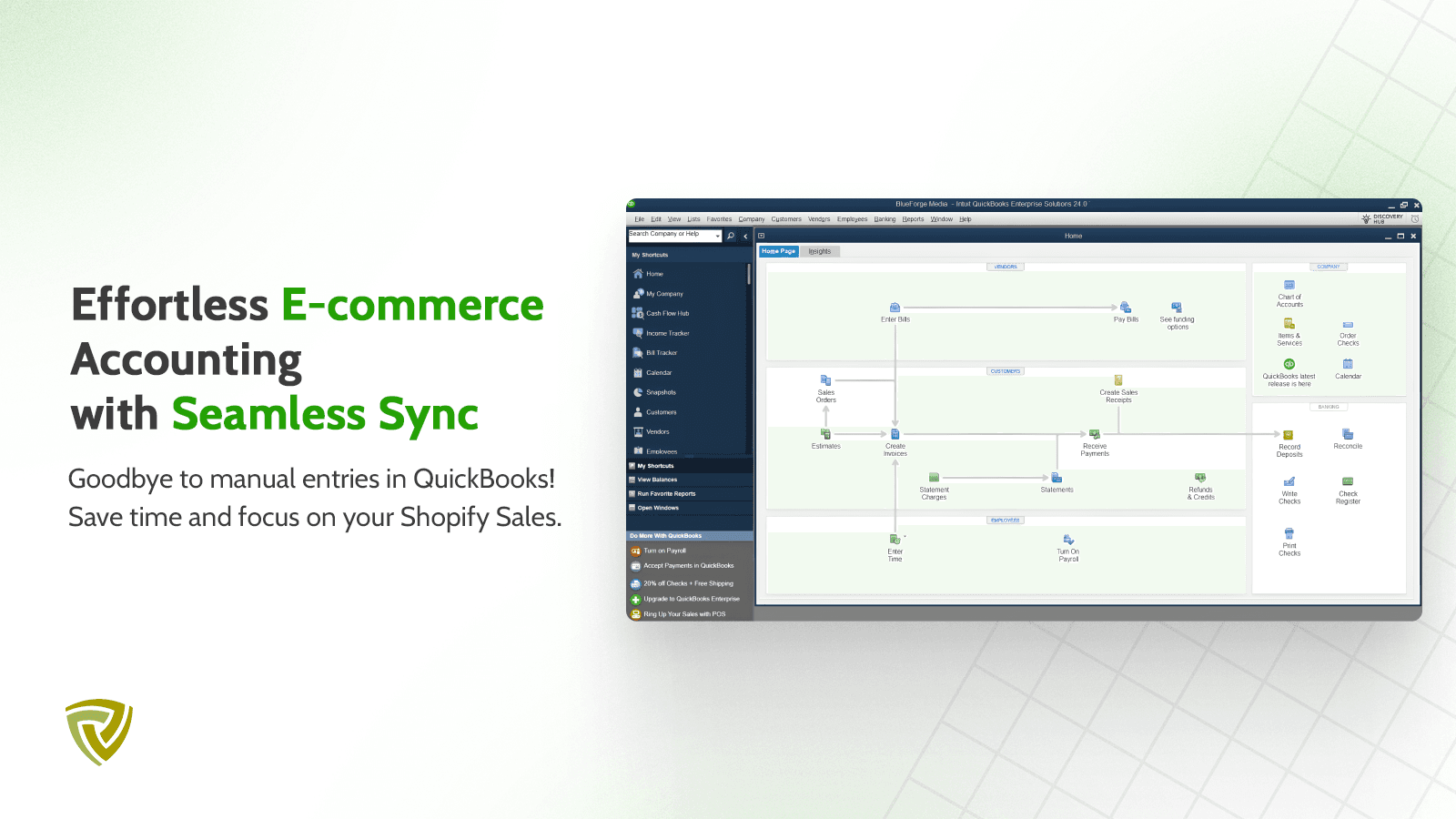
Installation Steps
How to install QuickBooks Desktop by Parex on your Shopify store
Find your app
Use filters like pricing, availability, and features to find the perfect match for your store's needs.
Get a personalized setup plan
Our team will create an installation plan based on your current store setup, goals, and requirements.
Install at your own pace
Perfect your store's functionality without the pressure to move on until you're ready.
Install in your Shopify Store
QuickBooks Desktop by Parex FAQ's
How do I install the QuickBooks Desktop by Parex Shopify app?
To install QuickBooks Desktop by Parex app on your Shopify store, click on the QuickBooks Desktop by Parex installation link. Login to the Shopify store on which you want to install the app and follow the onboarding process.
If you need our expert guidance to help you install QuickBooks Desktop by Parex on your Shopify store, then contact us now.
What are the key features of QuickBooks Desktop by Parex?
The key features offered by QuickBooks Desktop by Parex to Shopify store owners are:
- ✅Individual Order Sync - Includes Customer, Products, Taxes and All details
- ✅Automated Sync Process
- ✅Very Easy Reconciliation
- ✅Summary Invoice Sync - Sync Daily Summary or Settlement Summary
Does QuickBooks Desktop by Parex integrate with other Shopify apps or tools?
Yes, QuickBooks Desktop by Parex seamlessly integrates with other Shopify apps or tools, such as Order Sync - Contains Customer, Products, Taxes, and All Information., Automated Synchronization Procedure, Extremely Simple Resolution.
Is there a free trial available for QuickBooks Desktop by Parex?
Yes, QuickBooks Desktop by Parex offers 7 days free trial on all its paid plans.
What are the pricing plans for QuickBooks Desktop by Parex?
The app offers 3 paid plans, which cost $40/month, $80/month, $160/month. The paid plans also come with a 7-day free trial period.
How does billing work for QuickBooks Desktop by Parex?
QuickBooks Desktop by Parex uses USD for billing, with recurring and usage-based charges invoiced usually every 30 days.
Can I cancel or upgrade my subscription plan at any time?
Yes, QuickBooks Desktop by Parex allows its subscribers to cancel or upgrade their subscription plan at any time.
Does QuickBooks Desktop by Parex offer customer support? How can I get assistance?
Yes, QuickBooks Desktop by Parex offers a dedicated support team for any kind of app-related assistance. To reach out to the support team, users can send an email to [email protected].
Is QuickBooks Desktop by Parex compatible with my Shopify theme?
Please reach out to their support team at [email protected] to confirm its compatibility with your specific Shopify theme.
Alternatives
See all Alternatives to QuickBooks Desktop by Parex Shopify App.





Most Popular
Most popular Shopify apps on the market




