
QuickBooks Online Shopify App
by Intuit Inc.Transfer payments to QuickBooks Online to see a summary of sales, refunds, and fees. Connect your sales, refunds, and payouts to QuickBooks Online.
2.1
(64)
Filler Lux™, United States
Can I track the inventory listed on Shopify in Quickbooks?
Install in your Shopify Store

QuickBooks Online Charts
Track QuickBooks Online's ranking, reviews, and performance over time with interactive charts. See how it compares to similar apps in the same category.
Pros and Cons
Pros and Cons of QuickBooks Online
Pros
Effective Transaction Syncing: Seamlessly transfers sales, refunds, discounts, and fees between Shopify and QuickBooks.
Free Integration Option: Provides a cost-free alternative to paid third-party sync solutions.
Proactive Technical Support: Some users reported responsive and knowledgeable support, particularly from specific agents.
Simplified Accounting: Reduces manual data entry for basic e-commerce transactions.
Cons
Broken Inventory and COGS Sync: Fails to track inventory or report cost of goods sold, rendering it useless for inventory-based businesses.
Duplicate Transactions and Data Errors: Frequently creates duplicate entries or incorrect financial records, requiring manual fixes.
Screenshots
About the App
Connect your sales, refunds, and payouts to QuickBooks Online.
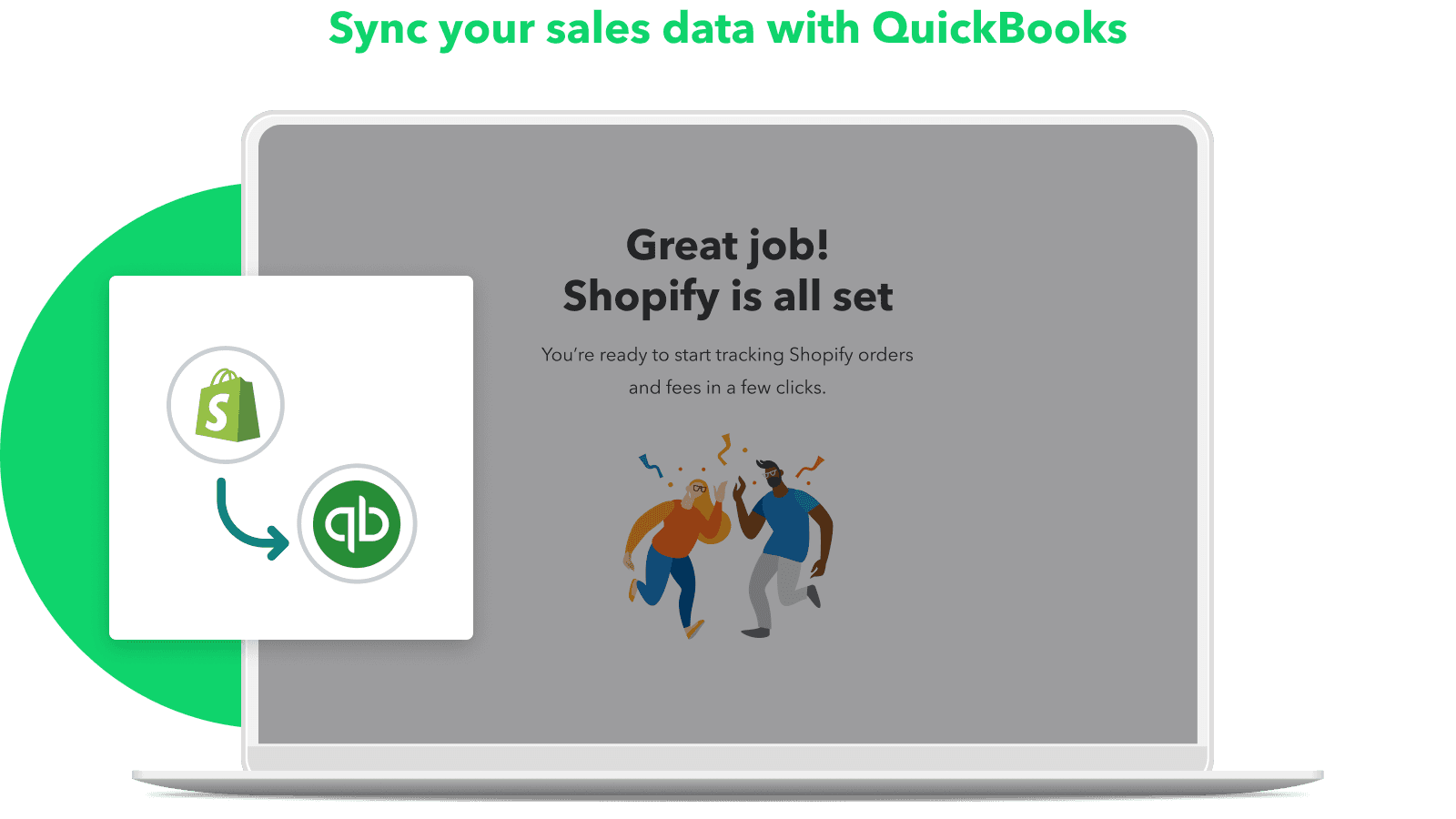
- Shopify Integration: Link your Shopify account easily and import Payouts in just a few steps.
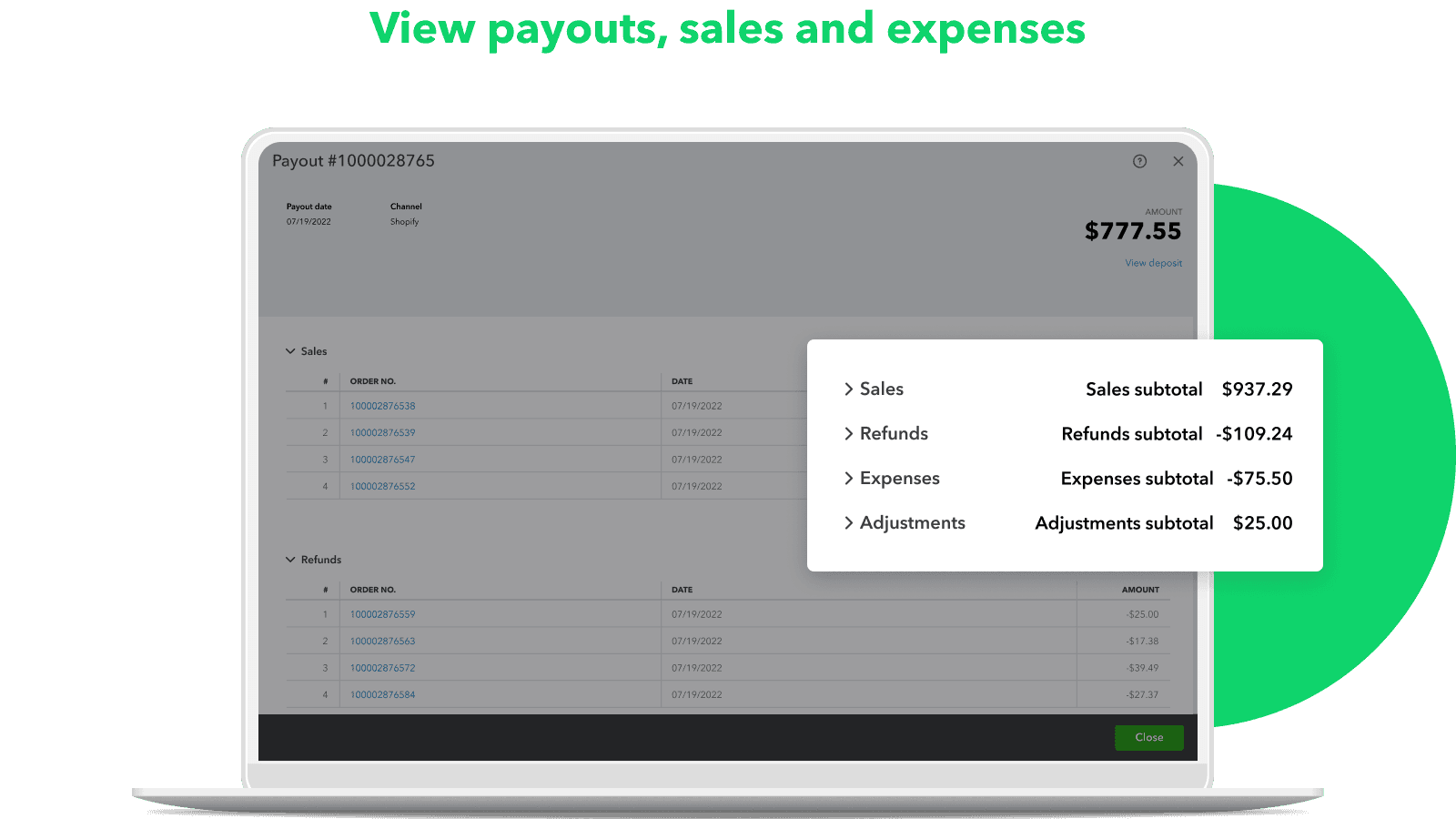
- Payout Categorization: Organize Payouts into sales, refunds, and fees automatically.
- Transaction Summary: Summarized transactions of sales receipts, refunds, and expenses.
- Financial Management: Keep track of your money, and learn more about your earnings from each source.
Keywords
Key Features
- Automatically sync Shopify sales, refunds, and fees with accounting software.
- Categorize payouts into sales, refunds, and expenses without manual effort.
- Generate summarized financial reports for income, expenses, and cash flow.
Pricing
QuickBooks Online Pricing Plans
Free to connect
$0/month
Here's an overview of QuickBooks Online costs for each of the plan(s):
The app offers 1 free plan(s). The free plan(s) offered by QuickBooks Online: (Free to connect).
The plan encompasses all the features provided by the app.
QuickBooks Online Price Summary
| Pricing summary | Free to install |
| Total Pricing Plan(s) | 1 |
| Number of free plan(s) | 1 |
| Number of paid plan(s) | 0 |
| Free trial available | No |
For further information regarding QuickBooks Online app pricing plans, see the official website.
QuickBooks Online Shopify App Discounts
If you are looking for discounts on QuickBooks Online app pricing plans, feel free to contact our team - we'd be happy to help! Additionally, if you are an agency or a shop merchant with multiple Shopify stores, we can work directly with Intuit Inc. to secure better deals on the QuickBooks Online app exclusively for you.
*Disclaimer: Please note that ShopDigest doesn't guarantee discounts on apps as any changes to the pricing plans are ultimately up to the discretion of the developer.
Testimonials
What our users say about QuickBooks Online
“Can I track the inventory listed on Shopify in Quickbooks?”
“I love the shopify connector by QuickBooks! I has great decreased my time spent entering each individual sale. In addition, it even enhanced the way I was entering information in Quickbooks for improved tracking and analytics! Highly recommend!”
“After 2 months of commerce channels not connecting with the banking feature, it's finally fixed! The help agents kept telling me that developers were working on this and that it was a system-wide issue, but there was no timeline and zero updates. Most businesses sell online so not being able to capture sales from your online channels is beyond problematic. I received a feedback form and responded expressing my frustration with these unresolved issues. The next day after submitting the feedback form, I received an email from Jerry Chuang. He and I eventually hopped on a Zoom call to finally resolve these issues once and for all. Jerry was incredibly patient, solution-focused, and most of all he provided a great customer experience. Prior to Jerry, I was so frustrated with Quickbooks that I was about to change software systems, but fortunately I won't need to do that anymore. My recommendation to all is that if you have a commerce issue, select the "give us feedback" highlighted in blue in the Overview Commerce tab. It will connect you to the right people who can help. Thank you Jerry, you saved the day!”
Trusted By
Trusted by the best Shopify stores
Filler Lux™
United States
dnadoc
United States
PRIORI Skincare
United States
Arcwood Jewelry
United States
Truccos by Keyra
United States
Lost Life On Wax
United States
GreenfieldBotanics
United States
BadAss Jack's Custom Gifts
United States
Transfer payments to QuickBooks Online to see a summary of sales, refunds, and fees.
Make accounting automatic
Use QuickBooks Online for your Shopify business to keep track of earnings and costs, and get the most out of tax deductions.
Write down your charges.
QuickBooks automatically imports fees and payouts for easy comparison with your bank deposit.
Overview of the dashboard
Look at chances, commands, and best-selling items by channel to make important business choices.
Comparison
Top QuickBooks Online Alternatives Detailed Comparison
The table below highlights the crucial differences between QuickBooks Online and similar other Shopify apps based on parameters like ratings, reviews, features, pricing, etc.
Add App | |||
|---|---|---|---|
| General Information | |||
| Ratings | 2.1(64 reviews) | 4.9(903 reviews) | |
| Developed by | Intuit Inc. | TrueProfit Real-time Profit & LTV tracking | |
| Launch Date | 3/8/2022 | 7/31/2019 | |
| Pricing | Free | $35/month, $60/month, $100/month, $200/month | |
| Objective | Connect your sales, refunds, and payouts to QuickBooks Online. | Live TrueProfit Calculator. Monitor expenses and synchronize ad costs. | |
| Categories | Accounting | Analytics, Accounting | |
| Key Features & Highlights | |||
| Purpose | Transfer payments to QuickBooks Online to see a summary of sales, refunds, and fees. | Easily monitor your actual profit in real-time. Keep track of ad expenses, costs, profit and loss, lifetime value, and more. | |
| Features List |
|
| |
| Highlights | - |
| |
| User Reviews and Ratings | |||
| Recommended % | 20.3% | 98.8% | |
| Pros |
|
| |
| Cons |
|
| |
| Pricing and Plans | |||
| Total Pricing Plans | 1 | 4 | |
| Free Plan | Available | Not available | |
| Free Trial | No | Yes, for 14 day(s) | |
| Technical Information | |||
| Rating | 2.1 | 4.9 | |
| Total Reviews | 64 | 907 | |
| Launch Date | 3/8/2022 | 7/31/2019 | |
| SD Points | 10 | 323 | |
More Details About QuickBooks Online
Product Description
Connect your Shopify store to QuickBooks to automate your accounting and simplify your tracking of sales, refunds, and fees. This system saves time by minimizing manual data entry and provides a clear overview of your profit and loss statement or balance sheet.
AI Summary
The Shopify-QuickBooks integration app facilitates financial data synchronization between Shopify and QuickBooks Online, primarily automating sales, refunds, discounts, and shipping transactions as aggregated deposits. It reduces manual entry for basic e-commerce transactions and supports Shopify Tax integration, though tax line items are consolidated without regional breakdowns. Key limitations include unreliable inventory and COGS tracking, with sales often recorded as non-posting orders that don’t adjust inventory levels. The app struggles with multi-channel sales, excluding POS, cash, check, and gift card transactions, and lacks granular mapping for SKUs or customer details. Duplicate transactions, delayed revenue recognition, and incomplete bank feed synchronization are recurring technical issues. Support is inconsistent, with unresolved bugs and disjointed accountability between Shopify and QuickBooks teams. While functional for simple online stores with minimal accounting needs, the app falls short for businesses requiring detailed inventory management, accurate tax reporting, or multi-payment processing. A few users note responsive developer support for specific issues, but overall reliability and feature depth remain significant drawbacks.
Support
For any questions, concerns, or assistance with QuickBooks Online, the dedicated support team is readily available to help.To reach out to the support team, users can send an email to [email protected]. Additionally, QuickBooks Online offers a comprehensive FAQ section to address common inquiries and provide self-help resources in their app FAQ section.
QuickBooks Online Support Information In A Nutshell:
| Support Email: | [email protected] |
| Contact Number(s): | Not available |
| FAQ Page: | FAQ details |
| Privacy Policy: | Privacy details |
| Language Support: | English |
Integration
The list of top Shopify apps or features or software tools that QuickBooks Online seamlessly integrates are given below:
Developer
Looking to install QuickBooks Online app on your store?
ShopDigest helps businesses upgrade their Shopify stores by offering easy app installation services.
Why Choose ShopDigest?
- Highly experienced and vetted team for successful app installation
- Assured support and guidance throughout the installation and beyond
- Customized services to meet unique business needs
- 30-day no questions asked refund policy
- Lowest pricing guaranteed (starts at just $10/hour)
QuickBooks Online Q&A
How does this app help with accounting?
It automates tracking of sales, refunds, and fees by syncing Shopify data with QuickBooks, reducing manual entry and providing clear financial reports.
Can I track profitability with this app?
Yes, it generates reports on income, expenses, and cost of goods to help you analyze profitability and make informed business decisions.
Does it support multi-channel sales tracking?
Absolutely, it consolidates data from multiple sales channels, giving you a unified view of orders, payouts, and inventory across platforms.
Is historical data imported automatically?
Yes, it can pull up to 12 months of past Shopify payout data into QuickBooks, saving time on manual reconciliation.
How does it handle payout categorization?
It automatically sorts payouts into sales, refunds, fees, and taxes, simplifying reconciliation and financial reporting.
Can I view cash flow trends easily?
The app provides dashboard insights and cash flow reports, helping you monitor revenue patterns and plan for growth.
Does it work with existing QuickBooks subscriptions?
Yes, it seamlessly integrates with QuickBooks Online, whether you’re a new or existing subscriber, at no extra cost.
Are tax deductions simplified with this app?
By auto-tracking expenses and fees, it maximizes deductible claims and ensures accurate tax-ready financial records.
How quickly can I set up the integration?
The Shopify-QuickBooks connection takes just a few steps, with payouts and transactions syncing automatically afterward.
Does it update inventory in real time?
Yes, it syncs product and inventory data between Shopify and QuickBooks, ensuring accurate stock and financial records.
Customer Reviews
QuickBooks Online has an overall rating of 2.0 stars from a total of 64 reviews on the Shopify app store. Of these, 13 (20.3%) are positive, 4 (6.3%) are neutral, and 47 (73.4%) are negative*.
*Ratings above four stars fall under positive review, three stars reviews fall under neutral, and anything less than two stars falls under negative.
Can I track the inventory listed on Shopify in Quickbooks?
I love the shopify connector by QuickBooks! I has great decreased my time spent entering each individual sale. In addition, it even enhanced the way I was entering information in Quickbooks for improved tracking and analytics! Highly recommend!
After 2 months of commerce channels not connecting with the banking feature, it's finally fixed! The help agents kept telling me that developers were working on this and that it was a system-wide issue, but there was no timeline and zero updates. Most businesses sell online so not being able to capture sales from your online channels is beyond problematic. I received a feedback form and responded expressing my frustration with these unresolved issues. The next day after submitting the feedback form, I received an email from Jerry Chuang. He and I eventually hopped on a Zoom call to finally resolve these issues once and for all. Jerry was incredibly patient, solution-focused, and most of all he provided a great customer experience. Prior to Jerry, I was so frustrated with Quickbooks that I was about to change software systems, but fortunately I won't need to do that anymore. My recommendation to all is that if you have a commerce issue, select the "give us feedback" highlighted in blue in the Overview Commerce tab. It will connect you to the right people who can help. Thank you Jerry, you saved the day!
I recently had a problem with transferring shop pay installments correctly into QBO but customer experience lead Jerry helped me solve the issue. Other than that, I’ve had a great experience using the connector app.
I recently had a problem with transferring shop pay installments correctly into QBO but customer experience lead Jerry helped me solve the issue. Other than that, I’ve had a great experience using the connector app.
I wish i do this soonerHelps a lot with the accounting formthe business Now I don’t have to do this manually
I wish i do this soonerHelps a lot with the accounting formthe business Now I don’t have to do this manually
Video Demo and Screenshots
Product Video

Product Screenshots
Installation Steps
How to install QuickBooks Online on your Shopify store
Find your app
Use filters like pricing, availability, and features to find the perfect match for your store's needs.
Get a personalized setup plan
Our team will create an installation plan based on your current store setup, goals, and requirements.
Install at your own pace
Perfect your store's functionality without the pressure to move on until you're ready.
Install in your Shopify Store
QuickBooks Online FAQ's
How do I install the QuickBooks Online Shopify app?
To install QuickBooks Online app on your Shopify store, click on the QuickBooks Online installation link. Login to the Shopify store on which you want to install the app and follow the onboarding process.
If you need our expert guidance to help you install QuickBooks Online on your Shopify store, then contact us now.
What are the key features of QuickBooks Online?
The key features offered by QuickBooks Online to Shopify store owners are:
- ✅Connect your e-commerce platforms and marketplaces with a quick and easy setup.
- ✅Track cost of goods and expenses with reports to understand your profitability
- ✅Payouts are automatically accounted for, giving you peace of mind.
- ✅Stay on top of cash flow, and understand your revenue to grow your business
Does QuickBooks Online integrate with other Shopify apps or tools?
Yes, QuickBooks Online seamlessly integrates with other Shopify apps or tools, such as Link your Shopify account easily and import Payouts in just a few steps., Organize Payouts into sales, refunds, and fees automatically., Summarized transactions of sales receipts, refunds, and expenses..
Is there a free trial available for QuickBooks Online?
No, QuickBooks Online does not offer any free trial.
What are the pricing plans for QuickBooks Online?
The app offers 1 plan that is forever-free.
How does billing work for QuickBooks Online?
QuickBooks Online is completely free to install and use. Additional charges may or may not apply.
Can I cancel or upgrade my subscription plan at any time?
Yes, QuickBooks Online allows its subscribers to cancel or upgrade their subscription plan at any time.
Does QuickBooks Online offer customer support? How can I get assistance?
Yes, QuickBooks Online offers a dedicated support team for any kind of app-related assistance. To reach out to the support team, users can send an email to [email protected].
Additionally, QuickBooks Online offers a comprehensive FAQ section to address common inquiries and provide self-help resources.
Is QuickBooks Online compatible with my Shopify theme?
Please reach out to their support team at [email protected] to confirm its compatibility with your specific Shopify theme.
Alternatives
See all Alternatives to QuickBooks Online Shopify App.






Most Popular
Most popular Shopify apps on the market




