
Power Tools Filter Menu Shopify App
by Power ToolsSet up detailed filters for product features like brand, type, tag, collection, variant, price, etc. Improve your navigation and increase conversions using collection filters.
4.9
(133)
Kawaii Kids, Australia
**edited: we recently just got a new theme and were having issues getting the filters to show correctly. Chris has worked with me so that they are showing and everything is exactly as I want. Highly recommend this app and the service is second to none.We have been using this app for years now and love it! It simplifies everything in our categories (which are quite large) and makes finding something a hell of a lot easier! They set it up for us, shuffled it around so that we were happy with the look and feel of the filtering, and then when I've had questions, there is always someone to help on the live chat. Highly recommend if you have large categories and need to filter them in an easy no fuss way :)
Install in your Shopify Store

Power Tools Filter Menu Charts
Track Power Tools Filter Menu's ranking, reviews, and performance over time with interactive charts. See how it compares to similar apps in the same category.
Pros and Cons
Pros and Cons of Power Tools Filter Menu
Pros
Exceptional Customer Support: Consistently praised for responsiveness, expertise, and willingness to go above and beyond, including custom solutions.
Powerful Filtering Capabilities: Enables advanced, customizable filtering beyond Shopify’s default options, including dynamic SEO and infinite scroll.
Ease of Use: Intuitive setup and bulk-tagging features simplify managing large inventories, with tutorials for guidance.
Seamless Integration: Works well with various themes and other apps, including variant-specific filters (e.g., color/size).
Cons
Steep Learning Curve: Initial setup and logic can be confusing, requiring time or support to master.
Limited Documentation: Some users noted a lack of detailed guides or video examples for advanced features.
Screenshots
About the App
Improve your navigation and increase conversions using collection filters.
- Advanced Product Filters: Make detailed product filters for brand, category, tag, collection, variation, and price.
- Product Filter Management: Easily make, change, and manage a product filter menu to boost sales.
- Easy Installation: Easy set-up that works with all themes, allowing you to prioritize what's most important.
Keywords
Key Features
- Create detailed product filters for brand, category, tag, and price to simplify shopping.
- Easily modify and manage filter menus to optimize sales performance.
- Seamless installation compatible with all themes for quick setup.
Pricing
Power Tools Filter Menu Pricing Plans
Filter Menu
$15.99/month
Here's an overview of Power Tools Filter Menu costs for each of the plan(s):
The app offers 1 paid plan(s). The paid plan(s) offered by Power Tools Filter Menu: (Filter Menu).
The plan encompasses all the features provided by the app.
Power Tools Filter Menu Price Summary
| Pricing summary | $15.99/month. Free trial available. |
| Total Pricing Plan(s) | 1 |
| Number of free plan(s) | 0 |
| Number of paid plan(s) | 1 |
| Cost of Paid Plan(s) | $15.99 |
| Free trial available | Yes, for 14 day(s) |
Power Tools Filter Menu Shopify App Discounts
If you are looking for discounts on Power Tools Filter Menu app pricing plans, feel free to contact our team - we'd be happy to help! Additionally, if you are an agency or a shop merchant with multiple Shopify stores, we can work directly with Power Tools to secure better deals on the Power Tools Filter Menu app exclusively for you.
*Disclaimer: Please note that ShopDigest doesn't guarantee discounts on apps as any changes to the pricing plans are ultimately up to the discretion of the developer.
Testimonials
What our users say about Power Tools Filter Menu
“**edited: we recently just got a new theme and were having issues getting the filters to show correctly. Chris has worked with me so that they are showing and everything is exactly as I want. Highly recommend this app and the service is second to none.We have been using this app for years now and love it! It simplifies everything in our categories (which are quite large) and makes finding something a hell of a lot easier! They set it up for us, shuffled it around so that we were happy with the look and feel of the filtering, and then when I've had questions, there is always someone to help on the live chat. Highly recommend if you have large categories and need to filter them in an easy no fuss way :)”
“Really solid tech support experience. They responded quickly, explained what was causing the filter setup issue, and walked me through the correct settings. Everything is working perfectly now”
“This has been a really useful for our unique navigation needs. It takes some work to figure out and set it up, but worth it. We recently changed themes and Chris has given us excellent support! Again helped us with a quick fix for an issue we created.”
Trusted By
Trusted by the best Shopify stores
Kawaii Kids
Australia
SEmotors.com
United States
Tulsa Body Jewelry
United States
Puzzery
Canada
BADINKA
Bulgaria
Gun Hill Tire House (WTW-WHOLESALE TIRES & WHEELS)
United States
STRAYE
United States
Sunsets Inc.
United States
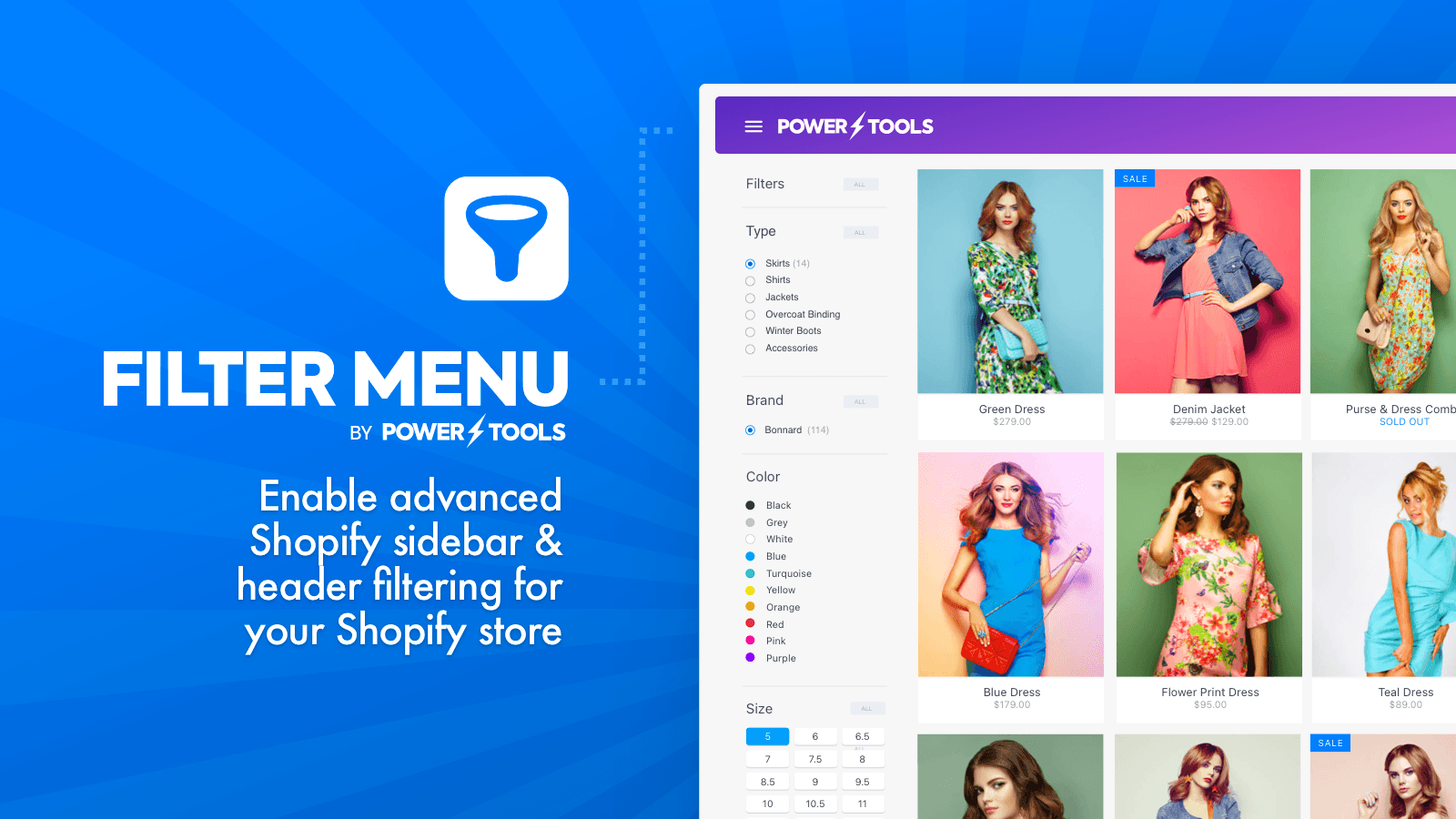
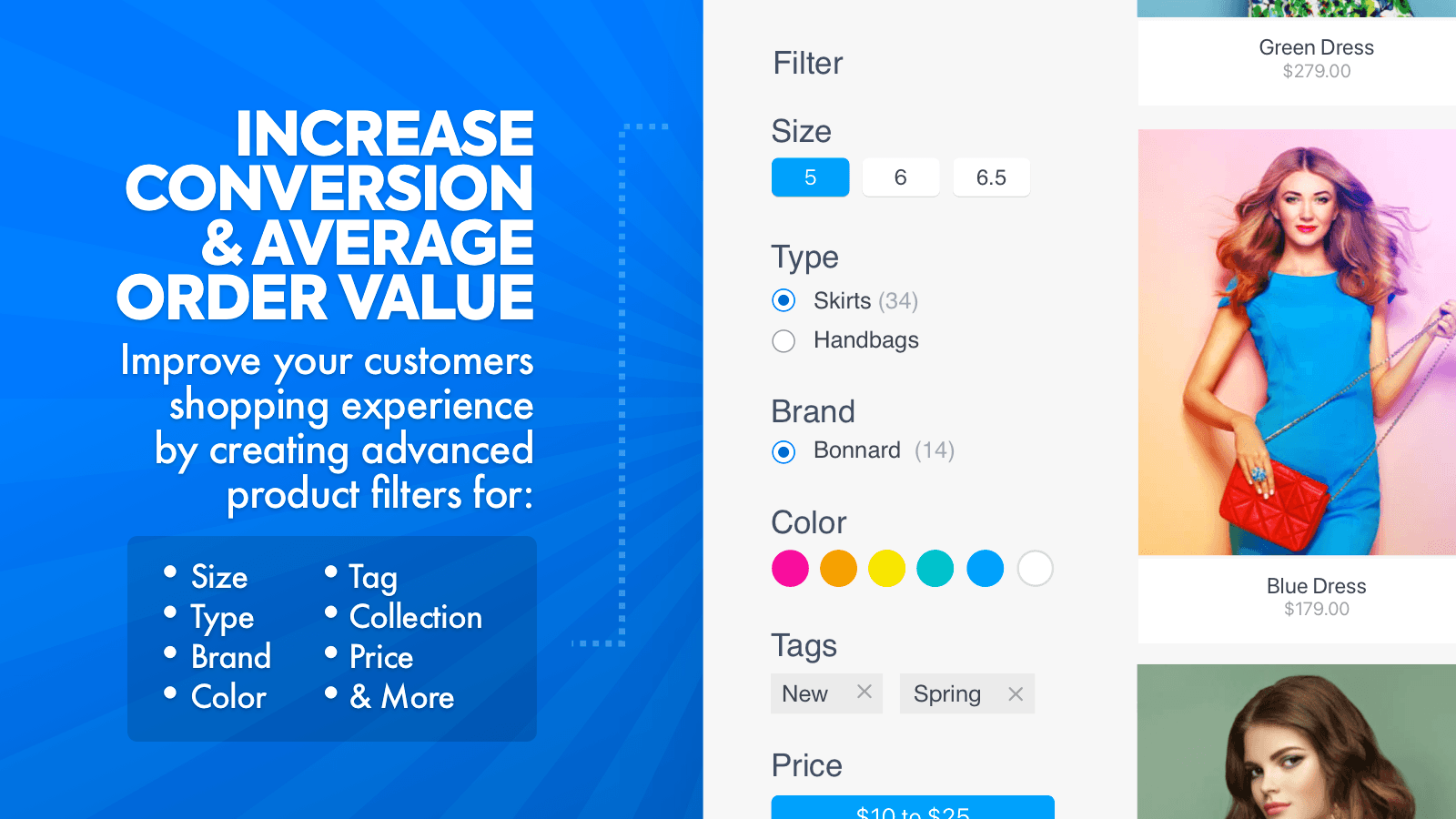
Set up detailed filters for product features like brand, type, tag, collection, variant, price, etc.
Strong Product Sorting
Make detailed product filters for things like brand, type, tag, collection, variant, price, etc., using various styles for fast product searches.
Tailored for You
Easily set up, adjust, and manage a product filter menu customized and optimized according to your requirements.
Simple to Set Up
Easy to install and compatible with all themes, allowing you to concentrate on what's essential. Fully adaptable and versatile for your requirements.
Comparison
Top Power Tools Filter Menu Alternatives Detailed Comparison
The table below highlights the crucial differences between Power Tools Filter Menu and similar other Shopify apps based on parameters like ratings, reviews, features, pricing, etc.
Add App | |||
|---|---|---|---|
| General Information | |||
| Ratings | 4.9(81 reviews) | 4.7(1,260 reviews) | |
| Developed by | Power Tools | Searchanise | |
| Launch Date | 6/26/2013 | 3/18/2015 | |
| Pricing | $15.99/month | Free, $19/month, $39/month, $49/month | |
| Objective | Improve your navigation and increase conversions using collection filters. | Quickly link visitors to products using our search and filters. | |
| Categories | Navigation and menus, Search and filters | Search and filters, Navigation and menus | |
| Key Features & Highlights | |||
| Purpose | Set up detailed filters for product features like brand, type, tag, collection, variant, price, etc. | Boost your online store sales with our custom AI search bar and product filters. | |
| Features List |
|
| |
| Highlights | - |
| |
| User Reviews and Ratings | |||
| Recommended % | 98.8% | 92.9% | |
| Pros |
|
| |
| Cons |
|
| |
| Pricing and Plans | |||
| Total Pricing Plans | 1 | 4 | |
| Free Plan | Not available | Available | |
| Free Trial | Yes, for 14 day(s) | Yes, for 14 day(s) | |
| Technical Information | |||
| Rating | 4.9 | 4.7 | |
| Total Reviews | 133 | 1,207 | |
| Launch Date | 6/26/2013 | 3/18/2015 | |
| SD Points | 1 | 216 | |
More Details About Power Tools Filter Menu
Product Description
The Power Tools Filter Menu is a collection filtering system designed to enhance your store's performance and increase sales by simplifying the shopping experience for customers. The retail experts affirm that more straightforward navigation in stores can boost sales since it saves customers' time and makes shopping more convenient.
AI Summary
The app is a Shopify filtering solution designed to enhance product navigation and SEO capabilities. It enables dynamic filtering by tags, collections, and custom parameters, addressing Shopify’s default limitations, such as handling URL parameters and infinite scroll functionality. Key strengths include high customizability, seamless integration with themes, and a bulk tag editor for large inventories. The app excels in customer support, frequently noted for rapid, personalized assistance, including custom coding and theme adjustments. However, setup can be complex, requiring time to understand its logic, particularly for stores with extensive existing tags or collections. Some users report occasional delays in updates or theme compatibility issues. Pricing, while considered reasonable for its features, may be a barrier for smaller stores. The app is particularly effective for large inventories, improving user experience with clean, fast-filtering interfaces. A minor limitation is the price filter’s functionality, which some users find less intuitive. Overall, it is a robust tool for advanced filtering needs, though its learning curve and cost may deter beginners or budget-conscious users.
Support
For any questions, concerns, or assistance with Power Tools Filter Menu, the dedicated support team is readily available to help.To reach out to the support team, users can send an email to [email protected]. Additionally, Power Tools Filter Menu offers a comprehensive FAQ section to address common inquiries and provide self-help resources in their app FAQ section.
Power Tools Filter Menu Support Information In A Nutshell:
| Support Email: | [email protected] |
| Contact Number(s): | Not available |
| FAQ Page: | FAQ details |
| Privacy Policy: | Privacy details |
| Language Support: | English |
Integration
The list of top Shopify apps or features or software tools that Power Tools Filter Menu seamlessly integrates are given below:
Developer
Name: Power Tools
Website: /partners/power-tools
Address: Level 2, 20-24 Subiaco Square Road, Subiaco, WA, 6008
Looking to install Power Tools Filter Menu app on your store?
ShopDigest helps businesses upgrade their Shopify stores by offering easy app installation services.
Why Choose ShopDigest?
- Highly experienced and vetted team for successful app installation
- Assured support and guidance throughout the installation and beyond
- Customized services to meet unique business needs
- 30-day no questions asked refund policy
- Lowest pricing guaranteed (starts at just $10/hour)
Power Tools Filter Menu Q&A
How does this app improve my store’s sales?
It simplifies shopping by letting customers filter products easily, saving them time. A smoother navigation experience increases conversions, as shoppers find what they need faster.
Can I customize filters for my products?
Yes, you can create filters for brands, tags, prices, variants, and more. The app supports full customization to match your store’s unique needs.
Is the app compatible with all Shopify themes?
Absolutely. It integrates seamlessly with any theme, ensuring quick setup without requiring technical adjustments or disrupting your store’s design.
Does it work well on mobile devices?
Yes, the filters are mobile-responsive, providing a seamless shopping experience across all devices, which is crucial for capturing on-the-go customers.
Can I track how customers use the filters?
Yes, built-in analytics show which filters shoppers use most, helping you optimize product discovery and improve their browsing experience.
How quickly can I set up the app?
Installation is simple and fast—no coding needed. You can start using it within minutes to enhance your store’s navigation.
Will this app slow down my store?
No, it’s designed for efficiency and won’t impact loading speeds, ensuring a smooth experience for shoppers browsing filtered results.
Can I filter products by price ranges?
Yes, customers can refine searches by price, along with other attributes like brand or category, making it easier to find products within their budget.
Does it support multiple languages?
Yes, the app offers multi-language support, making it ideal for stores targeting international customers with diverse preferences.
Can I change filter styles to match my branding?
Absolutely. Custom CSS and styling options let you align the filters with your store’s look and feel for a cohesive shopping experience.
Customer Reviews
Power Tools Filter Menu has an overall rating of 4.8 stars from a total of 133 reviews on the Shopify app store. Of these, 129 (97.0%) are positive, 0 (0.0%) are neutral, and 4 (3.0%) are negative*.
*Ratings above four stars fall under positive review, three stars reviews fall under neutral, and anything less than two stars falls under negative.
**edited: we recently just got a new theme and were having issues getting the filters to show correctly. Chris has worked with me so that they are showing and everything is exactly as I want. Highly recommend this app and the service is second to none.We have been using this app for years now and love it! It simplifies everything in our categories (which are quite large) and makes finding something a hell of a lot easier! They set it up for us, shuffled it around so that we were happy with the look and feel of the filtering, and then when I've had questions, there is always someone to help on the live chat. Highly recommend if you have large categories and need to filter them in an easy no fuss way :)
Really solid tech support experience. They responded quickly, explained what was causing the filter setup issue, and walked me through the correct settings. Everything is working perfectly now
This has been a really useful for our unique navigation needs. It takes some work to figure out and set it up, but worth it. We recently changed themes and Chris has given us excellent support! Again helped us with a quick fix for an issue we created.
Does exactly what it's meant do, and is incredibly easy to use! Shopify needs to partner with this app, as it's features are awesome! 5/5 for sure
Amazing app that gave us the ability to have different meta tags for different collections with selected filters.This is something that’s not possible in Shopify by default if you’re using parameters in the URLs - but this app makes it possible!Their support team went above and beyond by creating a custom solution for us completely free of charge. It allows dynamic loading of SEO content as well as infinite scroll functionality.We are extremely satisfied and highly recommend this app!
Video Demo and Screenshots
Product Video

Product Screenshots
Installation Steps
How to install Power Tools Filter Menu on your Shopify store
Find your app
Use filters like pricing, availability, and features to find the perfect match for your store's needs.
Get a personalized setup plan
Our team will create an installation plan based on your current store setup, goals, and requirements.
Install at your own pace
Perfect your store's functionality without the pressure to move on until you're ready.
Install in your Shopify Store
Power Tools Filter Menu FAQ's
How do I install the Power Tools Filter Menu Shopify app?
To install Power Tools Filter Menu app on your Shopify store, click on the Power Tools Filter Menu installation link. Login to the Shopify store on which you want to install the app and follow the onboarding process.
If you need our expert guidance to help you install Power Tools Filter Menu on your Shopify store, then contact us now.
What are the key features of Power Tools Filter Menu?
The key features offered by Power Tools Filter Menu to Shopify store owners are:
- ✅Create advanced product filters for brand, type, tag, collection, variant, price
- ✅Quickly create, modify and maintain a product filter menu to drive sales
- ✅Simple installation supporting all themes, so you can focus on what matters most
Does Power Tools Filter Menu integrate with other Shopify apps or tools?
Yes, Power Tools Filter Menu seamlessly integrates with other Shopify apps or tools, such as Make detailed product filters for brand, category, tag, collection, variation, and price., Easily make, change, and manage a product filter menu to boost sales., Easy set-up that works with all themes, allowing you to prioritize what's most important..
Is there a free trial available for Power Tools Filter Menu?
Yes, Power Tools Filter Menu offers 14 days free trial on all its paid plans.
What are the pricing plans for Power Tools Filter Menu?
The app offers 1 paid plan, which costs $15.99/month, and comes with a 14-day free trial period.
How does billing work for Power Tools Filter Menu?
Power Tools Filter Menu uses USD for billing, with recurring and usage-based charges invoiced usually every 30 days.
Can I cancel or upgrade my subscription plan at any time?
Yes, Power Tools Filter Menu allows its subscribers to cancel or upgrade their subscription plan at any time.
Does Power Tools Filter Menu offer customer support? How can I get assistance?
Yes, Power Tools Filter Menu offers a dedicated support team for any kind of app-related assistance. To reach out to the support team, users can send an email to [email protected].
Additionally, Power Tools Filter Menu offers a comprehensive FAQ section to address common inquiries and provide self-help resources.
Is Power Tools Filter Menu compatible with my Shopify theme?
Please reach out to their support team at [email protected] to confirm its compatibility with your specific Shopify theme.
Alternatives
See all Alternatives to Power Tools Filter Menu Shopify App.






Most Popular
Most popular Shopify apps on the market




