
Photolock Shopify App
by PasilobusContent and image security with features like code and screenshot protection, search engine blocks, and others. Safeguard pictures, disable click function, restrict access from certain countries and apply watermark.
3.9
(40)
Maison de Kristine, United States
Great app! It gives me peace of mind knowing my photos can’t be easily saved with a right-click.
Install in your Shopify Store

Photolock Charts
Track Photolock's ranking, reviews, and performance over time with interactive charts. See how it compares to similar apps in the same category.
Screenshots
About the App
Safeguard pictures, disable click function, restrict access from certain countries and apply watermark.
- Security Features: Choose from 20 locks! Stop right-click, keyboard shortcuts, and block bots.
- Visitor Restriction: Prevent visitors from specific countries or block a particular visitor using their IP address.
- Image Protection: Secure your images by applying a Watermark to prevent screenshot attempts.
- Image Privacy: Stop search engines such as Google and Bing from listing your pictures.
- Age Verification: Turn on age checking to limit who can see your content.
Keywords
Key Features
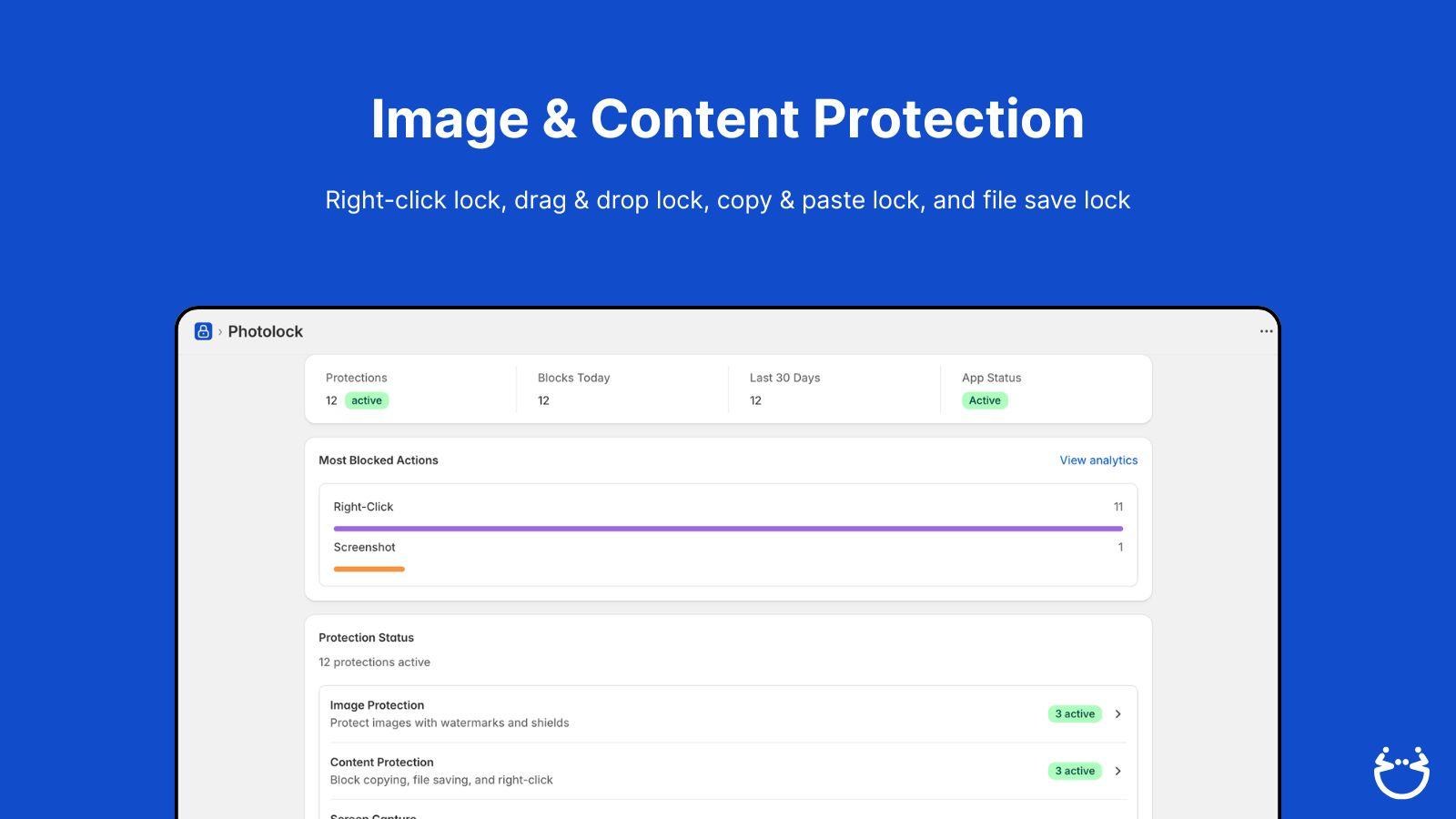
- Disable right-click and keyboard shortcuts to prevent image downloads.
- Block bots and web scrapers from stealing your visual content.
- Add customizable watermarks to deter screenshot attempts.
Pricing
Photolock Pricing Plans
Starter
$0/month
Image & Content Protection
Warning Messages
Photolock branding
Growth
$5/month
Image & Content Protection
Warning Messages
Screen Capture Protection
Invisible Watermark
No Photolock branding
Advanced
$12/month
Image & Content Protection
Warning Messages
Screen Capture Protection
Invisible Watermark
Visible Watermark
Premium
$20/month
Image & Content Protection
Screen Capture Protection
Invisible & Visible Watermark
Screenshot Shield
Anti-Bot Protection
Not sure which plan to pick? Discuss Starter or Growth plans with us, learn about custom pricing, or get a demo.
Here's an overview of Photolock costs for each of the plan(s):
The app has 4 pricing plans: 1 free and 3 paid. The free plan(s) offered by Photolock: (Starter). The paid plan(s) offered by Photolock: (Growth, Advanced, Premium).
The details of the plan(s) are outlined below:
Starter: This plan is free forever, incurring no subscription costs. It offers a wide range of features like Image & Content Protection, Warning Messages, Photolock branding.
Growth: The Growth plan costs $5 and comes with a 3-day free trial period. The plan offers a host of features, including Image & Content Protection, Warning Messages, Screen Capture Protection, Invisible Watermark, No Photolock branding.
Advanced: The Advanced plan costs $12 and comes with a 3-day free trial period. The plan offers a host of features, including Image & Content Protection, Warning Messages, Screen Capture Protection, Invisible Watermark, Visible Watermark, Screenshot Shield, Anti-Bot Protection.
Premium: The Premium plan costs $20 and comes with a 3-day free trial period. The plan offers a host of features, including Image & Content Protection, Screen Capture Protection, Invisible & Visible Watermark, Screenshot Shield, Anti-Bot Protection, Smart Activation, Customer, Market & Page Rules, Analytics.
Photolock Price Summary
| Pricing summary | Free plan available. Free trial available. |
| Total Pricing Plan(s) | 4 |
| Number of free plan(s) | 1 |
| Number of paid plan(s) | 3 |
| Cost of Paid Plan(s) | $5, $12, $20 |
| Free trial available | Yes, for 3 day(s) |
Photolock Shopify App Discounts
If you are looking for discounts on Photolock app pricing plans, feel free to contact our team - we'd be happy to help! Additionally, if you are an agency or a shop merchant with multiple Shopify stores, we can work directly with Pasilobus to secure better deals on the Photolock app exclusively for you.
*Disclaimer: Please note that ShopDigest doesn't guarantee discounts on apps as any changes to the pricing plans are ultimately up to the discretion of the developer.
Testimonials
What our users say about Photolock
“Great app! It gives me peace of mind knowing my photos can’t be easily saved with a right-click.”
“Effective and easy to use app! Not to mention it is free. Thanks so much!”
“I am so glad I came across this app, because I was so concerned that people would steal my images. This app makes it difficult for them to do so.Photolock offers more than I anticipated in terms of preventing image theft. I’ve been using this app for less than a month now and can say that the support for this app has been great. I’ve had to contact them about two issues and received a reply within 24 hours with a resolution each time. Here is my recommendation if you have a problem with the app. Contact their support first before rushing to leave a negative review. They are responsive.”
Trusted By
Trusted by the best Shopify stores
Maison de Kristine
United States
Riel
United States
Davis & Bradshaw
United States
A Piece Of Country
United States
We Love Reuse Art
Spain
Pamelas Art
United States
MADE EXTREME
United Kingdom
Eamours
Slovakia
Content and image security with features like code and screenshot protection, search engine blocks, and others.
Stop Image and Content Piracy
Choose from 20 locks! Stop right-click, keyboard shortcuts and block bots.
Restrict Nations
Prevent visitors from specific countries. Or, restrict a particular visitor using their IP address.
Guard Intellectual Property
Guard your pictures by putting a watermark to prevent screenshots.
Comparison
Top Photolock Alternatives Detailed Comparison
The table below highlights the crucial differences between Photolock and similar other Shopify apps based on parameters like ratings, reviews, features, pricing, etc.
Add App | |||
|---|---|---|---|
| General Information | |||
| Ratings | 3.9(40 reviews) | 4.8(13 reviews) | |
| Developed by | Pasilobus | Hessyo | |
| Launch Date | 5/18/2016 | 1/8/2024 | |
| Pricing | Free, $5/month, $12/month, $20/month | Free, $8/month, $15/month | |
| Objective | Safeguard pictures, disable click function, restrict access from certain countries and apply watermark. | Automate product pins creation for easy visual marketing. | |
| Categories | Anti theft, Images and media - Other | Advertising - Other, Images and media - Other | |
| Key Features & Highlights | |||
| Purpose | Content and image security with features like code and screenshot protection, search engine blocks, and others. | The Pin Auto app automatically publishes product images from your store as Pins to get free traffic. | |
| Features List |
|
| |
| Highlights | - |
| |
| User Reviews and Ratings | |||
| Recommended % | 77.5% | 84.6% | |
| Pros | - |
| |
| Cons | - | - | |
| Pricing and Plans | |||
| Total Pricing Plans | 4 | 3 | |
| Free Plan | Available | Available | |
| Free Trial | Yes, for 3 day(s) | No | |
| Technical Information | |||
| Rating | 3.9 | 4.8 | |
| Total Reviews | 40 | 13 | |
| Launch Date | 5/18/2016 | 1/8/2024 | |
| SD Points | N/A | 2 | |
More Details About Photolock
Product Description
Google and other search engines prioritize unique content and may penalize duplicate content. Photolock can be used to protect photos and content from being copied or misused, especially in places with lax copyright laws.
Support
For any questions, concerns, or assistance with Photolock, the dedicated support team is readily available to help.To reach out to the support team, users can send an email to [email protected].
Language Support
Details of the Photolock app are available in various languages on the Shopify app store, including Bulgarian, Chinese (Simplified), Chinese (Traditional), Czech, Danish, German, Greek, Spanish, Finnish, French, Hindi, Hungarian, Indonesian, Italian, Japanese, Korean, Lithuanian, Norwegian, Dutch, Polish, Portuguese (Brazil), Portuguese (Portugal), Romanian, Russian, Swedish, Thai, Turkish, and Vietnamese.
Photolock Support Information In A Nutshell:
| Support Email: | [email protected] |
| Contact Number(s): | Not available |
| FAQ Page: | Not available |
| Privacy Policy: | Privacy details |
| Language Support: | English, Bulgarian, Chinese (Simplified), Chinese (Traditional), Czech, Danish, German, Greek, Spanish, Finnish, French, Hindi, Hungarian, Indonesian, Italian, Japanese, Korean, Lithuanian, Norwegian, Dutch, Polish, Portuguese (Brazil), Portuguese (Portugal), Romanian, Russian, Swedish, Thai, Turkish, and Vietnamese |
Integration
The list of top Shopify apps or features or software tools that Photolock seamlessly integrates are given below:
Developer
Looking to install Photolock app on your store?
ShopDigest helps businesses upgrade their Shopify stores by offering easy app installation services.
Why Choose ShopDigest?
- Highly experienced and vetted team for successful app installation
- Assured support and guidance throughout the installation and beyond
- Customized services to meet unique business needs
- 30-day no questions asked refund policy
- Lowest pricing guaranteed (starts at just $10/hour)
Photolock Q&A
How does the app protect my images?
It uses multiple security measures like disabling right-click, adding watermarks, and blocking screenshots to prevent unauthorized downloads or copying of your visual content.
Can I block visitors from specific countries?
Yes, you can restrict access by country or block individual IP addresses to control who views your content, enhancing security against unauthorized users.
Does the app hide my website’s source code?
Yes, it obfuscates image data and hides source code to prevent theft or misuse of your digital assets and proprietary information.
Will my images appear on search engines?
No, the app prevents search engines like Google and Bing from indexing your images, keeping them private and exclusive to your store.
Is there a free plan available?
Yes, the free plan includes basic locks like disabling right-click and text copying, while paid plans offer advanced features like watermarking and bot protection.
How does watermarking help protect my images?
Watermarks deter screenshot attempts by adding visible or invisible marks, making it harder for others to reuse your images without permission.
Can I stop people from printing my content?
Yes, premium plans include printing locks to prevent users from saving or printing your images or text, adding another layer of protection.
Does the app notify me of theft attempts?
Yes, it can send email alerts when unauthorized actions like right-clicking or screenshot attempts are detected, helping you monitor security breaches.
Who should use this app?
Ideal for merchants with high-value visual content, like photographers or designers, who need to safeguard their work from duplication or misuse.
Can I customize the security warnings?
Yes, you can set warning messages when users attempt restricted actions, discouraging theft while maintaining a professional user experience.
Customer Reviews
Photolock has an overall rating of 4.1 stars from a total of 40 reviews on the Shopify app store. Of these, 31 (77.5%) are positive, 1 (2.5%) are neutral, and 8 (20.0%) are negative*.
*Ratings above four stars fall under positive review, three stars reviews fall under neutral, and anything less than two stars falls under negative.
Great app! It gives me peace of mind knowing my photos can’t be easily saved with a right-click.
Effective and easy to use app! Not to mention it is free. Thanks so much!
I am so glad I came across this app, because I was so concerned that people would steal my images. This app makes it difficult for them to do so.Photolock offers more than I anticipated in terms of preventing image theft. I’ve been using this app for less than a month now and can say that the support for this app has been great. I’ve had to contact them about two issues and received a reply within 24 hours with a resolution each time. Here is my recommendation if you have a problem with the app. Contact their support first before rushing to leave a negative review. They are responsive.
This app has been great. It has proved it works several times. I like knowing my photos and products are safer on the internet. It is really nice to be able to block certain countries as well. I reached out to customer service for some information, and they were quick to respond and very nice. I would recommend this app!
De momento contenta. Hoy comencé a usarlo y tuve atención al instante, resolviendo mi consulta con eficacia. Gracias
Video Demo and Screenshots
Product Screenshots
Installation Steps
How to install Photolock on your Shopify store
Find your app
Use filters like pricing, availability, and features to find the perfect match for your store's needs.
Get a personalized setup plan
Our team will create an installation plan based on your current store setup, goals, and requirements.
Install at your own pace
Perfect your store's functionality without the pressure to move on until you're ready.
Install in your Shopify Store
Photolock FAQ's
How do I install the Photolock Shopify app?
To install Photolock app on your Shopify store, click on the Photolock installation link. Login to the Shopify store on which you want to install the app and follow the onboarding process.
If you need our expert guidance to help you install Photolock on your Shopify store, then contact us now.
What are the key features of Photolock?
The key features offered by Photolock to Shopify store owners are:
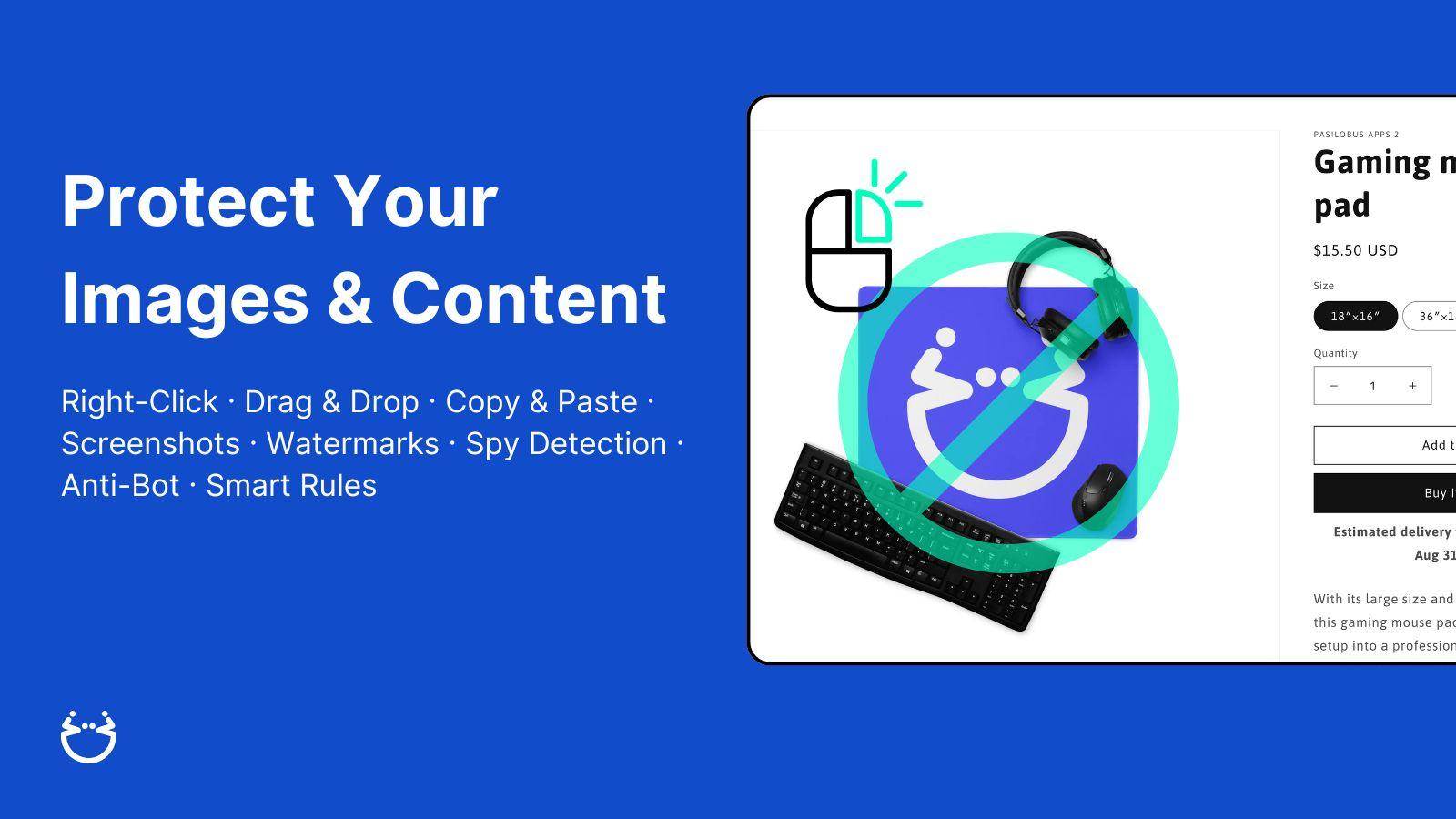
- ✅Block right-clicks, drag-and-drop, screenshots, copy-paste, and file saving
- ✅Invisible watermarks identify who screenshots your product images
- ✅Detect and block spy extensions
- ✅Image shields replace saved images with blank transparent files
- ✅Set exclusion rules for specific pages, markets, or customers
Does Photolock integrate with other Shopify apps or tools?
Yes, Photolock seamlessly integrates with other Shopify apps or tools, such as Choose from 20 locks! Stop right-click, keyboard shortcuts, and block bots., Prevent visitors from specific countries or block a particular visitor using their IP address., Secure your images by applying a Watermark to prevent screenshot attempts..
Is there a free trial available for Photolock?
Yes, Photolock offers 3 days free trial on all its paid plans.
What are the pricing plans for Photolock?
The app has 4 pricing plans: 1 free and 3 paid. The paid plans cost $5/month, $12/month, $20/month, and come with a 3-day free trial period.
How does billing work for Photolock?
Photolock uses USD for billing, with recurring and usage-based charges invoiced usually every 30 days.
Can I cancel or upgrade my subscription plan at any time?
Yes, Photolock allows its subscribers to cancel or upgrade their subscription plan at any time.
Does Photolock offer customer support? How can I get assistance?
Yes, Photolock offers a dedicated support team for any kind of app-related assistance. To reach out to the support team, users can send an email to [email protected].
Is Photolock compatible with my Shopify theme?
Please reach out to their support team at [email protected] to confirm its compatibility with your specific Shopify theme.
Alternatives
See all Alternatives to Photolock Shopify App.






Most Popular
Most popular Shopify apps on the market




