
Offerly: Make An Offer Button! Shopify App
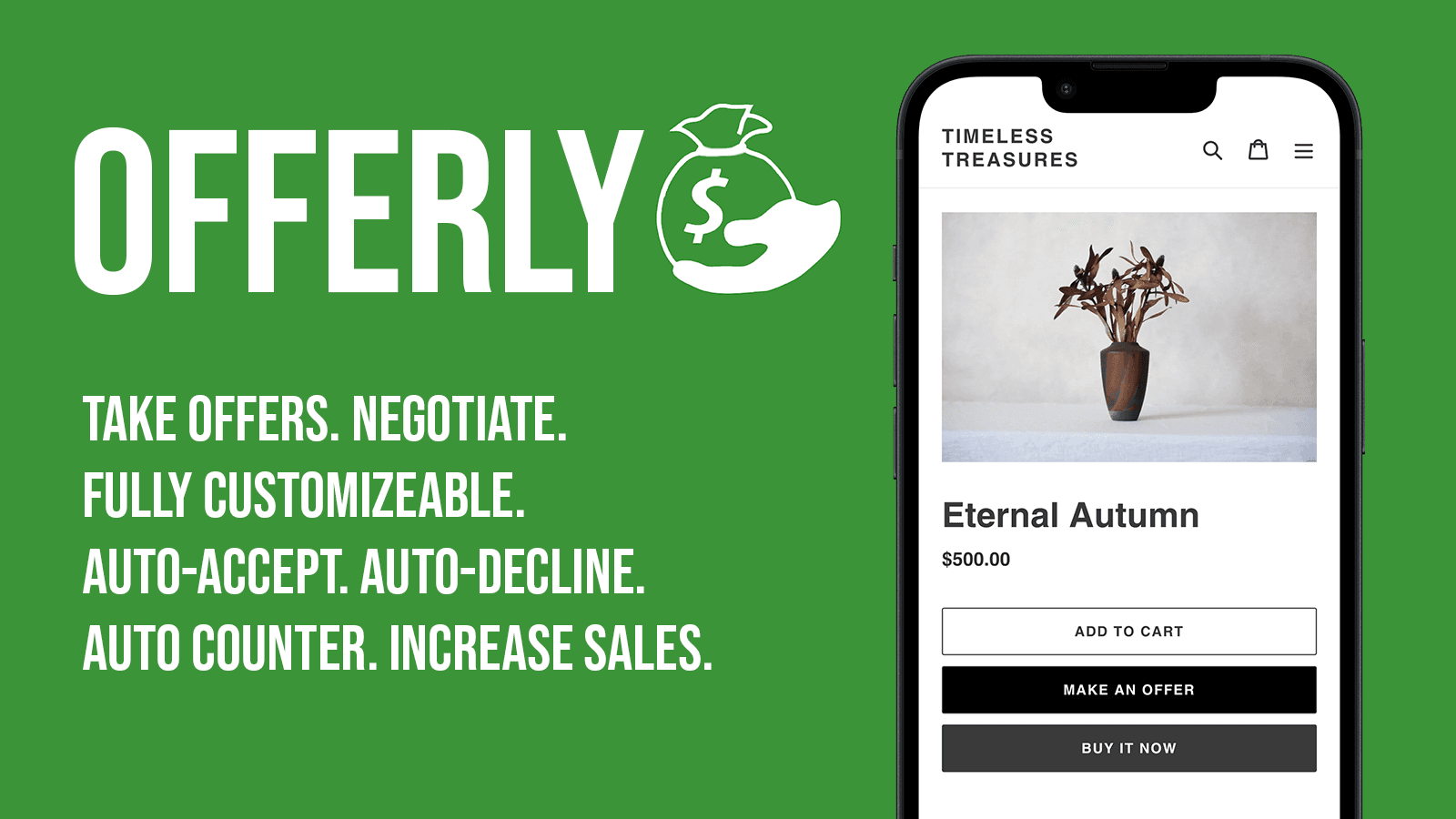
by Nakatomi AppsAdd a "Make an Offer" button to your products! Get Offers! Sell More Products! Unlock Revenue with Make An Offer & Flexible Prices by offers
4.8
(55)
Bloomthread, United States
We’ve been using this for promotional campaigns and it has made managing discounts much easier. I like that we can make changes ourselves and don’t have to wait for technical help. The settings can feel a bit overwhelming at first, and I’d prefer more control over some of the visual elements. Once everything is configured though, it works well for our day-to-day promotions.
Install in your Shopify Store

Offerly: Make An Offer Button! Charts
Track Offerly: Make An Offer Button!'s ranking, reviews, and performance over time with interactive charts. See how it compares to similar apps in the same category.
Pros and Cons
Pros and Cons of Offerly: Make An Offer Button!
Pros
Exceptional Customer Support: Rapid response times and personalized assistance are consistently highlighted.
Effective Sales Tool: The "make an offer" feature significantly boosts conversions and customer engagement.
Easy Integration: Seamless setup and compatibility with existing store themes without requiring customization.
Customization Options: Flexible configurations, including discount thresholds and real-time customer interactions.
Cons
Compatibility Issues: Conflicts with other apps (e.g., pre-order tools) causing functionality disruptions.
Screenshots
About the App
Unlock Revenue with Make An Offer & Flexible Prices by offers
- Add "Make an Offer" button to your products
- Ability to set rules to auto-accept, auto-decline or auto-counter offers
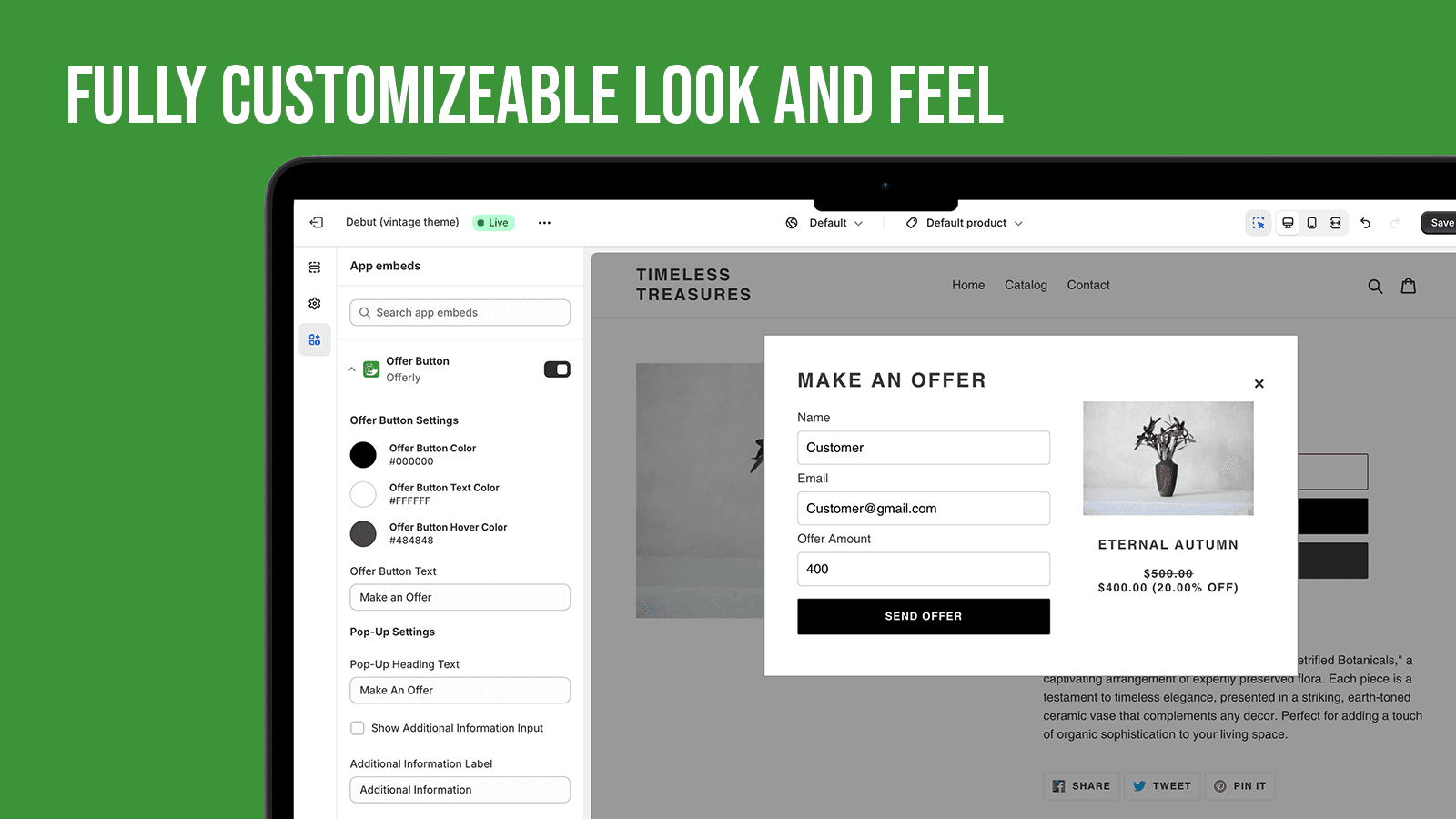
- Customize pop-up and e-mails to fit your branding
- Discover strategic pricing insights
- Increase sales by negotiating with customers
Keywords
Key Features
- Add a customizable "Make an Offer" button to products.
- Automatically accept, decline, or counter offers based on rules.
- Brand pop-ups and emails to match your store’s style.
Pricing
Offerly: Make An Offer Button! Pricing Plans
Starter
$0/month
Simple Setup
Auto Accept, Auto Decline
Ability to Counter Offer
Customize Pop-up & Email
Unlimited Offers
Pro
$20/month
Simple Setup
Auto Accept, Auto Decline
Ability to Counter Offer
Customize Pop-up & Email
Unlimited Offers
Elite
$50/month
Simple Setup
Auto Accept, Auto Decline
Ability to Counter Offer
Customize Pop-up & Email
Unlimited Offers
Not sure which plan to pick? Discuss Starter or Pro plans with us, learn about custom pricing, or get a demo.
Here's an overview of Offerly: Make An Offer Button! costs for each of the plan(s):
The app has 3 pricing plans: 1 free and 2 paid. The free plan(s) offered by Offerly: Make An Offer Button!: (Starter). The paid plan(s) offered by Offerly: Make An Offer Button!: (Pro, Elite).
The details of the plan(s) are outlined below:
Starter: This plan is free forever, incurring no subscription costs. It offers a wide range of features like Simple Setup, Auto Accept, Auto Decline, Ability to Counter Offer, Customize Pop-up & Email, Unlimited Offers.
Pro: The Pro plan costs $20 and comes with a 14-day free trial period. The plan offers a host of features, including Simple Setup, Auto Accept, Auto Decline, Ability to Counter Offer, Customize Pop-up & Email, Unlimited Offers.
Elite: The Elite plan costs $50 and comes with a 14-day free trial period. The plan offers a host of features, including Simple Setup, Auto Accept, Auto Decline, Ability to Counter Offer, Customize Pop-up & Email, Unlimited Offers.
Offerly: Make An Offer Button! Price Summary
| Pricing summary | Free to install. Free trial available. |
| Total Pricing Plan(s) | 3 |
| Number of free plan(s) | 1 |
| Number of paid plan(s) | 2 |
| Cost of Paid Plan(s) | $20, $50 |
| Free trial available | Yes, for 14 day(s) |
Offerly: Make An Offer Button! Shopify App Discounts
If you are looking for discounts on Offerly: Make An Offer Button! app pricing plans, feel free to contact our team - we'd be happy to help! Additionally, if you are an agency or a shop merchant with multiple Shopify stores, we can work directly with Nakatomi Apps to secure better deals on the Offerly: Make An Offer Button! app exclusively for you.
*Disclaimer: Please note that ShopDigest doesn't guarantee discounts on apps as any changes to the pricing plans are ultimately up to the discretion of the developer.
Testimonials
What our users say about Offerly: Make An Offer Button!
“We’ve been using this for promotional campaigns and it has made managing discounts much easier. I like that we can make changes ourselves and don’t have to wait for technical help. The settings can feel a bit overwhelming at first, and I’d prefer more control over some of the visual elements. Once everything is configured though, it works well for our day-to-day promotions.”
“5 stars! I had such a great experience with Offerly’s support team. I reached out because I needed several adjustments made to the Make an Offer button on my website, and I was working with a pretty tight deadline. They were incredibly responsive, helpful with every question I had, and had all of the changes completed in less than 8 hours, which was exactly what I needed.They were also so patient as I asked for different tweaks and adjustments along the way. The whole process was easy, fast, and honestly much better than I expected. I’m so happy with how everything looks now and can’t wait to see the Make an Offer feature in action and hopefully start getting some offers through my site. Highly recommend Offerly, especially for the customer service!”
“Fantastic support and easy installation. The support team are very quick to assist with any fine tuning.”
Trusted By
Trusted by the best Shopify stores
Bloomthread
United States
The North Shore Luxury Closet
United States
Second Kiss
United Kingdom
Safavieh Home
United States
Mr. Scientific
United States
Music Poster Shop
Ireland
Elite Registrations
United Kingdom
Arphilex
France
Comparison
Top Offerly: Make An Offer Button! Alternatives Detailed Comparison
The table below highlights the crucial differences between Offerly: Make An Offer Button! and similar other Shopify apps based on parameters like ratings, reviews, features, pricing, etc.
Add App | |||
|---|---|---|---|
| General Information | |||
| Ratings | 4.8(69 reviews) | 4.6(54 reviews) | |
| Developed by | Nakatomi Apps | Extendons | |
| Launch Date | 1/24/2024 | 9/1/2020 | |
| Pricing | Free, $20/month, $50/month | Free, $4.99/month, $8.99/month | |
| Objective | Unlock Revenue with Make An Offer & Flexible Prices by offers | Choose Your Price, Better Deal, Set Your Price, Ask for Price | |
| Categories | Pricing quotes, Pricing optimization | Pricing quotes, Pricing optimization | |
| Key Features & Highlights | |||
| Purpose | Add a "Make an Offer" button to your products! Get Offers! Sell More Products! | With the Pay What You Want app, your customers can reconsider their buying choice based on price. | |
| Features List |
|
| |
| Highlights | - | - | |
| User Reviews and Ratings | |||
| Recommended % | 95.9% | 85.5% | |
| Pros |
|
| |
| Cons |
|
| |
| Pricing and Plans | |||
| Total Pricing Plans | 3 | 3 | |
| Free Plan | Available | Available | |
| Free Trial | Yes, for 14 day(s) | Yes, for 7 day(s) | |
| Technical Information | |||
| Rating | 4.8 | 4.6 | |
| Total Reviews | 55 | 59 | |
| Launch Date | 1/24/2024 | 9/1/2020 | |
| SD Points | 32 | 118 | |
More Details About Offerly: Make An Offer Button!
Product Description
Give customers the opportunity to name their own price by adding a 'Make an Offer' Button! With Offerly merchants can setup automations to respond to offers and also negotiate manually. Essential for any Art, Vintage or Collectables store! Setting up Offerly is a breeze and with customization options you can brand everything to your liking! If you need any help or have any questions our team is always ready to help!
AI Summary
The app enables Shopify store owners to integrate a "Make an Offer" button, allowing customers to propose prices for products, which is particularly useful for niche markets like antiques or collectibles. It supports customizable discount thresholds, automated or manual offer reviews, and seamless cart integration, improving conversion rates by removing price barriers. The app is praised for its intuitive setup, sleek interface, and flexibility, including features like discount stacking and multi-product offers. A notable strength is the highly responsive and proactive customer support, which often provides rapid solutions, customizations, and even new feature implementations upon request. However, some limitations include occasional compatibility issues with other apps, potentially disrupting functionality, and a lack of multilingual support or varied design templates. The app charges a modest 1% fee on accepted offers, making it a cost-effective solution for merchants. While generally reliable, isolated technical conflicts may require troubleshooting.
Support
For any questions, concerns, or assistance with Offerly: Make An Offer Button!, the dedicated support team is readily available to help.To reach out to the support team, users can send an email to [email protected].
Offerly: Make An Offer Button! Support Information In A Nutshell:
| Support Email: | [email protected] |
| Contact Number(s): | Not available |
| FAQ Page: | Not available |
| Privacy Policy: | Privacy details |
| Language Support: | English |
Integration
The list of top Shopify apps or features or software tools that Offerly: Make An Offer Button! seamlessly integrates are given below:
Developer
Looking to install Offerly: Make An Offer Button! app on your store?
ShopDigest helps businesses upgrade their Shopify stores by offering easy app installation services.
Why Choose ShopDigest?
- Highly experienced and vetted team for successful app installation
- Assured support and guidance throughout the installation and beyond
- Customized services to meet unique business needs
- 30-day no questions asked refund policy
- Lowest pricing guaranteed (starts at just $10/hour)
Offerly: Make An Offer Button! Q&A
How does the app help increase sales?
It lets customers submit offers, encouraging engagement and allowing merchants to negotiate prices, which can convert hesitant buyers into paying customers.
Can I automate offer responses?
Yes, you can set rules to auto-accept, decline, or counter offers based on your pricing strategy, saving time while maintaining control.
Is the app suitable for vintage stores?
Absolutely! It’s ideal for unique or high-value items like art and collectibles, where flexible pricing can attract more buyers.
Are there branding customization options?
You can customize pop-ups, emails, and buttons to match your store’s branding, ensuring a seamless customer experience.
What pricing insights does the app provide?
It analyzes offer trends and customer behavior, helping you refine pricing strategies for better conversions and profitability.
Does the free plan include negotiation features?
Yes, the free plan supports counter offers, auto-accept/decline rules, and unlimited offers, making it great for testing the feature.
How does manual negotiation work?
Merchants can review and counter offers individually, allowing personalized pricing discussions for higher-value or unique products.
Will I get notified about new offers?
Yes, the app sends admin alerts and automated email responses to keep you updated on customer submissions.
Can I hide product prices with this app?
Yes, you can enable a "Request a Quote" option instead of displaying prices, useful for custom or negotiable items.
Are there analytics to track performance?
The app provides dashboards and reports to monitor offer success rates, helping you optimize pricing strategies over time.
Customer Reviews
Offerly: Make An Offer Button! has an overall rating of 4.9 stars from a total of 55 reviews on the Shopify app store. Of these, 53 (96.4%) are positive, 1 (1.8%) are neutral, and 1 (1.8%) are negative*.
*Ratings above four stars fall under positive review, three stars reviews fall under neutral, and anything less than two stars falls under negative.
We’ve been using this for promotional campaigns and it has made managing discounts much easier. I like that we can make changes ourselves and don’t have to wait for technical help. The settings can feel a bit overwhelming at first, and I’d prefer more control over some of the visual elements. Once everything is configured though, it works well for our day-to-day promotions.
5 stars! I had such a great experience with Offerly’s support team. I reached out because I needed several adjustments made to the Make an Offer button on my website, and I was working with a pretty tight deadline. They were incredibly responsive, helpful with every question I had, and had all of the changes completed in less than 8 hours, which was exactly what I needed.They were also so patient as I asked for different tweaks and adjustments along the way. The whole process was easy, fast, and honestly much better than I expected. I’m so happy with how everything looks now and can’t wait to see the Make an Offer feature in action and hopefully start getting some offers through my site. Highly recommend Offerly, especially for the customer service!
Fantastic support and easy installation. The support team are very quick to assist with any fine tuning.
Extremely quick to respond. Helped us figure out the issue immediately. Great customer service.
It's unheard of to get the amount of customer support that Offerly provides. Their team replied quickly and productively to my questions. They hopped on a call with me to walk me through needed fixes. And now we're good to go! Couldn't be happier with the service and the price is excellent!
Video Demo and Screenshots
Product Screenshots
Installation Steps
How to install Offerly: Make An Offer Button! on your Shopify store
Find your app
Use filters like pricing, availability, and features to find the perfect match for your store's needs.
Get a personalized setup plan
Our team will create an installation plan based on your current store setup, goals, and requirements.
Install at your own pace
Perfect your store's functionality without the pressure to move on until you're ready.
Install in your Shopify Store
Offerly: Make An Offer Button! FAQ's
How do I install the Offerly: Make An Offer Button! Shopify app?
To install Offerly: Make An Offer Button! app on your Shopify store, click on the Offerly: Make An Offer Button! installation link. Login to the Shopify store on which you want to install the app and follow the onboarding process.
If you need our expert guidance to help you install Offerly: Make An Offer Button! on your Shopify store, then contact us now.
What are the key features of Offerly: Make An Offer Button!?
The key features offered by Offerly: Make An Offer Button! to Shopify store owners are:
- ✅Add "Make an Offer" button to your products
- ✅Ability to set rules to auto-accept, auto-decline or auto-counter offers
- ✅Customize pop-up and e-mails to fit your branding
- ✅Discover strategic pricing insights
- ✅Increase sales by negotiating with customers
Does Offerly: Make An Offer Button! integrate with other Shopify apps or tools?
Offerly: Make An Offer Button! has not made any official mention of integrating with other Shopify apps or tools. To obtain further information, kindly reach out to their support team or consult your Shopify developer.
Is there a free trial available for Offerly: Make An Offer Button!?
Yes, Offerly: Make An Offer Button! offers 14 days free trial on all its paid plans.
What are the pricing plans for Offerly: Make An Offer Button!?
The app has 3 pricing plans: 1 free and 2 paid. The paid plans cost $20/month, $50/month, and come with a 14-day free trial period.
How does billing work for Offerly: Make An Offer Button!?
Offerly: Make An Offer Button! uses USD for billing, with recurring and usage-based charges invoiced usually every 30 days.
Can I cancel or upgrade my subscription plan at any time?
Yes, Offerly: Make An Offer Button! allows its subscribers to cancel or upgrade their subscription plan at any time.
Does Offerly: Make An Offer Button! offer customer support? How can I get assistance?
Yes, Offerly: Make An Offer Button! offers a dedicated support team for any kind of app-related assistance. To reach out to the support team, users can send an email to [email protected].
Is Offerly: Make An Offer Button! compatible with my Shopify theme?
Please reach out to their support team at [email protected] to confirm its compatibility with your specific Shopify theme.
Alternatives
See all Alternatives to Offerly: Make An Offer Button! Shopify App.






Most Popular
Most popular Shopify apps on the market




