
Elevar Conversion Tracking Shopify App
by ElevarDon't miss any sales with Elevar's Server-Side tracking. This will increase your ad returns and reduce your cost per thousand impressions. Use Google Tag Manager, GA4, Google Analytics, and Server-Side.
4.7
(171)
Bawbags, United Kingdom
Excellent app and excellent support from Sourabh to set it up! We're already seeing big improvements in tracking.The onboarding experience is very well organised and support is available at all times. Highly recommended.
Install in your Shopify Store

Elevar Conversion Tracking Charts
Track Elevar Conversion Tracking's ranking, reviews, and performance over time with interactive charts. See how it compares to similar apps in the same category.
Pros and Cons
Pros and Cons of Elevar Conversion Tracking
Pros
Here is the cleaned-up output after resolving overlapping themes and retaining dominant sentiments based on the reviews:
Exceptional Customer Support: Numerous users highlight prompt, knowledgeable, and dedicated assistance from the support team, often resolving complex issues efficiently.
Seamless Implementation: Many reviews praise the smooth onboarding process, especially with expert installation, leading to accurate tracking setups.
Improved Data Accuracy: Users report significant enhancements in tracking precision, with events and conversions firing correctly across platforms.
Cons
High Implementation Complexity: Non-technical users struggle with self-setup, often requiring paid expert assistance.
Cost Concerns: Some users criticize high fees for implementation or subscriptions, especially when issues arise.
Screenshots
About the App
Use Google Tag Manager, GA4, Google Analytics, and Server-Side.
- Server-Side Tracking: Marketing tracking on the server-side allows marketers to link and transmit data to over 40 different places.
- User Identification & iOS Defense: Enhancing sessions to identify repeat users and combat iOS issues.
- User Data Storage: A User Identity Graph holding click IDs, customer details, and attribution data.
- GDPR Consent Integrations: Integration of GDPR consent on both client-side and server-side
- eCommerce Data Layer: A comprehensive data layer for customer and eCommerce on Google Tag Manager
Keywords
Key Features
- Server-side tracking ensures accurate data collection across marketing channels.
- Automatically installs a Google Tag Manager data layer for seamless integration.
- Combats iOS tracking issues by enhancing user identification and session data.
Pricing
Elevar Conversion Tracking Pricing Plans
Elevar Core
$225/month
Server-side tracking
Data layer and event pipeline
Identity resolution & session enrichment
Privacy/compliance tools
Monitoring and alerts
Elevar Advanced
$650/month
All Elevar Core plan features
Up to 4 destinations (any category)
Profit optimization
Up to 10,000 orders/month
Standard support
Elevar Premium
$1250/month
All Elevar Core plan features
Up to 10 destinations (any category)
Global markets and multi-storefront
API framework access
Profit optimization
Not sure which plan to pick? Discuss Elevar Core or Elevar Advanced plans with us, learn about custom pricing, or get a demo.
Here's an overview of Elevar Conversion Tracking costs for each of the plan(s):
The app offers 3 paid plan(s). The paid plan(s) offered by Elevar Conversion Tracking: (Elevar Core, Elevar Advanced, Elevar Premium).
The details of the plan(s) are outlined below:
Elevar Core: The Elevar Core plan costs $225 and comes with a 15-day free trial period. The plan offers a host of features, including Server-side tracking, Data layer and event pipeline, Identity resolution & session enrichment, Privacy/compliance tools, Monitoring and alerts, Up to 2 destinations (Ad or Analytics), Up to 2,000 orders/month, Standard support.
Elevar Advanced: The Elevar Advanced plan costs $650 and comes with a 15-day free trial period. The plan offers a host of features, including All Elevar Core plan features, Up to 4 destinations (any category), Profit optimization, Up to 10,000 orders/month, Standard support.
Elevar Premium: The Elevar Premium plan costs $1250 and comes with a 15-day free trial period. The plan offers a host of features, including All Elevar Core plan features, Up to 10 destinations (any category), Global markets and multi-storefront, API framework access, Profit optimization, Up to 30,000 orders/month, Priority support.
Elevar Conversion Tracking Price Summary
| Pricing summary | From $225/month. Free trial available. |
| Total Pricing Plan(s) | 3 |
| Number of free plan(s) | 0 |
| Number of paid plan(s) | 3 |
| Cost of Paid Plan(s) | $225, $650, $1250 |
| Free trial available | Yes, for 15 day(s) |
For further information regarding Elevar Conversion Tracking app pricing plans, see the official website.
Elevar Conversion Tracking Shopify App Discounts
If you are looking for discounts on Elevar Conversion Tracking app pricing plans, feel free to contact our team - we'd be happy to help! Additionally, if you are an agency or a shop merchant with multiple Shopify stores, we can work directly with Elevar to secure better deals on the Elevar Conversion Tracking app exclusively for you.
*Disclaimer: Please note that ShopDigest doesn't guarantee discounts on apps as any changes to the pricing plans are ultimately up to the discretion of the developer.
Testimonials
What our users say about Elevar Conversion Tracking
“Excellent app and excellent support from Sourabh to set it up! We're already seeing big improvements in tracking.The onboarding experience is very well organised and support is available at all times. Highly recommended.”
“elevar helped us get reliable and coherent data across meta ads and GA4.”
“This app has made our Shopify tracking setup much easier to manage. The data layer is structured well, and having our key events available for GTM, GA4, and ad platforms gives us much more confidence when checking conversion data.”
Trusted By
Trusted by the best Shopify stores
Bawbags
United Kingdom
Girl Power Supplements
Canada
threadnoble.com
United States
APM Monaco
France
LÜME
United States
Grüns
United States
Russemerch.com
Norway
Orimii Skincare
India
Don't miss any sales with Elevar's Server-Side tracking. This will increase your ad returns and reduce your cost per thousand impressions.
Data Layer in Google Tag Manager
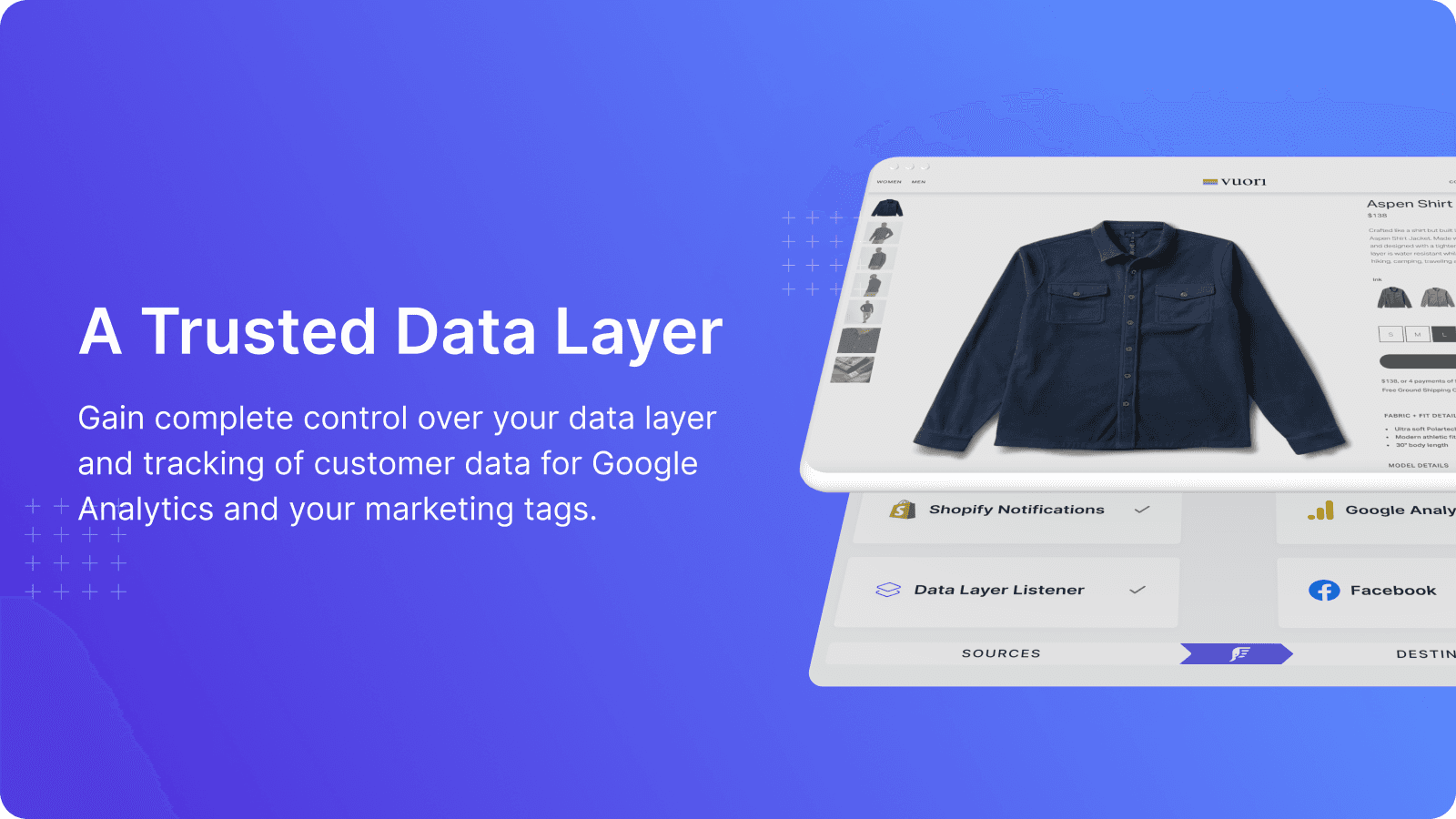
Set up the GTM data layer automatically for GA4, Google Analytics, Facebook CAPI, Google Ads, and server-side tracking.
Tracking on the Server Side
Implement server-side tracking for your store to collect accurate data from your marketing channels.
Monitoring the Accuracy of Channels
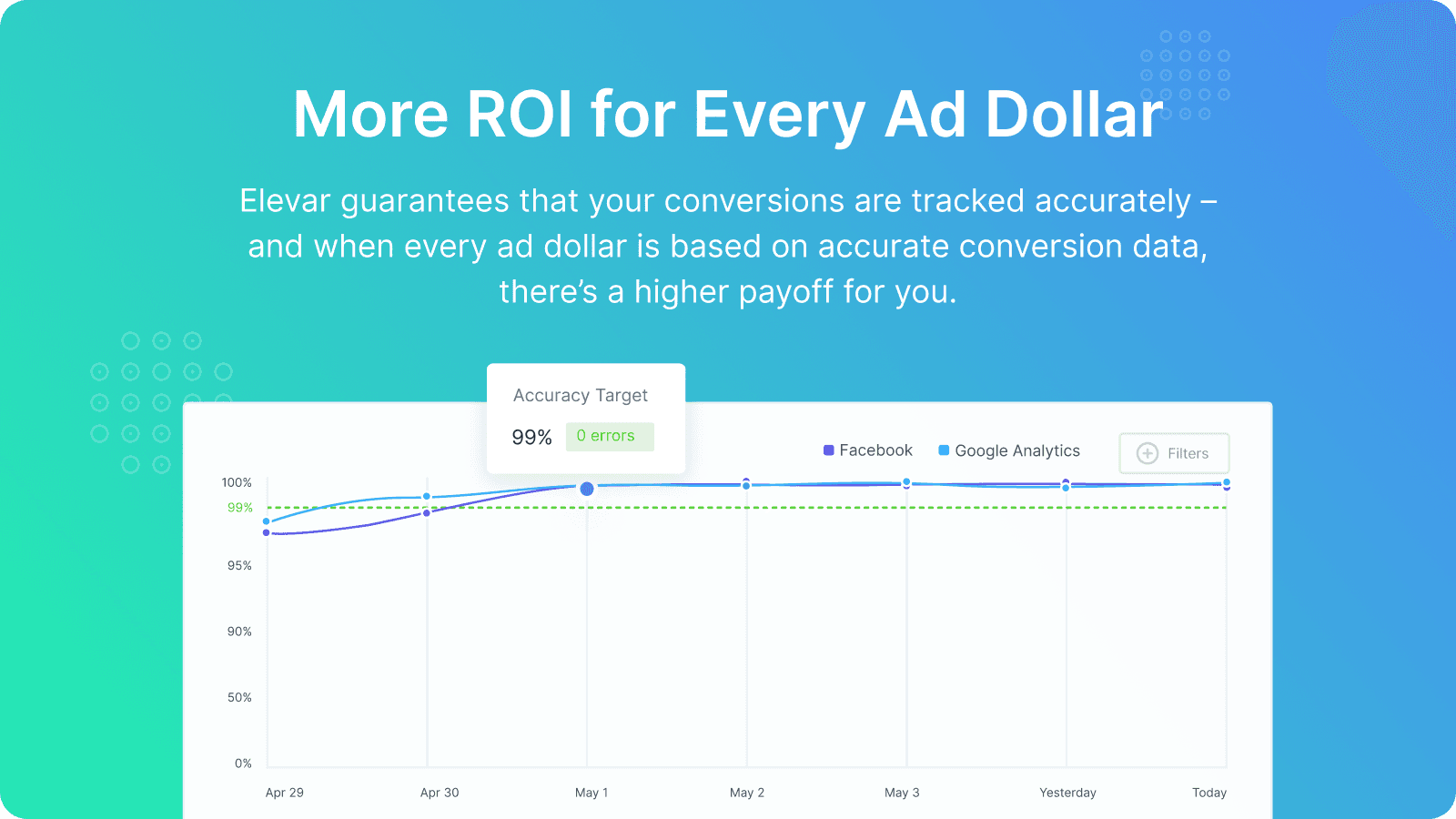
Tracking conversions is constantly watched all day. If it stops working, you'll get a warning to reduce damage to your business.
Comparison
Top Elevar Conversion Tracking Alternatives Detailed Comparison
The table below highlights the crucial differences between Elevar Conversion Tracking and similar other Shopify apps based on parameters like ratings, reviews, features, pricing, etc.
Add App | |||
|---|---|---|---|
| General Information | |||
| Ratings | 4.7(171 reviews) | 4.8(398 reviews) | |
| Developed by | Elevar | Trackify X | |
| Launch Date | 9/26/2018 | 10/31/2015 | |
| Pricing | $225/month, $650/month, $1250/month | Free, $8.99/month, $18.99/month, $28.99/month | |
| Objective | Use Google Tag Manager, GA4, Google Analytics, and Server-Side. | Various Pixels, Conversion API, Catalog, and Audience Builder | |
| Categories | Ads, Analytics | Ads, Analytics | |
| Key Features & Highlights | |||
| Purpose | Don't miss any sales with Elevar's Server-Side tracking. This will increase your ad returns and reduce your cost per thousand impressions. | Boost your Facebook (Meta), TikTok, and Snapchat ads with Trackify's pixel tracking app. | |
| Features List |
|
| |
| Highlights |
|
| |
| User Reviews and Ratings | |||
| Recommended % | 90.1% | 95.5% | |
| Pros |
|
| |
| Cons |
|
| |
| Pricing and Plans | |||
| Total Pricing Plans | 3 | 4 | |
| Free Plan | Not available | Available | |
| Free Trial | Yes, for 15 day(s) | Yes, for 7 day(s) | |
| Technical Information | |||
| Rating | 4.7 | 4.8 | |
| Total Reviews | 171 | 398 | |
| Launch Date | 9/26/2018 | 10/31/2015 | |
| SD Points | 27 | 138 | |
More Details About Elevar Conversion Tracking
Product Description
Elevar helps D2C brands track conversions by transforming shopping behavior into trackable events with attribution, which is sent to various marketing platforms. It integrates with social media sites and other platforms, providing reliable first-party data for enhancing marketing ROI and assisting in strategic decision making.
AI Summary
Elevar is a Shopify app designed to enhance tracking and data accuracy for e-commerce stores, offering server-side and client-side tracking, integrations with platforms like Google Analytics (GA4), Meta (Facebook) Conversions API, and Klaviyo, and support for Google Tag Manager (GTM). The app provides a comprehensive data layer, enabling precise event tracking for metrics such as add-to-cart, purchases, and retargeting audiences. Its strengths include reliable attribution data, improved ad performance, and seamless onboarding with expert implementation support, which many users find essential for optimal setup. However, the app can be complex for non-technical users, requiring either technical expertise or paid professional assistance to avoid issues like duplicate tracking or misconfigured events. Some users report challenges with billing transparency, unexpected charges, and occasional conflicts with third-party apps or theme compatibility. Despite these drawbacks, Elevar is widely regarded as a powerful solution for businesses prioritizing accurate data and marketing optimization, particularly when leveraging its expert support services.
Support
For any questions, concerns, or assistance with Elevar Conversion Tracking, the dedicated support team is readily available to help.To reach out to the support team, users can send an email to [email protected]. Additionally, Elevar Conversion Tracking offers a comprehensive FAQ section to address common inquiries and provide self-help resources in their app FAQ section.
Elevar Conversion Tracking Support Information In A Nutshell:
| Support Email: | [email protected] |
| Contact Number(s): | Not available |
| FAQ Page: | FAQ details |
| Privacy Policy: | Privacy details |
| Language Support: | English |
Integration
The list of top Shopify apps or features or software tools that Elevar Conversion Tracking seamlessly integrates are given below:
Developer
Looking to install Elevar Conversion Tracking app on your store?
ShopDigest helps businesses upgrade their Shopify stores by offering easy app installation services.
Why Choose ShopDigest?
- Highly experienced and vetted team for successful app installation
- Assured support and guidance throughout the installation and beyond
- Customized services to meet unique business needs
- 30-day no questions asked refund policy
- Lowest pricing guaranteed (starts at just $10/hour)
Customer Reviews
Elevar Conversion Tracking has an overall rating of 4.6 stars from a total of 171 reviews on the Shopify app store. Of these, 154 (90.1%) are positive, 3 (1.8%) are neutral, and 14 (8.2%) are negative*.
*Ratings above four stars fall under positive review, three stars reviews fall under neutral, and anything less than two stars falls under negative.
Excellent app and excellent support from Sourabh to set it up! We're already seeing big improvements in tracking.The onboarding experience is very well organised and support is available at all times. Highly recommended.
elevar helped us get reliable and coherent data across meta ads and GA4.
This app has made our Shopify tracking setup much easier to manage. The data layer is structured well, and having our key events available for GTM, GA4, and ad platforms gives us much more confidence when checking conversion data.
Elevar has been a great addition to our tracking stack. The onboarding was smooth, and Sourabh did an outstanding job managing the entire setup. He was proactive, responsive, and made sure our GA4, Meta, and Google Ads tracking was implemented correctly from day one.
Elevar has been an excellent addition to our tech stack. The onboarding experience was seamless. Raphael helped us get fully setup to ensure our attribution was fully working properly. Their team genuinely cares about your success and I highly recommend!
Video Demo and Screenshots
Product Video

Product Screenshots
Installation Steps
How to install Elevar Conversion Tracking on your Shopify store
Find your app
Use filters like pricing, availability, and features to find the perfect match for your store's needs.
Get a personalized setup plan
Our team will create an installation plan based on your current store setup, goals, and requirements.
Install at your own pace
Perfect your store's functionality without the pressure to move on until you're ready.
Install in your Shopify Store
Elevar Conversion Tracking FAQ's
How do I install the Elevar Conversion Tracking Shopify app?
To install Elevar Conversion Tracking app on your Shopify store, click on the Elevar Conversion Tracking installation link. Login to the Shopify store on which you want to install the app and follow the onboarding process.
If you need our expert guidance to help you install Elevar Conversion Tracking on your Shopify store, then contact us now.
What are the key features of Elevar Conversion Tracking?
The key features offered by Elevar Conversion Tracking to Shopify store owners are:
- ✅Ad Platforms: Boost ROAS and cut CAC with higher match rates and clean events
- ✅Email & SMS: Capture more abandoners and trigger flows to recover lost revenue
- ✅Checkout & CRO: Track drop-offs, find friction, and test confidently
- ✅Expansion Tools: Customize and scale into new markets with compliance support
- ✅Offline & Subscriptions: Sync in-store and recurring orders for full attribution
Does Elevar Conversion Tracking integrate with other Shopify apps or tools?
Yes, Elevar Conversion Tracking seamlessly integrates with other Shopify apps or tools, such as Marketing tracking on the server-side allows marketers to link and transmit data to over 40 different places., Enhancing sessions to identify repeat users and combat iOS issues., A User Identity Graph holding click IDs, customer details, and attribution data..
Is there a free trial available for Elevar Conversion Tracking?
Yes, Elevar Conversion Tracking offers 15 days free trial on all its paid plans.
What are the pricing plans for Elevar Conversion Tracking?
The app offers 3 paid plans, which cost $225/month, $650/month, $1250/month. The paid plans also come with a 15-day free trial period.
How does billing work for Elevar Conversion Tracking?
Elevar Conversion Tracking uses USD for billing, with recurring and usage-based charges invoiced usually every 30 days.
Can I cancel or upgrade my subscription plan at any time?
Yes, Elevar Conversion Tracking allows its subscribers to cancel or upgrade their subscription plan at any time.
Does Elevar Conversion Tracking offer customer support? How can I get assistance?
Yes, Elevar Conversion Tracking offers a dedicated support team for any kind of app-related assistance. To reach out to the support team, users can send an email to [email protected].
Additionally, Elevar Conversion Tracking offers a comprehensive FAQ section to address common inquiries and provide self-help resources.
Is Elevar Conversion Tracking compatible with my Shopify theme?
Please reach out to their support team at [email protected] to confirm its compatibility with your specific Shopify theme.
Alternatives
See all Alternatives to Elevar Conversion Tracking Shopify App.






Most Popular
Most popular Shopify apps on the market




