
Image Slider Pro Shopify App
by EnormAppsDisplay images in a slider style for improved lookbooks. Make banner slider and carousel slider. Make a banner slider. Install with one click. Includes logo and carousel sliders.
4.7
(58)
Aguachill, United States
The app has what i need and the developer helps to solve the issue so quickly, i am very please with the service.
Install in your Shopify Store

Image Slider Pro Charts
Track Image Slider Pro's ranking, reviews, and performance over time with interactive charts. See how it compares to similar apps in the same category.
Pros and Cons
Pros and Cons of Image Slider Pro
Pros
Easy Setup: The app is frequently praised for its quick and straightforward installation process.
Exceptional Customer Support: Many users highlight the fast, helpful, and professional responses from the support team.
Customization Options: Users appreciate the ability to personalize sliders, including fonts, backgrounds, and image sizes.
Fast Performance: The app runs smoothly and loads quickly without noticeable lag.
Cons
Limited Free Plan Features: A few users express frustration over the lack of a truly free plan or misleading advertising.
Customization Restrictions: Some note limitations in adjusting certain elements, like rounded image corners.
Screenshots
About the App
Make a banner slider. Install with one click. Includes logo and carousel sliders.
- Backend Image Customization: Easily adjust speed, add text and links to images from the backend.
- Image Redirection: Send customers to products or outside links when they tap on images.
- Logo Slider Installation: Put the logo slider on any part of your store's homepage or on the products/collection page.
Keywords
Key Features
- Upload multiple images at once to create dynamic sliders quickly.
- Adjust slider speed to control the viewing experience.
- Add text or comments directly onto images for context.
Pricing
Image Slider Pro Pricing Plans
Free Plan
$0/month
Create 1 slideshow
Upload up to 5 images
3 layouts
Image Hover Effect
Add Image caption
Basic Plan
$6.99/month
Create upto 3 slideshows
Upload up to 100 images
3 layouts
Image Hover Effect
Add Image caption
Professional Plan
$12.99/month
Create upto 8 slideshows
Upload up to 300 images
All features of basic plan
Premium Plan
$19.99/month
Create upto 12 slideshows
Upload up to 600 images
All features of basic plan
Not sure which plan to pick? Discuss Free Plan or Basic Plan plans with us, learn about custom pricing, or get a demo.
Here's an overview of Image Slider Pro costs for each of the plan(s):
The app has 4 pricing plans: 1 free and 3 paid. The free plan(s) offered by Image Slider Pro: (Free Plan). The paid plan(s) offered by Image Slider Pro: (Basic Plan, Professional Plan, Premium Plan).
The details of the plan(s) are outlined below:
Free Plan: This plan is free forever, incurring no subscription costs. It offers a wide range of features like Create 1 slideshow, Upload up to 5 images, 3 layouts, Image Hover Effect, Add Image caption, Pop up layout, Branding.
Basic Plan: The Basic Plan plan costs $6.99 and comes with a 7-day free trial period. The plan offers a host of features, including Create upto 3 slideshows, Upload up to 100 images, 3 layouts, Image Hover Effect, Add Image caption, Scheduled Images, No Branding.
Professional Plan: The Professional Plan plan costs $12.99 and comes with a 7-day free trial period. The plan offers a host of features, including Create upto 8 slideshows, Upload up to 300 images, All features of basic plan.
Premium Plan: The Premium Plan plan costs $19.99 and comes with a 7-day free trial period. The plan offers a host of features, including Create upto 12 slideshows, Upload up to 600 images, All features of basic plan.
Image Slider Pro Price Summary
| Pricing summary | Free plan available. Free trial available. |
| Total Pricing Plan(s) | 4 |
| Number of free plan(s) | 1 |
| Number of paid plan(s) | 3 |
| Cost of Paid Plan(s) | $6.99, $12.99, $19.99 |
| Free trial available | Yes, for 7 day(s) |
For further information regarding Image Slider Pro app pricing plans, see the official website.
Image Slider Pro Shopify App Discounts
If you are looking for discounts on Image Slider Pro app pricing plans, feel free to contact our team - we'd be happy to help! Additionally, if you are an agency or a shop merchant with multiple Shopify stores, we can work directly with EnormApps to secure better deals on the Image Slider Pro app exclusively for you.
*Disclaimer: Please note that ShopDigest doesn't guarantee discounts on apps as any changes to the pricing plans are ultimately up to the discretion of the developer.
Testimonials
What our users say about Image Slider Pro
“The app has what i need and the developer helps to solve the issue so quickly, i am very please with the service. ”
“Love this app, helps me create gorgeous lookbook pages on my Shopify store. During times I needed support, they answered via email within the day. Highly recommend!”
“I could not contact you but in a few hours the issue with cloudfare was resolved, the slider worked again so I didn't have to replace it and my contact information was updated so in the future I could get the response to my questions directly. Thank you!”
Trusted By
Trusted by the best Shopify stores
Aguachill
United States
Tayma Martins
United States
Coletta Collections
United States
Zentangle
United States
Heat Providers
United Kingdom
TULATHI
United Kingdom
MARKUS HAERTEL ART
Germany
Kickz Heaven
Italy
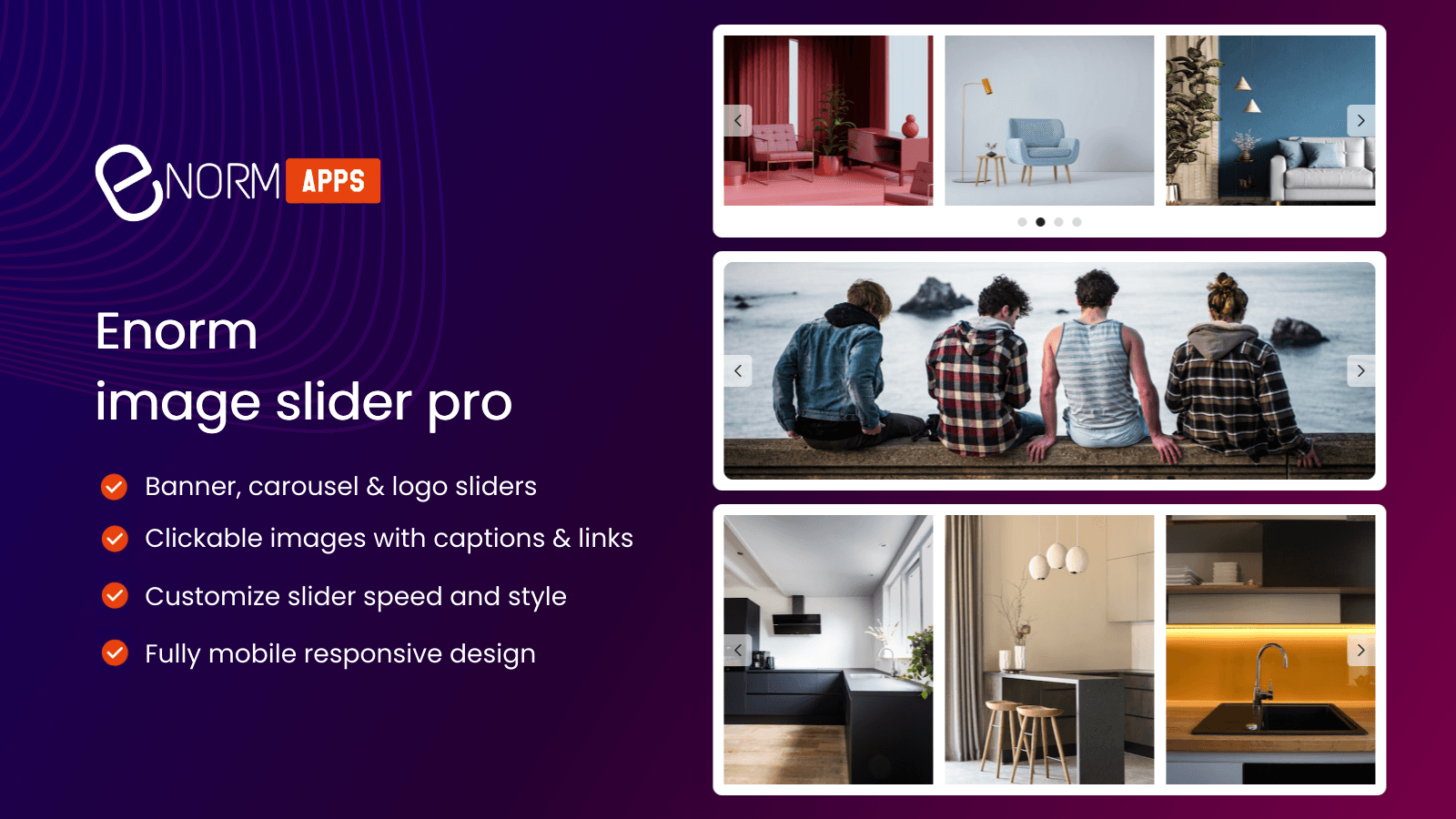
Display images in a slider style for improved lookbooks. Make banner slider and carousel slider.
Make several sliders
Display your great pictures using a slider. From the backend, efficiently personalize #images, speed, insert text, include links, etc.
Call to Action on banner slideshow pictures
When customers click on the images in your banner slider, they'll be redirected to your products, page, or external links.
Make logo slides
Display all the brands you partner with in a clean slider format. You can add a logo slider to any part of your store's home page or product/collection page.
Comparison
Top Image Slider Pro Alternatives Detailed Comparison
The table below highlights the crucial differences between Image Slider Pro and similar other Shopify apps based on parameters like ratings, reviews, features, pricing, etc.
Add App | |||
|---|---|---|---|
| General Information | |||
| Ratings | 4.7(58 reviews) | 4.9(161 reviews) | |
| Developed by | EnormApps | Xotiny | |
| Launch Date | 6/13/2017 | 9/26/2018 | |
| Pricing | Free, $6.99/month, $12.99/month, $19.99/month | Free, $5.95/month, $14.95/month | |
| Objective | Make a banner slider. Install with one click. Includes logo and carousel sliders. | Quickest method to obtain Gallery, Portfolio, and Lookbook pages | |
| Categories | Image gallery, Images and media - Other | Image gallery, Images and media - Other | |
| Key Features & Highlights | |||
| Purpose | Display images in a slider style for improved lookbooks. Make banner slider and carousel slider. | Adding a photo gallery to your store with XO Gallery is very simple. | |
| Features List |
|
| |
| Highlights | - | - | |
| User Reviews and Ratings | |||
| Recommended % | 98.3% | 98.1% | |
| Pros |
|
| |
| Cons |
|
| |
| Pricing and Plans | |||
| Total Pricing Plans | 4 | 3 | |
| Free Plan | Available | Available | |
| Free Trial | Yes, for 7 day(s) | Yes, for 7 day(s) | |
| Technical Information | |||
| Rating | 4.7 | 4.9 | |
| Total Reviews | 58 | 162 | |
| Launch Date | 6/13/2017 | 9/26/2018 | |
| SD Points | 20 | 41 | |
More Details About Image Slider Pro
Product Description
Use our app to create a slider by uploading multiple fashion images at once. You can control the speed, add text or comments, and attach URLs to the images for customer redirection, all while being completely mobile responsive.
AI Summary
The app is a Shopify image slider tool designed for creating customizable carousels, sliders, and banners with ease. It supports PNG images, infinite scrolling, clickable slides, and smooth transitions, making it suitable for showcasing products, press logos, or lookbooks. Key strengths include a straightforward setup process, intuitive customization options (such as font matching, background adjustments, and gutter sizing), and seamless integration across desktop and mobile platforms. The app excels in customer support, with rapid response times and willingness to assist with technical issues, custom coding, and design tweaks. However, some limitations include restricted logo customization (e.g., color and position), rounded image corners without a square option, and occasional placement challenges on certain themes. A few users noted discrepancies regarding free plan availability, though the app’s paid features and support are widely praised. Overall, it is a reliable solution for enhancing visual appeal, with robust functionality and exceptional service.
Support
For any questions, concerns, or assistance with Image Slider Pro, the dedicated support team is readily available to help.To reach out to the support team, users can send an email to [email protected]. Additionally, Image Slider Pro offers a comprehensive FAQ section to address common inquiries and provide self-help resources in their app FAQ section.
Image Slider Pro Support Information In A Nutshell:
| Support Email: | [email protected] |
| Contact Number(s): | Not available |
| FAQ Page: | FAQ details |
| Privacy Policy: | Privacy details |
| Language Support: | English |
Integration
The list of top Shopify apps or features or software tools that Image Slider Pro seamlessly integrates are given below:
Developer
Looking to install Image Slider Pro app on your store?
ShopDigest helps businesses upgrade their Shopify stores by offering easy app installation services.
Why Choose ShopDigest?
- Highly experienced and vetted team for successful app installation
- Assured support and guidance throughout the installation and beyond
- Customized services to meet unique business needs
- 30-day no questions asked refund policy
- Lowest pricing guaranteed (starts at just $10/hour)
Image Slider Pro Q&A
How does this app help showcase my products?
It lets you create stylish sliders to display product images, add clickable links, and customize speed/text, making your visuals engaging and shoppable.
Can I redirect customers from slider images?
Yes, you can link images to product pages or external URLs, driving traffic and improving conversions with a single click.
Is the slider mobile-friendly?
Absolutely! The slider adapts seamlessly to mobile devices, ensuring a smooth browsing experience for customers on any screen size.
What’s included in the free plan?
The free plan allows one slideshow with up to 5 images, hover effects, captions, and basic layouts—ideal for testing the app’s features.
Can I add text to slider images?
Yes, you can overlay text or comments on images to highlight promotions, descriptions, or calls-to-action directly from the backend.
How many sliders can I create professionally?
The Professional Plan supports up to 8 sliders with 300 images, perfect for stores with diverse product collections.
Does this work for logo displays?
Yes, you can create logo sliders to showcase partner brands on your homepage or collection pages in a clean, scrollable format.
Can I schedule when images appear?
Paid plans include content scheduling, letting you automate slider updates for promotions, seasons, or new arrivals effortlessly.
Customer Reviews
Image Slider Pro has an overall rating of 4.9 stars from a total of 58 reviews on the Shopify app store. Of these, 57 (98.3%) are positive, 0 (0.0%) are neutral, and 1 (1.7%) are negative*.
*Ratings above four stars fall under positive review, three stars reviews fall under neutral, and anything less than two stars falls under negative.
The app has what i need and the developer helps to solve the issue so quickly, i am very please with the service.
Love this app, helps me create gorgeous lookbook pages on my Shopify store. During times I needed support, they answered via email within the day. Highly recommend!
I could not contact you but in a few hours the issue with cloudfare was resolved, the slider worked again so I didn't have to replace it and my contact information was updated so in the future I could get the response to my questions directly. Thank you!
Very easy to set up. And customer service immediately responded when I had an issue with background transparency. They fixed it within seconds!
great app took forever to find the app that did what i wanted and this was it. Took a little to setup but works very well and some good customization options.
Video Demo and Screenshots
Product Screenshots

Installation Steps
How to install Image Slider Pro on your Shopify store
Find your app
Use filters like pricing, availability, and features to find the perfect match for your store's needs.
Get a personalized setup plan
Our team will create an installation plan based on your current store setup, goals, and requirements.
Install at your own pace
Perfect your store's functionality without the pressure to move on until you're ready.
Install in your Shopify Store
Image Slider Pro FAQ's
How do I install the Image Slider Pro Shopify app?
To install Image Slider Pro app on your Shopify store, click on the Image Slider Pro installation link. Login to the Shopify store on which you want to install the app and follow the onboarding process.
If you need our expert guidance to help you install Image Slider Pro on your Shopify store, then contact us now.
What are the key features of Image Slider Pro?
The key features offered by Image Slider Pro to Shopify store owners are:
- ✅Customize speed and add text and links to images from the backend effectively
- ✅Redirect customers to products or external links when they click the images
- ✅Install logo slider anywhere on your store home page or products/collection page
Does Image Slider Pro integrate with other Shopify apps or tools?
Yes, Image Slider Pro seamlessly integrates with other Shopify apps or tools, such as Easily adjust speed, add text and links to images from the backend., Send customers to products or outside links when they tap on images., Put the logo slider on any part of your store's homepage or on the products/collection page..
Is there a free trial available for Image Slider Pro?
Yes, Image Slider Pro offers 7 days free trial on all its paid plans.
What are the pricing plans for Image Slider Pro?
The app has 4 pricing plans: 1 free and 3 paid. The paid plans cost $6.99/month, $12.99/month, $19.99/month, and come with a 7-day free trial period.
How does billing work for Image Slider Pro?
Image Slider Pro uses USD for billing, with recurring and usage-based charges invoiced usually every 30 days.
Can I cancel or upgrade my subscription plan at any time?
Yes, Image Slider Pro allows its subscribers to cancel or upgrade their subscription plan at any time.
Does Image Slider Pro offer customer support? How can I get assistance?
Yes, Image Slider Pro offers a dedicated support team for any kind of app-related assistance. To reach out to the support team, users can send an email to [email protected].
Additionally, Image Slider Pro offers a comprehensive FAQ section to address common inquiries and provide self-help resources.
Is Image Slider Pro compatible with my Shopify theme?
Please reach out to their support team at [email protected] to confirm its compatibility with your specific Shopify theme.
Alternatives
See all Alternatives to Image Slider Pro Shopify App.






Most Popular
Most popular Shopify apps on the market




