MenuLock ‑ Disable Right Click Shopify App
by ImpressBlock content theft. Stop right-click "Save As" and copy/pasting. Ready for mobile. No hassle! The original app that disables right-clicking
3.5
(31)
PliTable, United Kingdom
its only one that is working in the entire shopify store
Install in your Shopify Store

MenuLock ‑ Disable Right Click Charts
Track MenuLock ‑ Disable Right Click's ranking, reviews, and performance over time with interactive charts. See how it compares to similar apps in the same category.
Screenshots
About the App
The original app that disables right-clicking
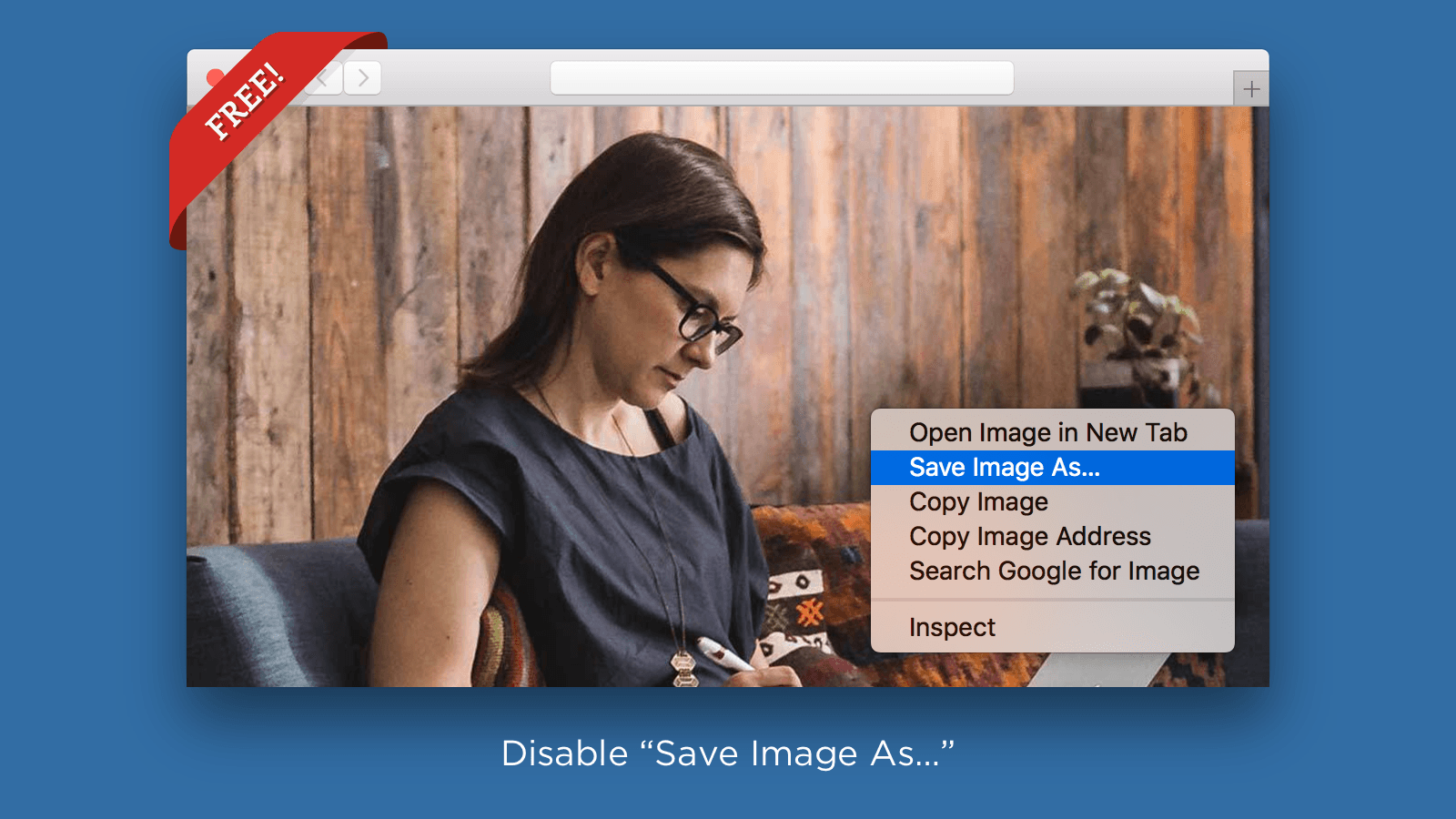
- Disabling User Actions: Turn off features such as "Save Image As", text selection, cut and copy, drag and drop, among others!
- Ad-Free Experience: Doesn't bother customers. No banners or pop-up ads.
- Installation Flexibility: Simple to set up, regardless of your theme alteration.
- Mobile Compatibility: Also functions on mobile.
Keywords
Key Features
- Disables right-click "Save Image As" to prevent image theft.
- Blocks text selection and copy-paste to protect written content.
- Prevents drag-and-drop actions to secure media files.
Pricing
MenuLock ‑ Disable Right Click Pricing Plans
Basic
$0/month
Desktop-only
Protect text and images
Disable keyboard, photo drag-and-drop
Pro
$2/month
Desktop and mobile protection
“Save Image As” menu
Text selection on products and articles
Cut, copy keyboard shortcuts
Photo drag-and-drop
Not sure which plan to pick? Discuss Basic or Pro plans with us, learn about custom pricing, or get a demo.
Here's an overview of MenuLock ‑ Disable Right Click costs for each of the plan(s):
The app has 2 pricing plans: 1 free and 1 paid. The free plan(s) offered by MenuLock ‑ Disable Right Click: (Basic). The paid plan(s) offered by MenuLock ‑ Disable Right Click: (Pro).
The details of the plan(s) are outlined below:
Basic: This plan is free forever, incurring no subscription costs. It offers a wide range of features like Desktop-only, Protect text and images, Disable keyboard, photo drag-and-drop.
Pro: The Pro plan costs $2 and comes with a 30-day free trial period. The plan offers a host of features, including Desktop and mobile protection, “Save Image As” menu, Text selection on products and articles, Cut, copy keyboard shortcuts, Photo drag-and-drop, More!.
MenuLock ‑ Disable Right Click Price Summary
| Pricing summary | Free plan available. Free trial available. |
| Total Pricing Plan(s) | 2 |
| Number of free plan(s) | 1 |
| Number of paid plan(s) | 1 |
| Cost of Paid Plan(s) | $2 |
| Free trial available | Yes, for 30 day(s) |
MenuLock ‑ Disable Right Click Shopify App Discounts
If you are looking for discounts on MenuLock ‑ Disable Right Click app pricing plans, feel free to contact our team - we'd be happy to help! Additionally, if you are an agency or a shop merchant with multiple Shopify stores, we can work directly with Impress to secure better deals on the MenuLock ‑ Disable Right Click app exclusively for you.
*Disclaimer: Please note that ShopDigest doesn't guarantee discounts on apps as any changes to the pricing plans are ultimately up to the discretion of the developer.
Testimonials
What our users say about MenuLock ‑ Disable Right Click
“its only one that is working in the entire shopify store”
“one of the first few apps i got when i started my store. This is great for anyone with common products that can be copied easily and with graphics that are popular to use for other categories. Love how simple it is and easy to use and install. Thanks for doing this at such low affordable rates especially for small business owners and starters.”
“Não está funcionando. Ainda continua aparecendo right click e shortcut. Gostaria de saber como funciona, pois não há nenhum tutorial.”
Trusted By
Trusted by the best Shopify stores
PliTable
United Kingdom
EDGABILITY
India
Cada Coisa.Top
Brazil
fragatts
Brazil
ShopMartx
Brazil
Techno-Merch
United States
NZ Quantum Healing
New Zealand
Vending Business Solutions
United States
Block content theft. Stop right-click "Save As" and copy/pasting. Ready for mobile. No hassle!
Safe to use on mobile
Works well on all browsers for Android and iOS.
Won't bother customers
Only turn off the features you truly need.
Simple to set up
You don't need to know how to code.
Comparison
Top MenuLock ‑ Disable Right Click Alternatives Detailed Comparison
The table below highlights the crucial differences between MenuLock ‑ Disable Right Click and similar other Shopify apps based on parameters like ratings, reviews, features, pricing, etc.
Add App | |||
|---|---|---|---|
| General Information | |||
| Ratings | 3.5(31 reviews) | 4.9(324 reviews) | |
| Developed by | Impress | RoarTheme | |
| Launch Date | 11/3/2017 | 2/1/2021 | |
| Pricing | Free, $2/month | Free | |
| Objective | The original app that disables right-clicking | Stop copy, cut, save picture, see source, check element. | |
| Categories | Anti theft | Anti theft | |
| Key Features & Highlights | |||
| Purpose | Block content theft. Stop right-click "Save As" and copy/pasting. Ready for mobile. No hassle! | Disables right-clicking. Stops image saving, page source viewing, cutting, or copying. | |
| Features List |
|
| |
| Highlights | - |
| |
| User Reviews and Ratings | |||
| Recommended % | 67.7% | 96.0% | |
| Pros | - |
| |
| Cons | - |
| |
| Pricing and Plans | |||
| Total Pricing Plans | 2 | 0 | |
| Free Plan | Available | Not available | |
| Free Trial | Yes, for 30 day(s) | No | |
| Technical Information | |||
| Rating | 3.5 | 4.9 | |
| Total Reviews | 31 | 325 | |
| Launch Date | 11/3/2017 | 2/1/2021 | |
| SD Points | N/A | 249 | |
More Details About MenuLock ‑ Disable Right Click
Product Description
MenuLock helps protect your store content from theft, ensuring a hassle-free experience. It offers customised protection to balance security and user experience, without any disruptive pop-ups or notices for smooth customer browsing.
Support
For any questions, concerns, or assistance with MenuLock ‑ Disable Right Click, the dedicated support team is readily available to help.To reach out to the support team, users can send an email to [email protected].
MenuLock ‑ Disable Right Click Support Information In A Nutshell:
| Support Email: | [email protected] |
| Contact Number(s): | Not available |
| FAQ Page: | Not available |
| Privacy Policy: | Privacy details |
| Language Support: | English |
Integration
The list of top Shopify apps or features or software tools that MenuLock ‑ Disable Right Click seamlessly integrates are given below:
No integration details available.
Developer
Looking to install MenuLock ‑ Disable Right Click app on your store?
ShopDigest helps businesses upgrade their Shopify stores by offering easy app installation services.
Why Choose ShopDigest?
- Highly experienced and vetted team for successful app installation
- Assured support and guidance throughout the installation and beyond
- Customized services to meet unique business needs
- 30-day no questions asked refund policy
- Lowest pricing guaranteed (starts at just $10/hour)
MenuLock ‑ Disable Right Click Q&A
How does this app protect my store content?
It disables actions like right-click "Save As," text copying, and image dragging, preventing content theft while maintaining a seamless browsing experience for customers.
Will this app disrupt my customers' experience?
No, it operates discreetly without pop-ups or banners, allowing you to selectively disable only the features necessary for security.
Is the app compatible with mobile devices?
Yes, it works on both Android and iOS across all browsers, ensuring your content is protected on desktop and mobile.
Do I need coding skills to install it?
No, it’s easy to set up without programming knowledge and adapts automatically even if your theme changes.
What’s the difference between free and paid plans?
The free plan covers desktop protection, while the paid plan adds mobile security and more advanced features like disabling keyboard shortcuts.
Can I customize which features to disable?
Yes, you can tailor protection settings to balance security and usability, disabling only specific actions like image saving or text selection.
Does this app slow down my store’s performance?
No, it runs efficiently without affecting loading speeds or interrupting customer browsing.
Who should use this app?
Store owners who want to prevent content theft without compromising user experience, especially those with unique images or product descriptions.
Customer Reviews
MenuLock ‑ Disable Right Click has an overall rating of 3.8 stars from a total of 31 reviews on the Shopify app store. Of these, 21 (67.7%) are positive, 1 (3.2%) are neutral, and 9 (29.0%) are negative*.
*Ratings above four stars fall under positive review, three stars reviews fall under neutral, and anything less than two stars falls under negative.
its only one that is working in the entire shopify store
one of the first few apps i got when i started my store. This is great for anyone with common products that can be copied easily and with graphics that are popular to use for other categories. Love how simple it is and easy to use and install. Thanks for doing this at such low affordable rates especially for small business owners and starters.
Não está funcionando. Ainda continua aparecendo right click e shortcut. Gostaria de saber como funciona, pois não há nenhum tutorial.
muito bom hein gostei muito so tem que tirar a parte que fica falando embaixo quando vc ta atualizando a pagina pra tirar o disable right click
muito bom e muito bom mesmo, excelente,excelente, very good, muitooo booommmmm, esse vale apena, otimo
Video Demo and Screenshots
Product Screenshots
Installation Steps
How to install MenuLock ‑ Disable Right Click on your Shopify store
Find your app
Use filters like pricing, availability, and features to find the perfect match for your store's needs.
Get a personalized setup plan
Our team will create an installation plan based on your current store setup, goals, and requirements.
Install at your own pace
Perfect your store's functionality without the pressure to move on until you're ready.
Install in your Shopify Store
MenuLock ‑ Disable Right Click FAQ's
How do I install the MenuLock ‑ Disable Right Click Shopify app?
To install MenuLock ‑ Disable Right Click app on your Shopify store, click on the MenuLock ‑ Disable Right Click installation link. Login to the Shopify store on which you want to install the app and follow the onboarding process.
If you need our expert guidance to help you install MenuLock ‑ Disable Right Click on your Shopify store, then contact us now.
What are the key features of MenuLock ‑ Disable Right Click?
The key features offered by MenuLock ‑ Disable Right Click to Shopify store owners are:
- ✅Disable "Save Image As", text selection, cut and copy, drag and drop, and more!
- ✅Won't annoy customers. No banners or popups.
- ✅Easy to install, even if your theme changes.
- ✅Works on mobile, too.
Does MenuLock ‑ Disable Right Click integrate with other Shopify apps or tools?
Yes, MenuLock ‑ Disable Right Click seamlessly integrates with other Shopify apps or tools, such as Turn off features such as "Save Image As", text selection, cut and copy, drag and drop, among others!, Doesn't bother customers. No banners or pop-up ads., Simple to set up, regardless of your theme alteration..
Is there a free trial available for MenuLock ‑ Disable Right Click?
Yes, MenuLock ‑ Disable Right Click offers 30 days free trial on all its paid plans.
What are the pricing plans for MenuLock ‑ Disable Right Click?
The app has 2 pricing plans: 1 free and 1 paid. The paid plan costs $2/month, and comes with a 30-day free trial period.
How does billing work for MenuLock ‑ Disable Right Click?
MenuLock ‑ Disable Right Click uses USD for billing, with recurring and usage-based charges invoiced usually every 30 days.
Can I cancel or upgrade my subscription plan at any time?
Yes, MenuLock ‑ Disable Right Click allows its subscribers to cancel or upgrade their subscription plan at any time.
Does MenuLock ‑ Disable Right Click offer customer support? How can I get assistance?
Yes, MenuLock ‑ Disable Right Click offers a dedicated support team for any kind of app-related assistance. To reach out to the support team, users can send an email to [email protected].
Is MenuLock ‑ Disable Right Click compatible with my Shopify theme?
Please reach out to their support team at [email protected] to confirm its compatibility with your specific Shopify theme.
Alternatives
See all Alternatives to MenuLock ‑ Disable Right Click Shopify App.






Most Popular
Most popular Shopify apps on the market




