Cozy AntiTheft Shopify App
by eCommerce AddonsSecure your store's content, pictures, and text from theft with just a few easy clicks. Prevent right-click, safeguard store pictures, stop copying and pasting text.
4.8
(307)
Annette Price Art, United Kingdom
I have been using this app for sometime, to help protect my images. I have been able to stop right click on the images, while still allowing visitors to select and copy the text, which is perfect for my needs. Thank you Cozy AnriTheft
Install in your Shopify Store

Cozy AntiTheft Charts
Track Cozy AntiTheft's ranking, reviews, and performance over time with interactive charts. See how it compares to similar apps in the same category.
Pros and Cons
Pros and Cons of Cozy AntiTheft
Pros
Effective Content Protection: The app reliably prevents right-clicking, copying, and pasting of images and text.
Quick and Easy Installation: Users highlight the one-click setup and immediate functionality.
Free and Generous Offering: The app’s free pricing is frequently praised as a significant advantage.
Customizable Security Features: Options to disable right-click, keyboard shortcuts, and drag-and-drop are appreciated.
Cons
Limited Page Exclusion: Some users request the ability to exclude specific pages from protection.
No Watermarking: Users mention the lack of watermarking as a limitation for image protection.
Screenshots
About the App
Prevent right-click, safeguard store pictures, stop copying and pasting text.
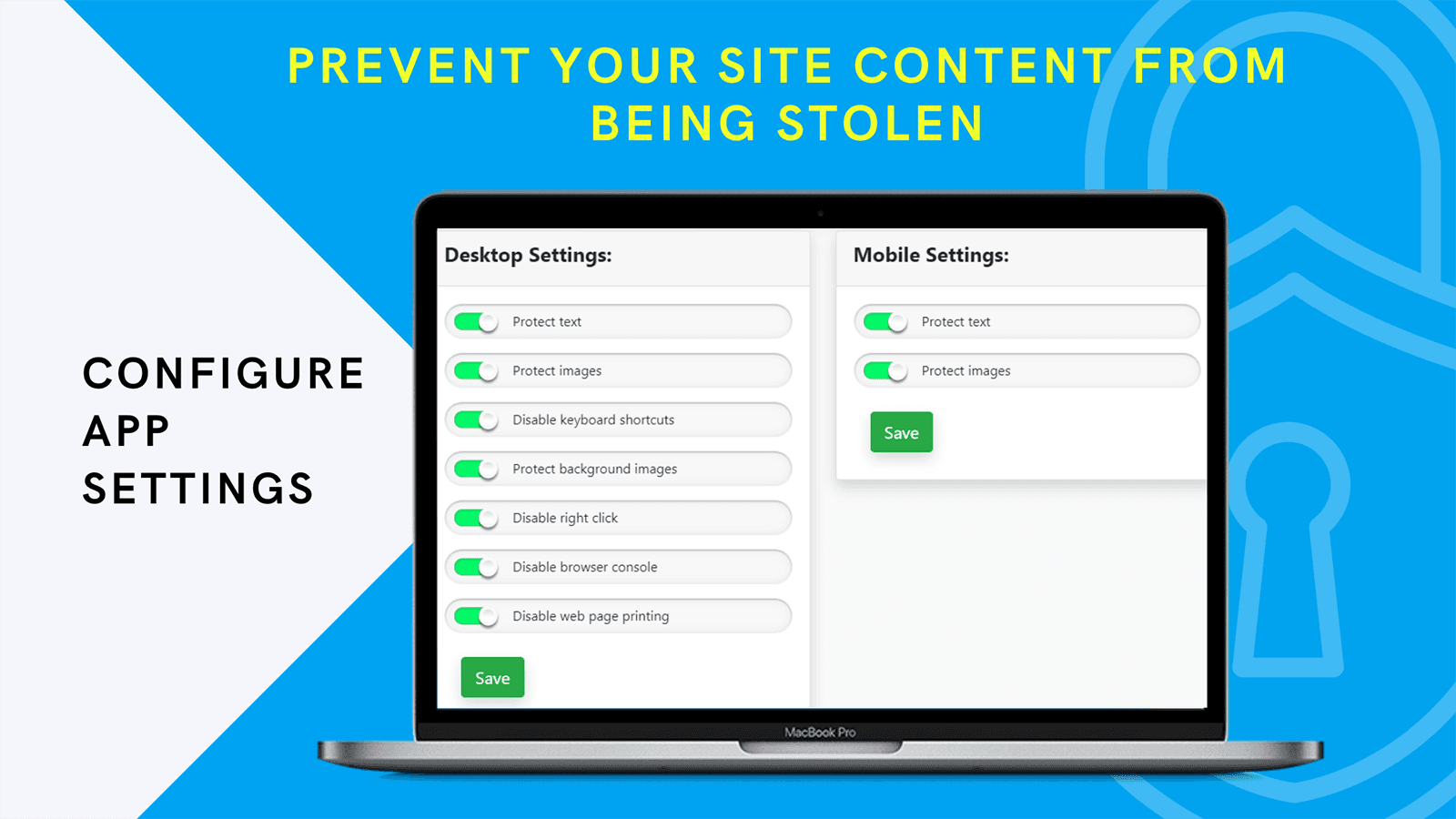
- Restricting Actions: Turn off Right-Click and Keyboard Shortcuts
- Disabling Features: Turn off Drag and Drop
- Disable Printing: Stop printing pages from the internet browser.
- Browser Restrictions: Turn off Console and Developer Tools in the browser window.
- Enable Store Protection: You only need to switch on a few toggles to protect the store.
Keywords
Key Features
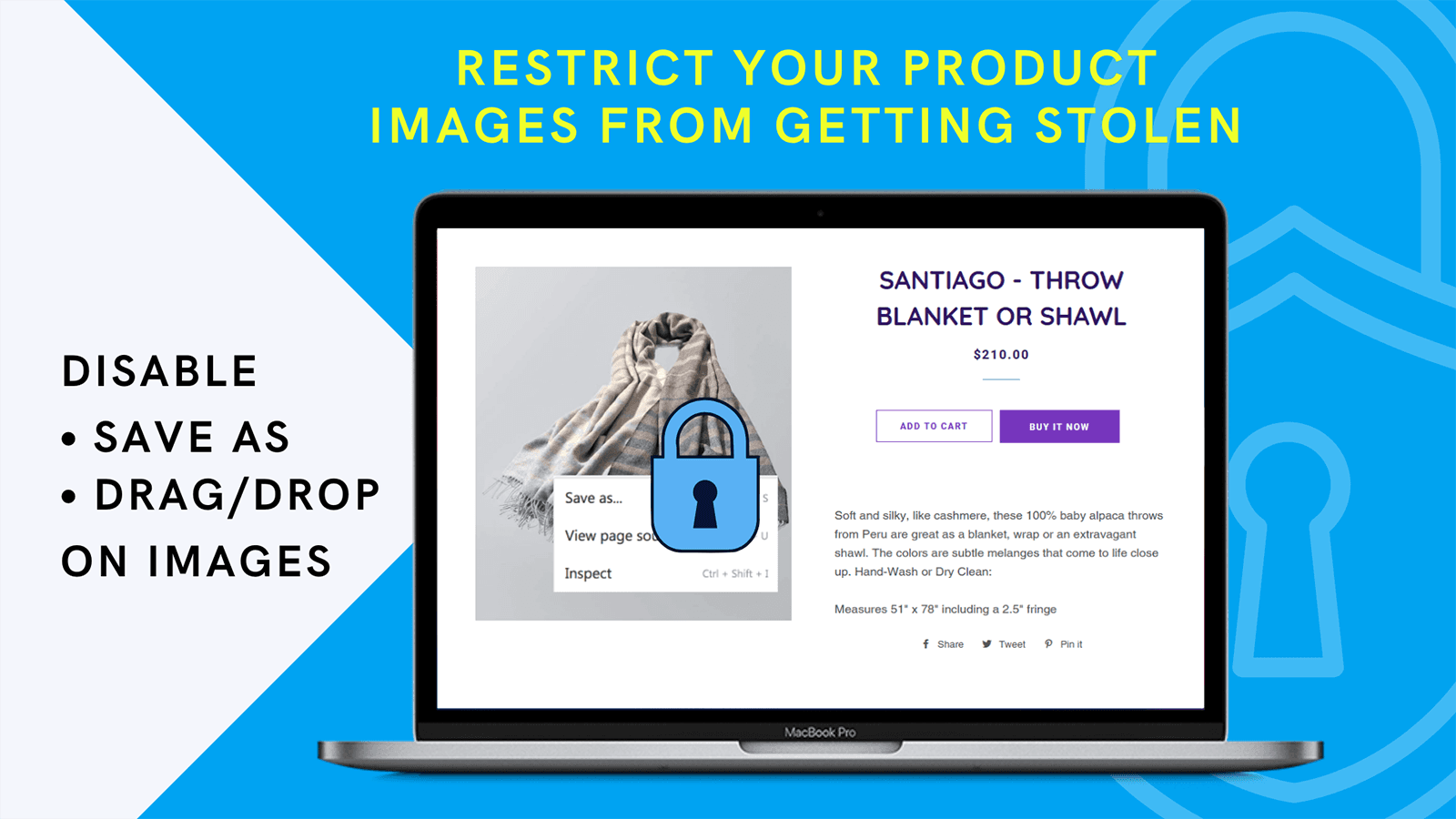
- Disable right-click to prevent image and text theft.
- Block keyboard shortcuts like copy and paste.
- Stop drag-and-drop actions to protect images.
Pricing
Cozy AntiTheft Pricing Plans
$0/month
Here's an overview of Cozy AntiTheft costs for each of the plan(s):
The app offers 1 free plan(s). The free plan(s) offered by Cozy AntiTheft: ().
The plan encompasses all the features provided by the app.
Cozy AntiTheft Price Summary
| Pricing summary | Free |
| Total Pricing Plan(s) | 1 |
| Number of free plan(s) | 1 |
| Number of paid plan(s) | 0 |
| Free trial available | No |
Cozy AntiTheft Shopify App Discounts
If you are looking for discounts on Cozy AntiTheft app pricing plans, feel free to contact our team - we'd be happy to help! Additionally, if you are an agency or a shop merchant with multiple Shopify stores, we can work directly with eCommerce Addons to secure better deals on the Cozy AntiTheft app exclusively for you.
*Disclaimer: Please note that ShopDigest doesn't guarantee discounts on apps as any changes to the pricing plans are ultimately up to the discretion of the developer.
Testimonials
What our users say about Cozy AntiTheft
“I have been using this app for sometime, to help protect my images. I have been able to stop right click on the images, while still allowing visitors to select and copy the text, which is perfect for my needs. Thank you Cozy AnriTheft”
“Cozy AntiTheft is easy to install and does exactly what it says. We use it to help protect our website text and images by disabling right click, and it gives us an extra layer of reassurance as a small brand. Simple, effective, and easy to use.”
“A great app. Easy to understand and very practical to use. ”
Trusted By
Trusted by the best Shopify stores
Annette Price Art
United Kingdom
STRING NIX
United Kingdom
Dream-Knives
Spain
Amp'd Up Custom
United States
The 5th Room Studio
Australia
Norfolk Deli
United Kingdom
Paul Parker
United Kingdom
Smart Glasses & Co
Switzerland
Secure your store's content, pictures, and text from theft with just a few easy clicks.
Safeguard Store Images and Information
Cozy Anti-Theft prevents image downloads through drag and drop or right clicking, helping to safeguard your store's content and your hard work.
Turn off Keyboard Shortcuts
Cozy Anti-Theft stops people from copying content using keyboard shortcuts such as Copy, Paste, and Dev Tools.
Turn off right click
The Cozy Anti-Theft tool disables the right-click option in your store, which is the main mechanism used for theft.
Comparison
Top Cozy AntiTheft Alternatives Detailed Comparison
The table below highlights the crucial differences between Cozy AntiTheft and similar other Shopify apps based on parameters like ratings, reviews, features, pricing, etc.
Add App | |||
|---|---|---|---|
| General Information | |||
| Ratings | 4.8(245 reviews) | 4.9(324 reviews) | |
| Developed by | eCommerce Addons | RoarTheme | |
| Launch Date | 9/26/2018 | 2/1/2021 | |
| Pricing | Free | Free | |
| Objective | Prevent right-click, safeguard store pictures, stop copying and pasting text. | Stop copy, cut, save picture, see source, check element. | |
| Categories | Anti theft | Anti theft | |
| Key Features & Highlights | |||
| Purpose | Secure your store's content, pictures, and text from theft with just a few easy clicks. | Disables right-clicking. Stops image saving, page source viewing, cutting, or copying. | |
| Features List |
|
| |
| Highlights |
|
| |
| User Reviews and Ratings | |||
| Recommended % | 94.8% | 96.0% | |
| Pros |
|
| |
| Cons |
|
| |
| Pricing and Plans | |||
| Total Pricing Plans | 0 | 0 | |
| Free Plan | Not available | Not available | |
| Free Trial | No | No | |
| Technical Information | |||
| Rating | 4.8 | 4.9 | |
| Total Reviews | 307 | 306 | |
| Launch Date | 9/26/2018 | 2/1/2021 | |
| SD Points | 17 | 249 | |
More Details About Cozy AntiTheft
Product Description
The Cozy Antitheft app protects original content such as text and images from being stolen from your store, enhancing sales and preventing duplication penalties from search engines like Google. It makes content theft more difficult, assuring better search engine rankings.
AI Summary
The app is designed to protect Shopify store content by disabling right-clicking, copy-pasting, and keyboard shortcuts to prevent unauthorized downloads or theft of images and text. It offers a straightforward, one-click installation process and requires minimal setup, making it accessible for users with varying technical expertise. Key features include customizable protection settings, the ability to toggle protections on or off as needed, and compatibility with mobile devices. The app is free, which is frequently highlighted as a significant advantage. Strengths include its ease of use, reliability, and effectiveness in deterring content theft. However, some limitations exist, such as the inability to exclude specific pages from protection, which may disrupt workflows for stores requiring selective copy-paste functionality. Additionally, while it prevents direct right-click downloads, workarounds like Google Images or browser inspections may still allow content extraction. Overall, the app provides a robust layer of security for store owners seeking to safeguard their digital assets.
Support
For any questions, concerns, or assistance with Cozy AntiTheft, the dedicated support team is readily available to help.To reach out to the support team, users can send an email to [email protected]. Additionally, Cozy AntiTheft offers a comprehensive FAQ section to address common inquiries and provide self-help resources in their app FAQ section.
Cozy AntiTheft Support Information In A Nutshell:
| Support Email: | [email protected] |
| Contact Number(s): | Not available |
| FAQ Page: | FAQ details |
| Privacy Policy: | Privacy details |
| Language Support: | English |
Integration
The list of top Shopify apps or features or software tools that Cozy AntiTheft seamlessly integrates are given below:
No integration details available.
Developer
Name: eCommerce Addons
Website: /partners/ecommerce-addons
Address: 840, Montée Masson, Mascouche, QC, J7K2L7
Looking to install Cozy AntiTheft app on your store?
ShopDigest helps businesses upgrade their Shopify stores by offering easy app installation services.
Why Choose ShopDigest?
- Highly experienced and vetted team for successful app installation
- Assured support and guidance throughout the installation and beyond
- Customized services to meet unique business needs
- 30-day no questions asked refund policy
- Lowest pricing guaranteed (starts at just $10/hour)
Cozy AntiTheft Q&A
How does this app protect my store's content?
It disables right-click, drag-and-drop, keyboard shortcuts, and printing to prevent copying or downloading your images and text, making theft significantly harder.
Who should use this app?
Store owners who create original content and want to prevent competitors from stealing their product images, descriptions, or other assets for unauthorized use.
Will this app affect my store's SEO?
Yes, positively—by preventing content duplication, it helps maintain your search rankings since Google penalizes sites with copied material.
Can visitors still view my content normally?
Absolutely—they can browse and read everything, but actions like saving images or copying text are restricted to protect your work.
Is it difficult to set up the protection?
No, just toggle a few settings to enable safeguards like disabling right-click or developer tools—no technical expertise needed.
Does this stop all forms of content theft?
While no method is 100% foolproof, it blocks common theft tactics like screenshots, right-click saves, and copy-paste actions effectively.
Will this slow down my store’s performance?
No, the app runs lightweight scripts to restrict actions without impacting page load speed or user experience.
Can I customize what’s protected?
Yes, choose which protections to enable (e.g., disabling printing but allowing text selection) based on your store’s needs.
Customer Reviews
Cozy AntiTheft has an overall rating of 4.8 stars from a total of 307 reviews on the Shopify app store. Of these, 293 (95.4%) are positive, 4 (1.3%) are neutral, and 10 (3.3%) are negative*.
*Ratings above four stars fall under positive review, three stars reviews fall under neutral, and anything less than two stars falls under negative.
I have been using this app for sometime, to help protect my images. I have been able to stop right click on the images, while still allowing visitors to select and copy the text, which is perfect for my needs. Thank you Cozy AnriTheft
Cozy AntiTheft is easy to install and does exactly what it says. We use it to help protect our website text and images by disabling right click, and it gives us an extra layer of reassurance as a small brand. Simple, effective, and easy to use.
A great app. Easy to understand and very practical to use.
Great app, been using since i first started and will keep doing so!
Fantastic app. Works beautifully. Thank you Cozy team.
Video Demo and Screenshots
Product Video

Product Screenshots
Installation Steps
How to install Cozy AntiTheft on your Shopify store
Find your app
Use filters like pricing, availability, and features to find the perfect match for your store's needs.
Get a personalized setup plan
Our team will create an installation plan based on your current store setup, goals, and requirements.
Install at your own pace
Perfect your store's functionality without the pressure to move on until you're ready.
Install in your Shopify Store
Cozy AntiTheft FAQ's
How do I install the Cozy AntiTheft Shopify app?
To install Cozy AntiTheft app on your Shopify store, click on the Cozy AntiTheft installation link. Login to the Shopify store on which you want to install the app and follow the onboarding process.
If you need our expert guidance to help you install Cozy AntiTheft on your Shopify store, then contact us now.
What are the key features of Cozy AntiTheft?
The key features offered by Cozy AntiTheft to Shopify store owners are:
- ✅Disable Right-Click, Keyboard Shortcuts
- ✅Disable Drag and Drop
- ✅Disable Page Printing from Browser
- ✅Disable Console and Developer Tools in Browser Window
- ✅Only a few toggles required to enable protection on the store
Does Cozy AntiTheft integrate with other Shopify apps or tools?
Yes, Cozy AntiTheft seamlessly integrates with other Shopify apps or tools, such as Turn off Right-Click and Keyboard Shortcuts, Turn off Drag and Drop, Stop printing pages from the internet browser..
Is there a free trial available for Cozy AntiTheft?
No, Cozy AntiTheft does not offer any free trial.
What are the pricing plans for Cozy AntiTheft?
The app offers 0 plans that are forever-free.
How does billing work for Cozy AntiTheft?
Cozy AntiTheft is completely free to install and use. Additional charges may or may not apply.
Can I cancel or upgrade my subscription plan at any time?
Yes, Cozy AntiTheft allows its subscribers to cancel or upgrade their subscription plan at any time.
Does Cozy AntiTheft offer customer support? How can I get assistance?
Yes, Cozy AntiTheft offers a dedicated support team for any kind of app-related assistance. To reach out to the support team, users can send an email to [email protected].
Additionally, Cozy AntiTheft offers a comprehensive FAQ section to address common inquiries and provide self-help resources.
Is Cozy AntiTheft compatible with my Shopify theme?
Please reach out to their support team at [email protected] to confirm its compatibility with your specific Shopify theme.
Alternatives
See all Alternatives to Cozy AntiTheft Shopify App.






Most Popular
Most popular Shopify apps on the market




