
Canva Connect Shopify App
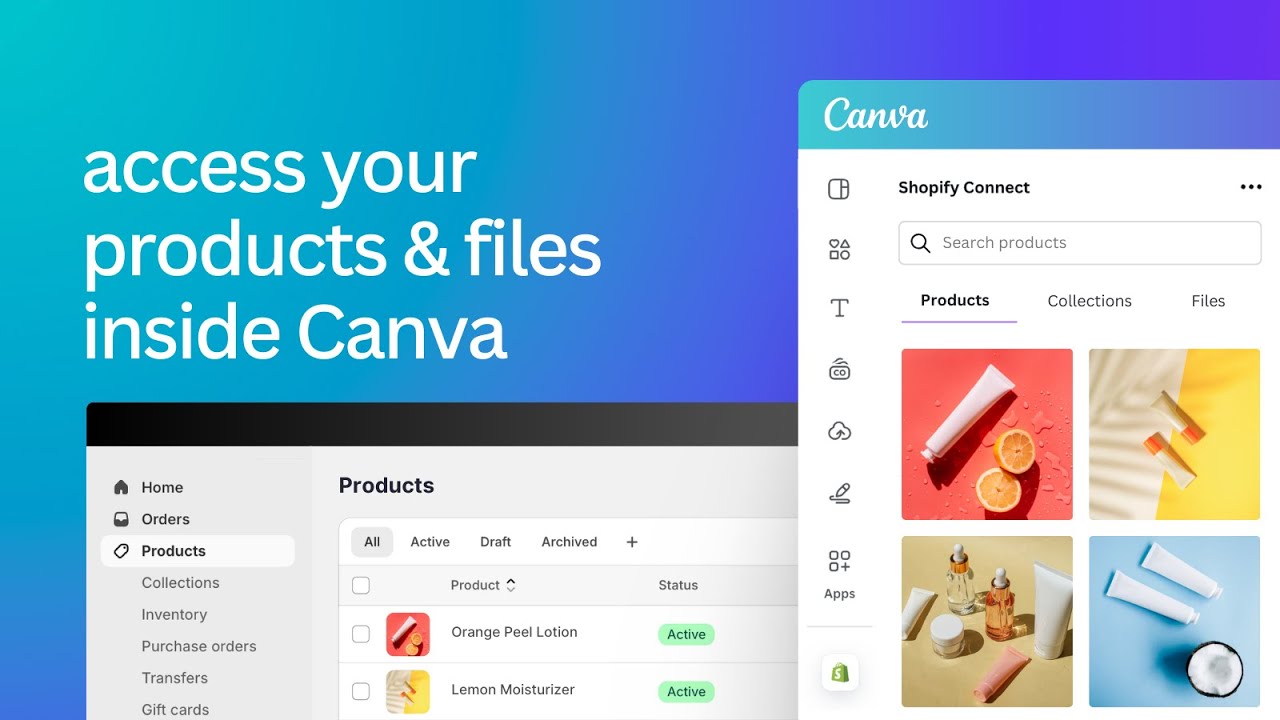
by SegunoAccess your product images in Canva and seamlessly send designs between platforms. Access your product images and files directly inside Canva
4.8
(400)
Tidepoolkids Online, United States
This has made our Shopify design workflow much easier. Being able to access product images and videos directly in Canva means we no longer have to keep downloading and re-uploading files. I can quickly create polished visuals, make updates, and send the designs back to Shopify without disrupting the workflow. Such a simple integration, but a huge time saver for our store.
Install in your Shopify Store

Canva Connect Charts
Track Canva Connect's ranking, reviews, and performance over time with interactive charts. See how it compares to similar apps in the same category.
Pros and Cons
Pros and Cons of Canva Connect
Pros
Time-Saving Integration: Streamlines workflows by eliminating manual downloads/uploads between Canva and Shopify.
Seamless Connectivity: Easy and quick setup with no technical hurdles for most users.
Enhanced Productivity: Direct access to Shopify product images in Canva accelerates design processes.
User-Friendly Interface: Intuitive navigation and clear instructions cater to non-technical users.
Cons
Occasional Performance Lag: Some users report delays when loading Shopify files in Canva.
Limited Advanced Features: Power users noted unmet needs for complex design workflows.
Screenshots
About the App
Access your product images and files directly inside Canva
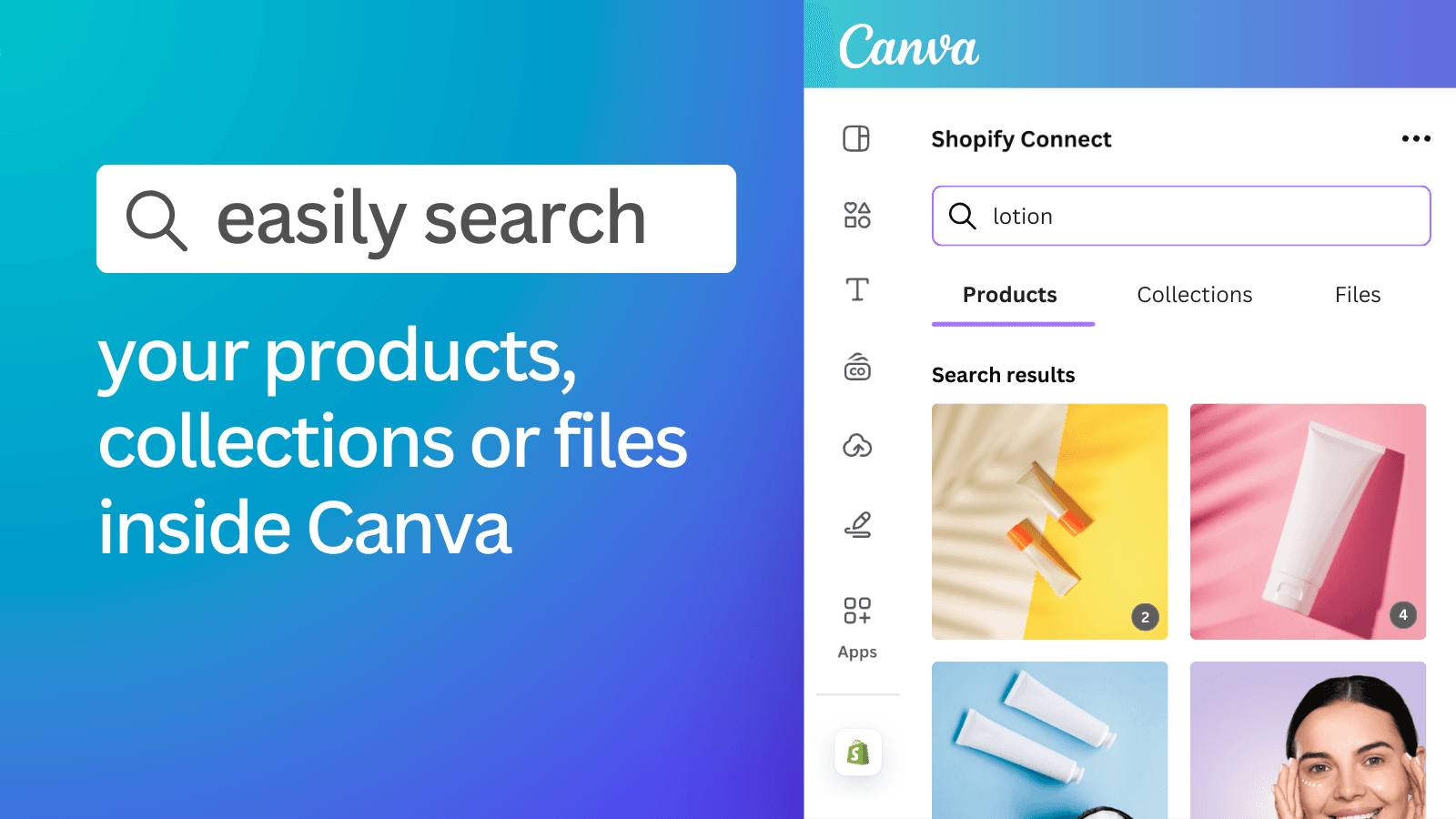
- Easily search your catalog to find the product, collection, or file you want.
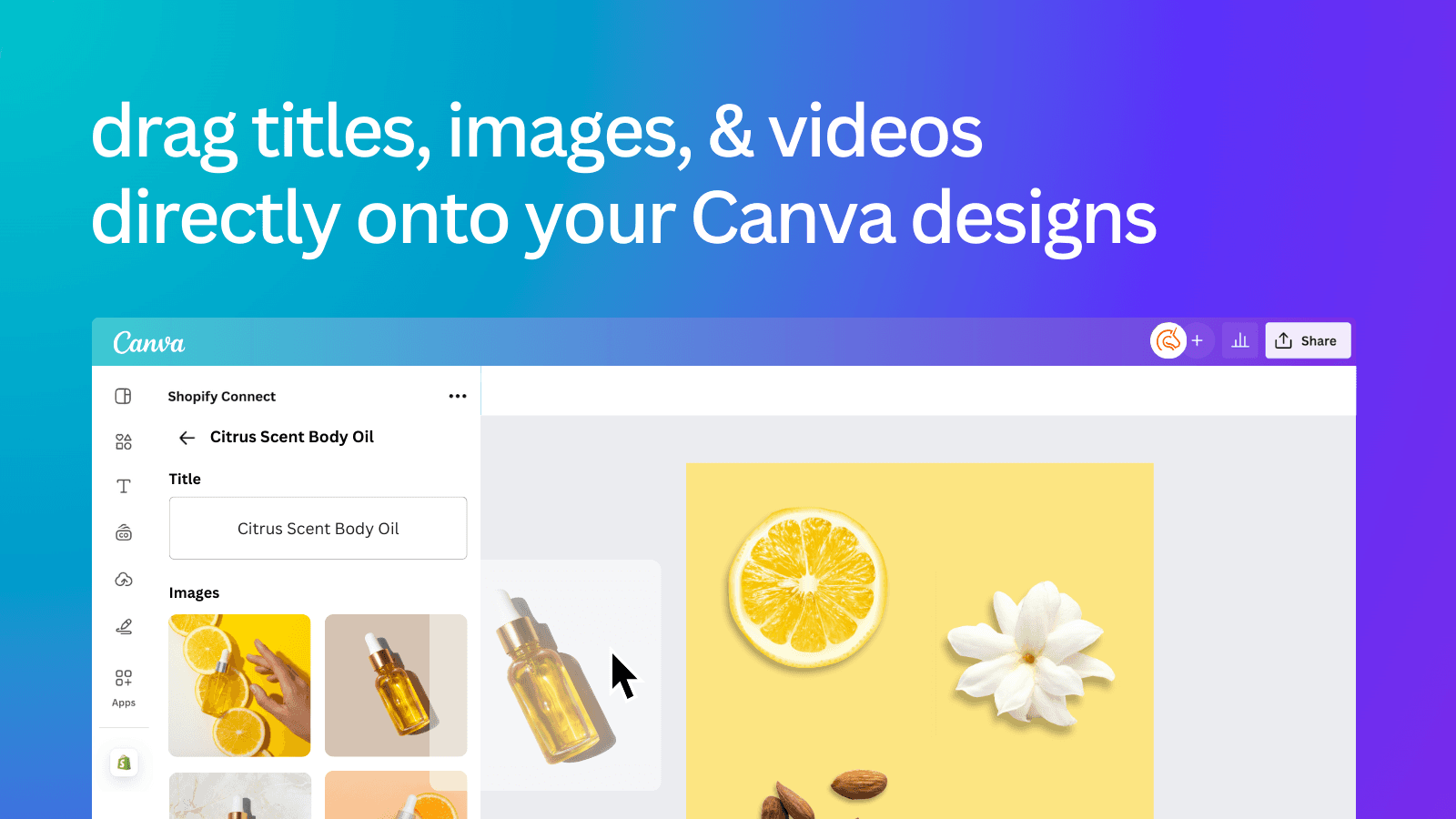
- Drag product titles, images, and videos directly into your Canva designs.
- Export or import designs from Canva to a Product or Collection page in Shopify.
- Open Canva from inside Shopify to edit product images.
- Access and add your Canva designs to emails when using Seguno Email Marketing.
Keywords
Key Features
- Instantly access product images and videos from Shopify in Canva.
- Drag and drop product media directly into Canva designs.
- Sync designs between Canva and Shopify with one click.
Pricing
Canva Connect Pricing Plans
$0/month
Here's an overview of Canva Connect costs for each of the plan(s):
The app offers 1 free plan(s). The free plan(s) offered by Canva Connect: ().
The plan encompasses all the features provided by the app.
Canva Connect Price Summary
| Pricing summary | Free |
| Total Pricing Plan(s) | 1 |
| Number of free plan(s) | 1 |
| Number of paid plan(s) | 0 |
| Free trial available | No |
Canva Connect Shopify App Discounts
If you are looking for discounts on Canva Connect app pricing plans, feel free to contact our team - we'd be happy to help! Additionally, if you are an agency or a shop merchant with multiple Shopify stores, we can work directly with Seguno to secure better deals on the Canva Connect app exclusively for you.
*Disclaimer: Please note that ShopDigest doesn't guarantee discounts on apps as any changes to the pricing plans are ultimately up to the discretion of the developer.
Testimonials
What our users say about Canva Connect
“This has made our Shopify design workflow much easier. Being able to access product images and videos directly in Canva means we no longer have to keep downloading and re-uploading files. I can quickly create polished visuals, make updates, and send the designs back to Shopify without disrupting the workflow. Such a simple integration, but a huge time saver for our store.”
“Canva Connect has been a huge productivity boost for creating high-quality product images and keeping our design workflow streamlined. While there is definitely a learning curve when first setting things up, the app generates detailed logs and makes pushing assets between Canva and Shopify much smoother once you master it. Highly recommend it to any merchant looking to elevate their store's visual content!”
“Easily accomplish all goals and the set up to connect to Shopify was simple.”
Trusted By
Trusted by the best Shopify stores
Tidepoolkids Online
United States
Savannah Lane Jewelry
United States
Lifestyle Haven
United States
Speedo Malaysia Online
Malaysia
Roppongi
Netherlands
My Store
Philippines
The Ruddy Duck
United States
Chain Reaction Canada
Canada
Comparison
Top Canva Connect Alternatives Detailed Comparison
The table below highlights the crucial differences between Canva Connect and similar other Shopify apps based on parameters like ratings, reviews, features, pricing, etc.
Add App | |||
|---|---|---|---|
| General Information | |||
| Ratings | 4.8(400 reviews) | 4.4(132 reviews) | |
| Developed by | Seguno | Autopilot | |
| Launch Date | 9/6/2024 | 4/28/2023 | |
| Pricing | Free | Free | |
| Objective | Access your product images and files directly inside Canva | Find & use your product images in Canva. | |
| Categories | Image editor, Store data importer | Image editor, Store data importer | |
| Key Features & Highlights | |||
| Purpose | Access your product images in Canva and seamlessly send designs between platforms. | Add product images to your Canva designs directly from Canva itself. | |
| Features List |
|
| |
| Highlights |
|
| |
| User Reviews and Ratings | |||
| Recommended % | 97.8% | 90.8% | |
| Pros |
|
| |
| Cons |
|
| |
| Pricing and Plans | |||
| Total Pricing Plans | 0 | 0 | |
| Free Plan | Not available | Not available | |
| Free Trial | No | No | |
| Technical Information | |||
| Rating | 4.8 | 4.4 | |
| Total Reviews | 400 | 130 | |
| Launch Date | 9/6/2024 | 4/28/2023 | |
| SD Points | 103 | 78 | |
More Details About Canva Connect
Product Description
The Canva app for Shopify makes it easy to add your product and collection images to the designs you create in Canva. No need to download images from Shopify and upload them separately! Install the app to connect to your Canva account and instantly access your product photography and videos. Drag and drop your product images into your email marketing, social media, website banners, presentations, posters, sales collateral, and more. You can even export or import your Canva designs to Shopify!
AI Summary
The app facilitates seamless integration between Shopify and Canva, enabling users to directly access and edit Shopify product images within Canva and export designs back to their store without manual downloads or uploads. It significantly streamlines workflows by eliminating repetitive file transfers, saving time, and reducing local storage usage. Key strengths include its user-friendly setup, intuitive interface, and ability to enhance design efficiency for marketing materials, social media content, and product visuals. The integration also supports collaboration and brand consistency with features like templates and centralized asset management. A minor limitation noted is occasional delays when loading Shopify files within Canva, though this does not outweigh the overall efficiency gains. The app is particularly beneficial for businesses relying on frequent visual updates, offering a free, scalable solution that integrates smoothly with existing workflows.
Support
For any questions, concerns, or assistance with Canva Connect, the dedicated support team is readily available to help.To reach out to the support team, users can send an email to [email protected].
Canva Connect Support Information In A Nutshell:
| Support Email: | [email protected] |
| Contact Number(s): | Not available |
| FAQ Page: | Not available |
| Privacy Policy: | Privacy details |
| Language Support: | English |
Integration
The list of top Shopify apps or features or software tools that Canva Connect seamlessly integrates are given below:
Developer
Looking to install Canva Connect app on your store?
ShopDigest helps businesses upgrade their Shopify stores by offering easy app installation services.
Why Choose ShopDigest?
- Highly experienced and vetted team for successful app installation
- Assured support and guidance throughout the installation and beyond
- Customized services to meet unique business needs
- 30-day no questions asked refund policy
- Lowest pricing guaranteed (starts at just $10/hour)
Canva Connect Q&A
How does the app integrate with Canva?
It connects your Shopify store to Canva, letting you directly access product images and videos in Canva without manual downloads, streamlining design workflows.
Can I edit Shopify product images in Canva?
Yes, you can open and edit product images in Canva from Shopify, applying optimizations like background removal or AI enhancements for marketing materials.
Does the app support syncing designs back to Shopify?
Absolutely! You can export Canva designs to Shopify product or collection pages, ensuring seamless updates for banners, ads, or other visuals.
Is this app useful for email marketing?
Yes, it lets you drag product images into Canva-designed emails, making it ideal for creating promotional content with Seguno or other email tools.
Can I use my entire product catalog in Canva?
Yes, the app syncs your catalog, allowing you to search and drag any product image or video into Canva designs effortlessly.
Does it optimize images automatically?
The app supports auto-optimization, compression, and AI tools like background removal, ensuring high-quality visuals without manual adjustments.
Who benefits most from this app?
Shopify store owners and marketers who use Canva for ads, social media, or emails save time by eliminating manual image transfers.
Can I import Canva designs to my store?
Yes, designs created in Canva can be imported directly to Shopify product or collection pages, maintaining branding consistency.
Are videos supported in the app?
Yes, product videos from Shopify can be dragged into Canva designs, ideal for dynamic social media or website content.
Customer Reviews
Canva Connect has an overall rating of 4.9 stars from a total of 400 reviews on the Shopify app store. Of these, 391 (97.8%) are positive, 3 (0.8%) are neutral, and 6 (1.5%) are negative*.
*Ratings above four stars fall under positive review, three stars reviews fall under neutral, and anything less than two stars falls under negative.
This has made our Shopify design workflow much easier. Being able to access product images and videos directly in Canva means we no longer have to keep downloading and re-uploading files. I can quickly create polished visuals, make updates, and send the designs back to Shopify without disrupting the workflow. Such a simple integration, but a huge time saver for our store.
This has made our Shopify design workflow much easier. Being able to access product images and videos directly in Canva means we no longer have to keep downloading and re-uploading files. I can quickly create polished visuals, make updates, and send the designs back to Shopify without disrupting the workflow. Such a simple integration, but a huge time saver for our store.
Canva Connect has been a huge productivity boost for creating high-quality product images and keeping our design workflow streamlined. While there is definitely a learning curve when first setting things up, the app generates detailed logs and makes pushing assets between Canva and Shopify much smoother once you master it. Highly recommend it to any merchant looking to elevate their store's visual content!
Canva Connect has been a huge productivity boost for creating high-quality product images and keeping our design workflow streamlined. While there is definitely a learning curve when first setting things up, the app generates detailed logs and makes pushing assets between Canva and Shopify much smoother once you master it. Highly recommend it to any merchant looking to elevate their store's visual content!
Easily accomplish all goals and the set up to connect to Shopify was simple.
Easily accomplish all goals and the set up to connect to Shopify was simple.
Shopify Connect has made the work so efficeint and organize.
Shopify Connect has made the work so efficeint and organize.
This app makes my life so much easier. I'm glad I found it! No more back and forth saving, I can import my work directly into my Shopify store!
This app makes my life so much easier. I'm glad I found it! No more back and forth saving, I can import my work directly into my Shopify store!
Video Demo and Screenshots
Product Video
Product Screenshots
Installation Steps
How to install Canva Connect on your Shopify store
Find your app
Use filters like pricing, availability, and features to find the perfect match for your store's needs.
Get a personalized setup plan
Our team will create an installation plan based on your current store setup, goals, and requirements.
Install at your own pace
Perfect your store's functionality without the pressure to move on until you're ready.
Install in your Shopify Store
Canva Connect FAQ's
How do I install the Canva Connect Shopify app?
To install Canva Connect app on your Shopify store, click on the Canva Connect installation link. Login to the Shopify store on which you want to install the app and follow the onboarding process.
If you need our expert guidance to help you install Canva Connect on your Shopify store, then contact us now.
What are the key features of Canva Connect?
The key features offered by Canva Connect to Shopify store owners are:
- ✅Easily search your catalog to find the product, collection, or file you want.
- ✅Drag product titles, images, and videos directly into your Canva designs.
- ✅Export or import designs from Canva to a Product or Collection page in Shopify.
- ✅Open Canva from inside Shopify to edit product images.
- ✅Access and add your Canva designs to emails when using Seguno Email Marketing.
Does Canva Connect integrate with other Shopify apps or tools?
Canva Connect has not made any official mention of integrating with other Shopify apps or tools. To obtain further information, kindly reach out to their support team or consult your Shopify developer.
Is there a free trial available for Canva Connect?
No, Canva Connect does not offer any free trial.
What are the pricing plans for Canva Connect?
The app offers 0 plans that are forever-free.
How does billing work for Canva Connect?
Canva Connect is completely free to install and use. Additional charges may or may not apply.
Can I cancel or upgrade my subscription plan at any time?
Yes, Canva Connect allows its subscribers to cancel or upgrade their subscription plan at any time.
Does Canva Connect offer customer support? How can I get assistance?
Yes, Canva Connect offers a dedicated support team for any kind of app-related assistance. To reach out to the support team, users can send an email to [email protected].
Is Canva Connect compatible with my Shopify theme?
Please reach out to their support team at [email protected] to confirm its compatibility with your specific Shopify theme.
Alternatives
See all Alternatives to Canva Connect Shopify App.






Most Popular
Most popular Shopify apps on the market




