BarcodeMan Barcode Labels Shopify App
by Gookit, Inc.Create personalized retail barcode labels for your brand using an easy-to-use label designer. Make custom barcodes for your store's products.
4.8
(104)
Kosmos Beauty Lab, Finland
Good app for creating price tags easily in-store. Recommend!
Install in your Shopify Store

BarcodeMan Barcode Labels Charts
Track BarcodeMan Barcode Labels's ranking, reviews, and performance over time with interactive charts. See how it compares to similar apps in the same category.
Pros and Cons
Pros and Cons of BarcodeMan Barcode Labels
Pros
Excellent Customer Support: Responsive, helpful, and often praised for quick resolutions and personalized assistance.
Customization Capabilities: Highly flexible label design options, including custom templates, barcodes, QR codes, and metafields.
Ease of Use: Intuitive interface and straightforward setup, frequently highlighted as user-friendly.
Reliable Performance: Consistently works smoothly without crashes or major bugs for most users.
Cons
Printing Issues: Some users report problems with label alignment, printer compatibility, or print quality.
Limited Free Features: Free version lacks barcode functionality, frustrating users who previously relied on it.
Screenshots
About the App
Make custom barcodes for your store's products.
- Rich Data Attributes: Connect to detailed data features, such as metafields, and even global pricing.
- Label Printing: Print different types of labels: Text, Barcode, QRcode, and Image.
- Common barcodes: Types of commonly used barcodes: CODE128, UPCA, UPCE, EAN13, EAN8, GS1-128, CODE.
- Barcode Value Generator: Barcode number maker. A tool that randomly creates numbers for your barcode or SKU.
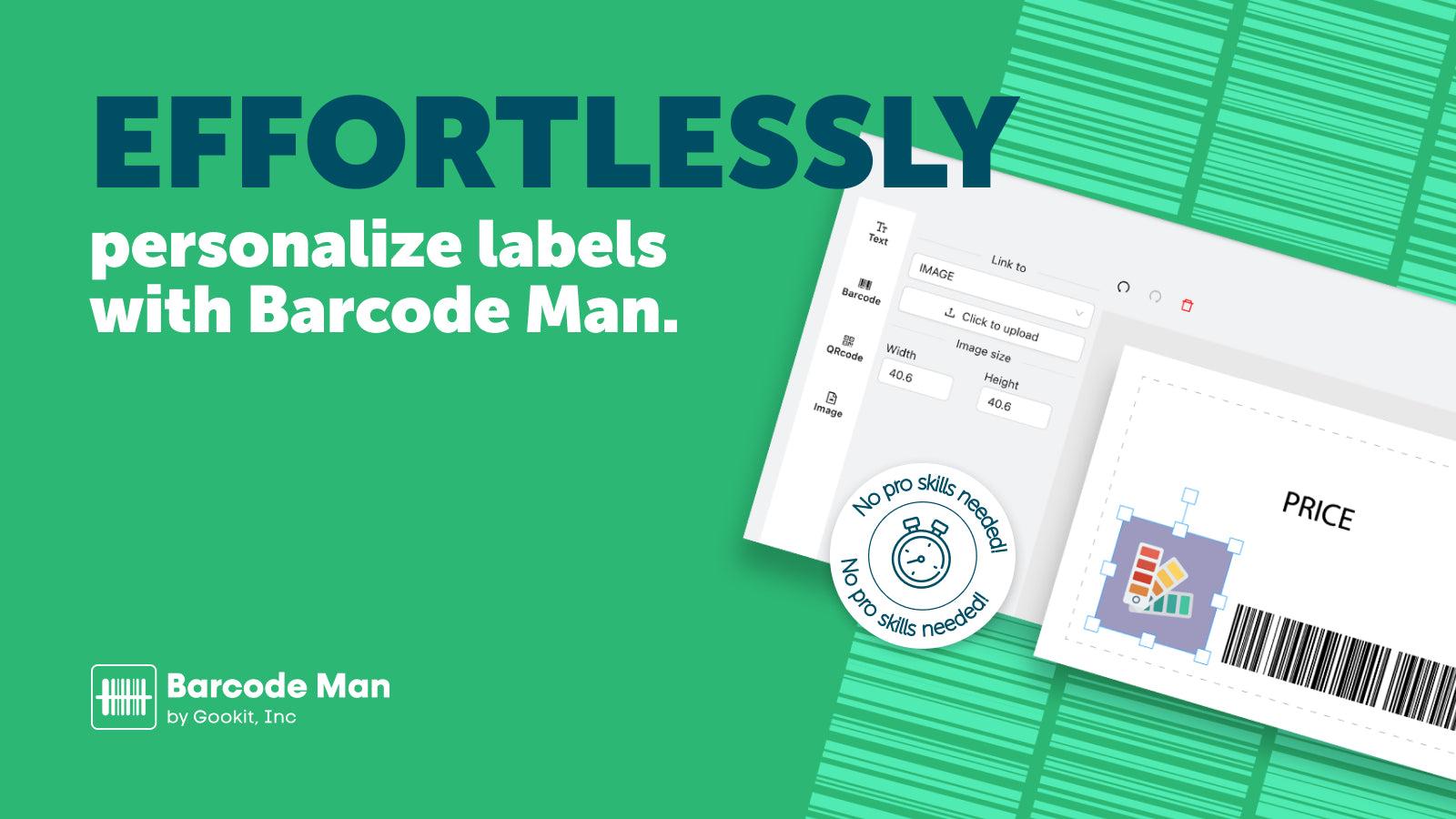
- Canvas Customization: A genuine platform for you to easily move and place all types of label elements.
Keywords
Key Features
- Drag-and-drop design tool for creating custom labels without coding skills.
- Supports multiple barcode types including CODE128, UPCA, EAN13, and QR codes.
- Generates random barcode or SKU numbers automatically.
Pricing
BarcodeMan Barcode Labels Pricing Plans
FREE
$0/month
Text label elements
Email support
Unlimited label printing
Common label layout
Customized label layout
PRO
$5.99/month
Label elements, QRcode, image, barcode
Email support
Unlimited label printing
Common label layout
Customized label layout
Not sure which plan to pick? Discuss FREE or PRO plans with us, learn about custom pricing, or get a demo.
Here's an overview of BarcodeMan Barcode Labels costs for each of the plan(s):
The app has 2 pricing plans: 1 free and 1 paid. The free plan(s) offered by BarcodeMan Barcode Labels: (FREE). The paid plan(s) offered by BarcodeMan Barcode Labels: (PRO).
The details of the plan(s) are outlined below:
FREE: This plan is free forever, incurring no subscription costs. It offers a wide range of features like Text label elements, Email support, Unlimited label printing, Common label layout, Customized label layout.
PRO: The PRO plan costs $5.99 and comes with a 10-day free trial period. The plan offers a host of features, including Label elements, QRcode, image, barcode, Email support, Unlimited label printing, Common label layout, Customized label layout.
BarcodeMan Barcode Labels Price Summary
| Pricing summary | Free plan available. Free trial available. |
| Total Pricing Plan(s) | 2 |
| Number of free plan(s) | 1 |
| Number of paid plan(s) | 1 |
| Cost of Paid Plan(s) | $5.99 |
| Free trial available | Yes, for 10 day(s) |
BarcodeMan Barcode Labels Shopify App Discounts
If you are looking for discounts on BarcodeMan Barcode Labels app pricing plans, feel free to contact our team - we'd be happy to help! Additionally, if you are an agency or a shop merchant with multiple Shopify stores, we can work directly with Gookit, Inc. to secure better deals on the BarcodeMan Barcode Labels app exclusively for you.
*Disclaimer: Please note that ShopDigest doesn't guarantee discounts on apps as any changes to the pricing plans are ultimately up to the discretion of the developer.
Testimonials
What our users say about BarcodeMan Barcode Labels
“Good app for creating price tags easily in-store. Recommend!”
“Works great, and support has been excellent in helping us utilize BarcodeMan with our purchase order app!”
“Good product that keeps up with changes in Shopify.As Shopify is sunsetting the Stocky app, we needed a new way of printing labels and now we are able to do so via Transfers in Shopify.I had a question about a scanning issue with CODE128 barcodes and recieved excellent support.”
Trusted By
Trusted by the best Shopify stores
Kosmos Beauty Lab
Finland
Superscript Comics and Games
United States
Seisuke Knife Japan
Japan
Q Evon Fine Jewelry
United States
Fireweed Stitches
United States
Mitch Jewelry
United States
Simply Classic
United States
RUDRA yoga & healthy food
Latvia
Create personalized retail barcode labels for your brand using an easy-to-use label designer.
Strong Label Creator
Get custom retail barcode labels with lots of product details like variants, currencies, metafields, and more.
Barcode and SKU Creator
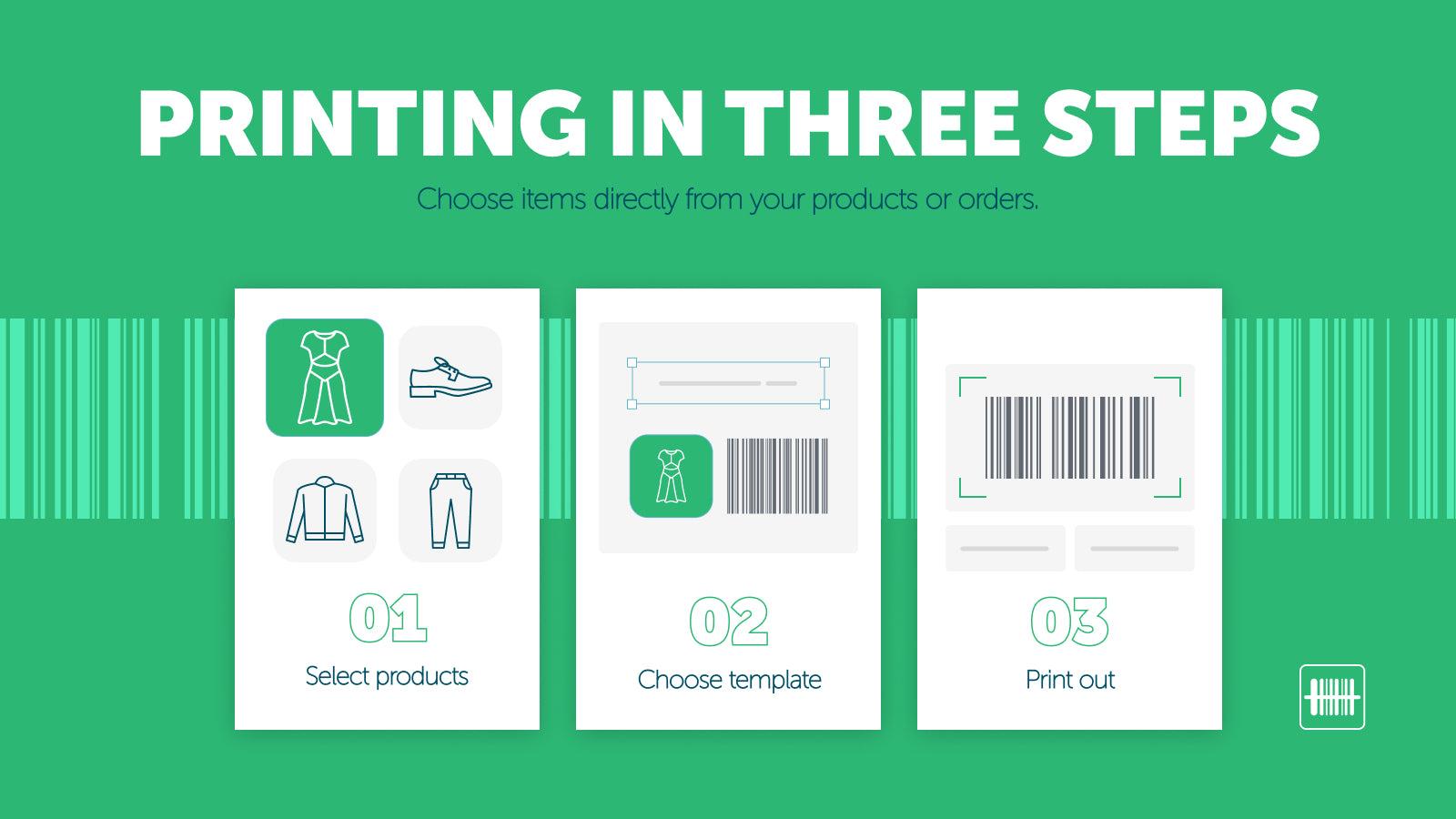
Choose specific products to assign barcodes and print the corresponding labels based on the quantity available in each location.
40+ Templates Ready to Use
Templates can assist printers that can produce PDF format prints. These printers may include DYMO, ZEBRA, BROTHER, inkjet, or laser printers.
Comparison
Top BarcodeMan Barcode Labels Alternatives Detailed Comparison
The table below highlights the crucial differences between BarcodeMan Barcode Labels and similar other Shopify apps based on parameters like ratings, reviews, features, pricing, etc.
Add App | |||
|---|---|---|---|
| General Information | |||
| Ratings | 4.8(94 reviews) | 4.9(378 reviews) | |
| Developed by | Gookit, Inc. | Magestore | |
| Launch Date | 1/9/2020 | 5/8/2023 | |
| Pricing | Free, $5.99/month | Free, $7.99/month, Free, $27.99/month | |
| Objective | Make custom barcodes for your store's products. | - | |
| Categories | SKU and barcodes, Retail | SKU and barcodes, Retail | |
| Key Features & Highlights | |||
| Purpose | Create personalized retail barcode labels for your brand using an easy-to-use label designer. | Easily make, print, and manage inventory barcodes to cut down mistakes and simplify processes. | |
| Features List |
|
| |
| Highlights | - | - | |
| User Reviews and Ratings | |||
| Recommended % | 88.7% | 98.5% | |
| Pros |
|
| |
| Cons |
|
| |
| Pricing and Plans | |||
| Total Pricing Plans | 2 | 4 | |
| Free Plan | Available | Available | |
| Free Trial | Yes, for 10 day(s) | No | |
| Technical Information | |||
| Rating | 4.8 | 4.9 | |
| Total Reviews | 104 | 220 | |
| Launch Date | 1/9/2020 | 5/8/2023 | |
| SD Points | 30 | 411 | |
More Details About BarcodeMan Barcode Labels
Product Description
BarcodeMan is a visual editor that features a clear screen canvas for dragging and dropping elements from any perspective. It is compatible with all printers that support PDF format printing.
AI Summary
Barcode Man is a Shopify app designed for generating and printing customizable product labels, barcodes, and QR codes. It supports multiple barcode types (UPC, EAN, Code39) and offers flexible template creation, allowing users to tailor labels with text, images, and metafields. The app is praised for its intuitive drag-and-drop interface, compatibility with various label sizes and printers (including off-brand options), and the ability to create unique designs for retail, wholesale, or inventory management. Key strengths include responsive customer support, quick issue resolution, and frequent feature updates based on user feedback. However, some limitations include occasional technical glitches, such as crashes during label generation or printing alignment issues. The free version restricts barcode functionality, requiring a paid plan for full access. While most users find it reliable, a few report challenges with label retrieval, outdated resources, or inconsistent performance after updates. Overall, the app is widely regarded as a cost-effective, versatile solution for businesses needing efficient label and barcode printing.
Support
For any questions, concerns, or assistance with BarcodeMan Barcode Labels, the dedicated support team is readily available to help.To reach out to the support team, users can send an email to [email protected]. Additionally, BarcodeMan Barcode Labels offers a comprehensive FAQ section to address common inquiries and provide self-help resources in their app FAQ section.
BarcodeMan Barcode Labels Support Information In A Nutshell:
| Support Email: | [email protected] |
| Contact Number(s): | Not available |
| FAQ Page: | FAQ details |
| Privacy Policy: | Privacy details |
| Language Support: | English |
Integration
The list of top Shopify apps or features or software tools that BarcodeMan Barcode Labels seamlessly integrates are given below:
Developer
Name: Gookit, Inc.
Website: /partners/gtw
Address: 18F., No. 206, Sec. 1, Keelung Rd., Xinyi Dist., Taipei City, 110
Looking to install BarcodeMan Barcode Labels app on your store?
ShopDigest helps businesses upgrade their Shopify stores by offering easy app installation services.
Why Choose ShopDigest?
- Highly experienced and vetted team for successful app installation
- Assured support and guidance throughout the installation and beyond
- Customized services to meet unique business needs
- 30-day no questions asked refund policy
- Lowest pricing guaranteed (starts at just $10/hour)
BarcodeMan Barcode Labels Q&A
How does the app help create barcode labels?
It offers a drag-and-drop editor to design labels with barcodes, text, QR codes, or images—no coding needed. Templates and auto-generation simplify the process for retailers.
Can I link labels to product details?
Yes, labels can connect to rich data like metafields, pricing, and variants, ensuring accurate product information is displayed on each label.
Does it support bulk label printing?
Absolutely. You can generate and print labels in bulk for multiple products, saving time for inventory or retail operations.
What barcode types are available?
It supports common formats like CODE128, UPC, EAN, and GS1-128, making it suitable for global retail and inventory needs.
Is there a free plan?
Yes, the free plan includes basic label elements and unlimited printing. Paid plans add barcodes, QR codes, and images for $5.99/month.
Can I customize label sizes?
Yes, you can design labels in any size to fit various products, packaging, or printer requirements seamlessly.
Does it work with all printers?
It’s compatible with any printer supporting PDF, including DYMO, Zebra, Brother, and standard inkjet/laser printers.
Who is this app best suited for?
Retailers, warehouses, or small businesses needing quick, customizable barcode labels without design or technical expertise.
Can I generate random SKU numbers?
Yes, the app includes a tool to auto-generate unique barcode or SKU numbers for inventory management.
Are there pre-made templates?
Over 40 ready-to-use templates are available, optimized for retail labels and compatible with major printer brands.
Customer Reviews
BarcodeMan Barcode Labels has an overall rating of 4.5 stars from a total of 104 reviews on the Shopify app store. Of these, 91 (87.5%) are positive, 2 (1.9%) are neutral, and 11 (10.6%) are negative*.
*Ratings above four stars fall under positive review, three stars reviews fall under neutral, and anything less than two stars falls under negative.
Good app for creating price tags easily in-store. Recommend!
Works great, and support has been excellent in helping us utilize BarcodeMan with our purchase order app!
Good product that keeps up with changes in Shopify.As Shopify is sunsetting the Stocky app, we needed a new way of printing labels and now we are able to do so via Transfers in Shopify.I had a question about a scanning issue with CODE128 barcodes and recieved excellent support.
We have had a positive experience with the BarcodeMan Barcode Labels app. We like the customizable templates. Support has always been quick to respond and helpful. They are also receptive to suggestions for future features to the apps.
Thank you!!!!! The recent update that allows labels to be printed from the transfers is such a time saver. I was struggling and about to cancel my subscription......Love the update. Thank you again!
Video Demo and Screenshots
Product Screenshots
Installation Steps
How to install BarcodeMan Barcode Labels on your Shopify store
Find your app
Use filters like pricing, availability, and features to find the perfect match for your store's needs.
Get a personalized setup plan
Our team will create an installation plan based on your current store setup, goals, and requirements.
Install at your own pace
Perfect your store's functionality without the pressure to move on until you're ready.
Install in your Shopify Store
BarcodeMan Barcode Labels FAQ's
How do I install the BarcodeMan Barcode Labels Shopify app?
To install BarcodeMan Barcode Labels app on your Shopify store, click on the BarcodeMan Barcode Labels installation link. Login to the Shopify store on which you want to install the app and follow the onboarding process.
If you need our expert guidance to help you install BarcodeMan Barcode Labels on your Shopify store, then contact us now.
What are the key features of BarcodeMan Barcode Labels?
The key features offered by BarcodeMan Barcode Labels to Shopify store owners are:
- ✅Link to rich data attributes, including metafields, and international pricing.
- ✅Use a visual design editor that requires no technical skills.
- ✅Common barcode type. Including CODE128, UPCA, UPCE, EAN13, EAN8, GS1-128, CODE.
- ✅Generate random numbers for barcode or SKU.
- ✅Create a wide range of label formats of any sizes.
Does BarcodeMan Barcode Labels integrate with other Shopify apps or tools?
Yes, BarcodeMan Barcode Labels seamlessly integrates with other Shopify apps or tools, such as Connect to detailed data features, such as metafields, and even global pricing., Print different types of labels: Text, Barcode, QRcode, and Image., Types of commonly used barcodes: CODE128, UPCA, UPCE, EAN13, EAN8, GS1-128, CODE..
Is there a free trial available for BarcodeMan Barcode Labels?
Yes, BarcodeMan Barcode Labels offers 10 days free trial on all its paid plans.
What are the pricing plans for BarcodeMan Barcode Labels?
The app has 2 pricing plans: 1 free and 1 paid. The paid plan costs $5.99/month, and comes with a 10-day free trial period.
How does billing work for BarcodeMan Barcode Labels?
BarcodeMan Barcode Labels uses USD for billing, with recurring and usage-based charges invoiced usually every 30 days.
Can I cancel or upgrade my subscription plan at any time?
Yes, BarcodeMan Barcode Labels allows its subscribers to cancel or upgrade their subscription plan at any time.
Does BarcodeMan Barcode Labels offer customer support? How can I get assistance?
Yes, BarcodeMan Barcode Labels offers a dedicated support team for any kind of app-related assistance. To reach out to the support team, users can send an email to [email protected].
Additionally, BarcodeMan Barcode Labels offers a comprehensive FAQ section to address common inquiries and provide self-help resources.
Is BarcodeMan Barcode Labels compatible with my Shopify theme?
Please reach out to their support team at [email protected] to confirm its compatibility with your specific Shopify theme.
Alternatives
See all Alternatives to BarcodeMan Barcode Labels Shopify App.






Most Popular
Most popular Shopify apps on the market




